Real-Time Assistance to Farmers and Health Sector Android App

Objective:

Our objective is to provide real-time assistance to Indian farmers and common people, who are not getting the proper timely treatment.

Existing System:

In the traditional system, every farmer should collect disease plant samples and take to agriculture specialists to explain plant symptoms. This is a big problem for rural area former and new to agriculture. It takes too much time delay and every zone needs at least one agriculture specialist to attend farmer problems.

Disadvantages:

Too much time Delay.
Need at least one agriculture specialist to attending farmer problems.

Advantages:

  • Instant Diagnosis
  • Easy to understand Plant disease
  • Could take between 1 minute to 48 hours

Modules:

  1. User Registration
  2. In store-and-forward
  3. Instant Diagnosis
  4. HealthCare service provider

User Registration:

In these modules, the user must register their credentials to use this application. The users are of two types, farmer and patients. The User should enter the details like First name, Last Name, Username, password, Location, contact no and etc… So user using this registration details to get a sign in that HealthCare application. This authentication process to avoid someone malpractice as this application was paired with agriculture Specialists centralized server.

In store-and-forward:

In store-and-forward HealthCare, digital images, video, audio, observations of daily living (ODLs), and clinical data are captured and “stored” on Android mobile device; then are at the convenient time they transmitted securely (“forwarded”) to Agriculture specialists Server.
The opinion of the specialist is transmitting back based on the requirements of the participating healthcare entities. The patients forward the symptoms of the disease so that they can get back the specialist opinion and comments regarding their details.

Instant Diagnosis:

In this module using the centralized server give instant responses to the farmer and patients. The responses are based on farmer’s queries and the patients who entered their symptoms. The specialists will be there to respond to the queries and symptoms. Common problems or diseases, the Specialists already provided or upload some Diagnosis method or comments for the regular problem and emergency problem.

HealthCareTelehealth Service Provider:

In this module, the HealthCare service provider can able to access the information post about the patient detail and also the farmer details. Now the authorized person will suggest the treatment for the disease after receiving the symptoms and more related information regarding the disease. Also for the plant diseases queries which are posted by the farmers.

Travel and Events Portal Website Development

Project Statement:

Need to develop a travel and events portal website to provide users different tours and travel packages depending upon their interests.

It will allow users to register and search through various tours which will be displayed on the website. Tours related info will be managed by admin panel in the back end and will be dynamic.

Search will also be location-based and package based. Admin panel will be provided to manage locations, regions, packages, and tours as per search are done by the user.

Once a user searches through the related info he or she will request a quote and email will be sent. Either user or travel admin will follow up.

The request form will capture all important info like Email, name, number, etc. If hotels are also being planned then we will also include a related field in the request form. 

Basically, we will manage it basing:

Destinations
Packages
Places to enjoy
Weekend Plans
Recommended Tours 

It will basically have two logins:

Admin and User.

Admin will manage all back end data. Will update tours, packages, destinations, locations, weekends plans, etc.

These all will be seen by the user in the front end. So the project will be basically divided into Front end website and back end admin panel for managing data.

Website Structure:


1. Application & General Site:

Welcome screen with the option to register/sign in
Terms & Conditions
Disclaimer
Privacy Policy

Blog
Stories
Brochure
Company Profile
About Us

2. Admin pages:
Admin panel login and forgot password option

Manage Enquiry Requests 

Manage Blogs
Manage tours
Manage packages
Manage Destinations
Manage weekend plans
Manage Recommended tours
Manage Customers 
Manage Bookings 

3. Quality Control:

At the end of the development cycle, you will have a properly functioning and quality assured site.

By ensuring implementation of the following points we maintain quality in the products we deliver.

  • W3C validated semantic HTML code
  • Well commented and indented PHP code
  • Proper escaping of user entered data to prevent XSS, CSRF and other security issues
  • Optimized database tables
  • Minified CSS, JS and optimized images for faster loading
  • Implementation of meta tags, descriptions, open graph tags for help in SEO

4. Search Engine Optimization:

All the below points will be implemented for making the site on page SEO ready:

Search Engine Friendly Code i.e. H1-H6 and Meta Tags, ALT Tag for images, etc.

Page Title and Page description

sitemap page

robots.txt

DIV Based Code (Table Less)

Friendly URLs, such as www.domain.com/about, etc.

Keywords, Meta Description Placement

Custom Design 404 Error Page

Organized and Commented Code

Faster website loading and good speed score

SL NO

Task / Modules Page

1

Initial Planning and Design

2

Primary Database Design

3

Responsive HTML Design of All Pages


Front End Section


Landing activity for the welcome screen along with login/register option
Terms & Conditions
Disclaimer
Privacy Policy

Blog
Stories
Brochure
Company Profile
About Us

Search Criteria
Packages selections
Destination selections
Places to enjoy selections
Weekend Plans selections
Recommended Tours selections 


Admin Panel 


User management
Tours, Destinations, Places to Enjoy, Weekend tours management

Settings
Manage categories and subcategories

Manage bookings 

Manage blogs and Enquiry requests  


Testing & Bug Fixing 


Web service, DB Design, Architecture, and deployment 

Related Projects on Travel & Tourism below:

Football Prediction Android App Project

Project Statement:

To design and develop a Football Prediction Android mobile app for Android / IOS platforms which will provide betting tips for football matches.

The option will be there to buy credits and look out for suggested Gold Boom tips and VIP tips. Free daily tips will also be provided to any player who has installed the app. Bet tips will be loaded from back end Admin panel.

The option will be provided for checking the match analysis and understand the tips, and then form a strategy.  It will load games that are about to start or already running and we can also sort it as per preferences. And provide tips for related games.

User Types:

  • Admin
  • Customer

The app will have the following features:

Home Grid
App Icon design
Boom Gold Tips
Free Daily Tips
Top Match Analysis
Super Bonus Tips
Settings
Notifications
Share
Rate Us
Betting Strategy
About Us
Privacy Policy
Contact us
Customer Login / Account
Credits payment gateway integration
Admin Panel

Module Details:

SL NO

Task / Modules Page

1

Initial Planning and Design

2

Primary Database Design

3

Admin Panel
Back end designs for below modules
Tips → Boom Gold tips, Free daily tips, Super Bonus Tips all these three will be managed dynamically from admin panel
Customer mgmt →  will handle customer registrations who will pay for getting the Gold and Bonus tips.
Payment gateway and credits
Transactions → will be for managing the transactions done by the customer for paying and getting credits
Credits to manage credits in a customer account

Match Analysis mgmt
Membership plans

4

Menu
Settings
Notifications
Share
Rate Us
Betting Strategy
About Us
Privacy Policy
Contact us
Login / Logout

Match Analysis

5

Web Services & DB architecture management with deployment 

Choice of Technology:

Dot net MVC with ASP and SQL Server as server-side programming language and database or Php side programming and MySQL 

Mobile:

Android: Java  (Android v 6.1 and higher)
iOS: Swift 6.0.1 (Native and supporting iOS 11 and above)

We need to purchase API related to all football leagues that are happening, which we will integrate.

Dynamically Time Table Generation System Project

The main objective of this Time Table Generation System project is to update the time table dynamically on a particular day.

There are many situations where a particular period might be wasted because that respective subject lecturer might be busy in some other important work. So, we are coming with an idea to recover the period without getting wasted.

Our automatically time table generation application gathers information about all the lecturers with their respective courses semester wise. We will be sending a request to remaining lecturers dealing that class.

So, that they can accept or reject the request to attend that particular class. The lecturer who accepts the request will be allotted the class and for the remaining lecturers, we will be sending another notification that the class is allotted to that particular lecturer.

Lecturers who are handling multiple courses, their information must also be collected. So, by this procedure, the class will be allocated to the lecturer who accepts the request.

Therefore, the student will be benefitted without getting their period wasted and also the faculty members can get involved in their respective works.

Design Diagrams:

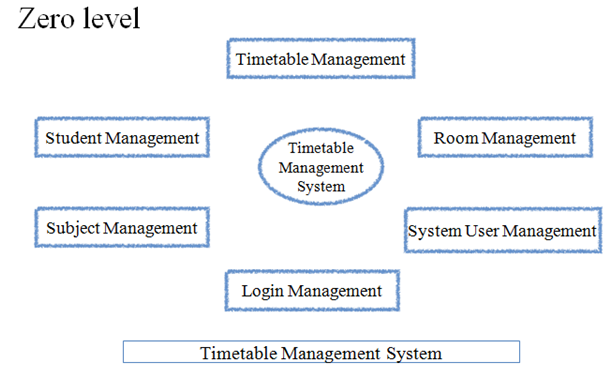
Data Flow Diagram Zero Level

Data Flow Diagram Zero Level

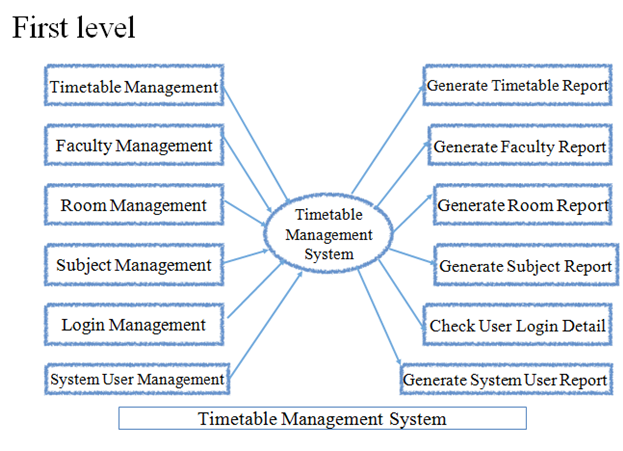
Data Flow Diagram First Level

Output Screens:

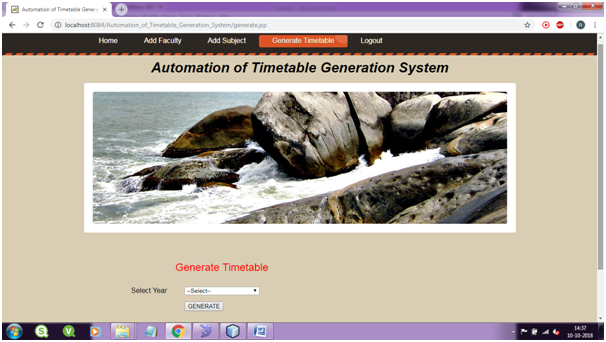
Time Table Generation Page
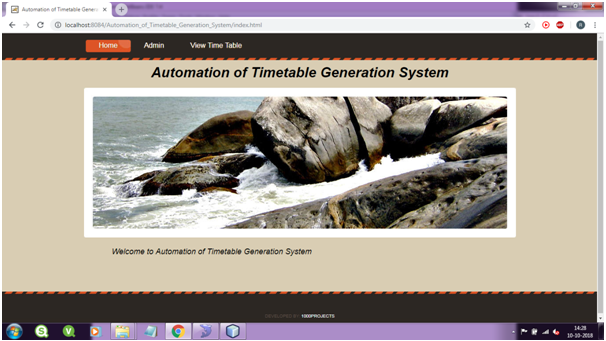
Time Table Generation System Home Page
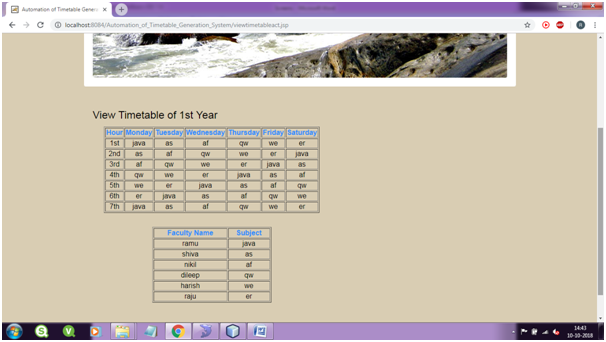
View Time Table page

Download the Dynamically Time Table Generation System Java & MySQL Project  Source Code and Database files.

Mobile Based Student Feedback System

INTRODUCTION

This Student Feedback System project is to develop a mobile-based application which is very useful to maintain feedback reports by the administrator.

Provides a student to give feedback for the teaching of a lecturer in a mobile-based system online.

Evaluates the answer given by the students based on the feedback which will be given by a number 1 to 5.

Delivers feedback via student lecture interface which acts as a service provider.
Provides an overall report of the feedback helping the students to give suggestions about where a faculty is lagging.

Provides individual rating of the faculty in a particular semester which will help the management in making salary appraisal decisions.

Existing System:

The present Student Feedback .Net Project has no application to provide communication between the student and lecturer through the mobile.

So far, this as only taken place in online websites but there is no application developed for communication by giving apps predefined methods.

Disadvantages:

The entries will take up manually which is a time-consuming process.
Inconsistency in data entry.
Lack of security.
Data may be lost.

MODULES:

  • Admin
  • Student
  • Management

Hardware Requirements:

System: Intel i3 3rd generation
Hard Disk: 40GB
RAM: 1GB

Software Requirements:

Operating System: Windows XP/7/8/10
Coding language: Java, MySQL
Tool kit: Android SDK
IDE: Android Studio

Requirements:

Modules:

Admin:

In general, the admin will maintain the entire administration like authorization, authentication, permissions, history tracking, and troubleshooting, etc., and he can view the final feedback report.

Student:

A student can give feedback to their respective department staff members and also give messages and comments to the staff of the particular department.

Management:

The management can view their own comments and rating criteria given by the students. They can view the total evaluated feedback.

The existing Java-based college feedback project has very less scope for both the student and Admin.

Proposed System

In this student feedback system project, we are proposing the new form of technology to get communication between student and lecturer.

With this, the student can successfully submit feedback on lecturer’s teaching in a very efficient and convenient manner.

By using this technology we can provide fast feedback about the college lecturers by the students on time at anywhere from any place by just log in from their valid account.

Output Results:

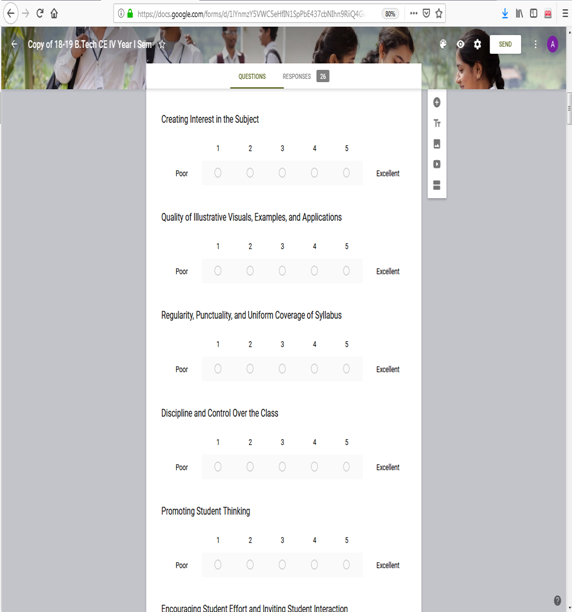
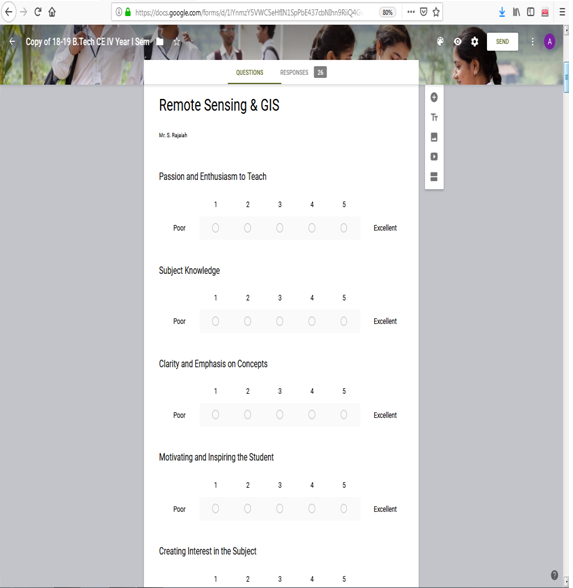
Student Feedback on Teachers performance
Student Registration form
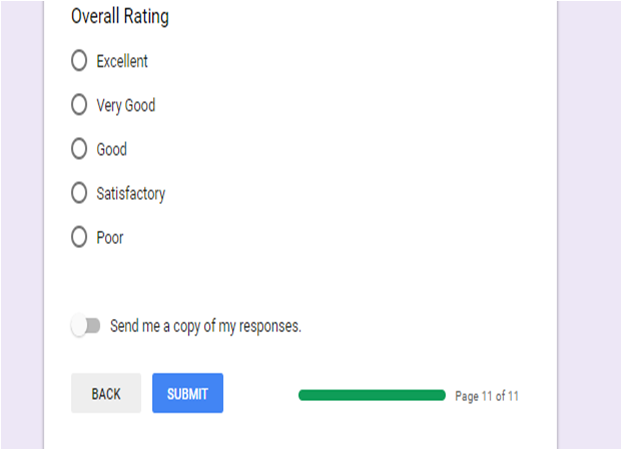
Feedback details
Feedback details
Admin Student Page to Login
Login Page
Login Page for Both Admin & Student


Download the attached Student Feedback System android app project Source code.

Development of Online College Yearbook Java Project

The main aim & objective of development of Online College Yearbook java project is to provide an online platform to the college management, Staff and student alumni.

With the help of this project Students & Staff can able see the tasks & achievements done in previous years.

Statement of Problem:

Every year, for each institution it is a part of the curriculum to showcase the tasks, achievements completed by students and teachers, manually, it is not suitable and chores take longer time to prepare.

Abstract:

For the IT department, in our college we want to develop a website which helps in uploading, updating the required information in any form.

This provides accessibility, privacy and is user-friendly as well. With each academic year passing by, new information can be added as per requirement.

Scope of Work:

This project Development of online college yearbook is developed based on MySQL, Java, HTML, and CSS.

Mainly this project focuses on providing information regarding the achievements of the IT department every year.

The below youtube video is the total output demo of the online college yearbook project.

Modules:

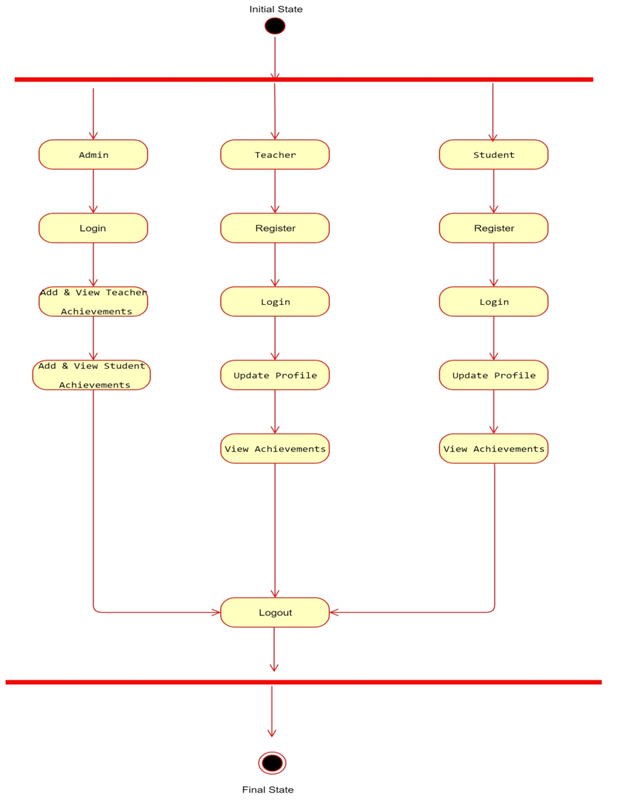
This Java project consists of 3 major modules

Admin

  • Admin Login with Username & Password
  • Add & View Teacher Achievements
  • Add & View Student Achievements
  • Logout

Teacher

  • Teacher Register with his/her details
  • Login with Username & Password
  • Update Profile
  • View Achievements
  • Logout

Student

  • Register
  • Login
  • Update Profile
  • View Achievements
  • Logout

Activity Diagram:

UML - Activity Diagram

Other Related projects on the College Management System:

Output Screens Details:

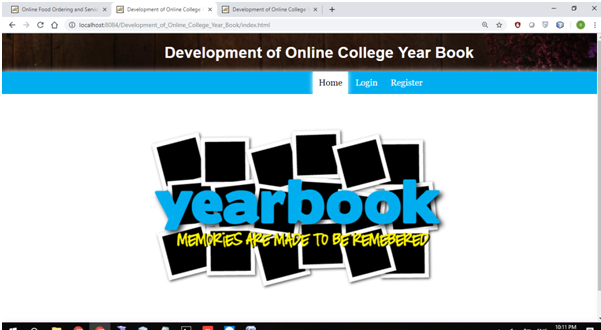
Home Page:

Development of College Yearbook Home Page
Home Page

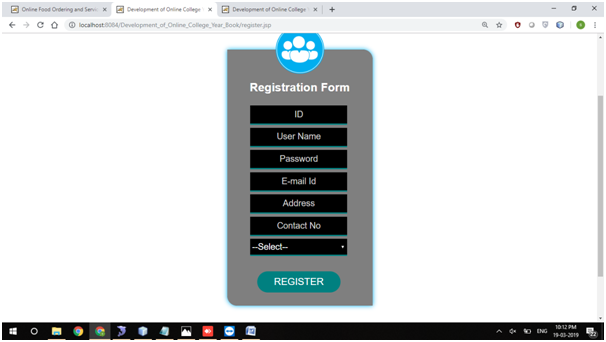
Registration Page:

Development of College Yearbook User Registration Page
User Registration Page

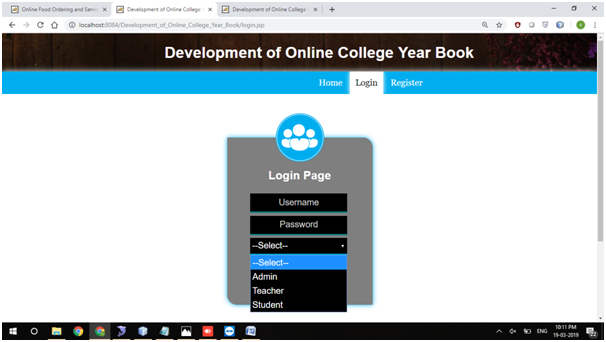
Login Page:

Development of College Yearbook Login Page
Login Page

Admin Home:

Add Teacher Achievements

View Teacher Achievements

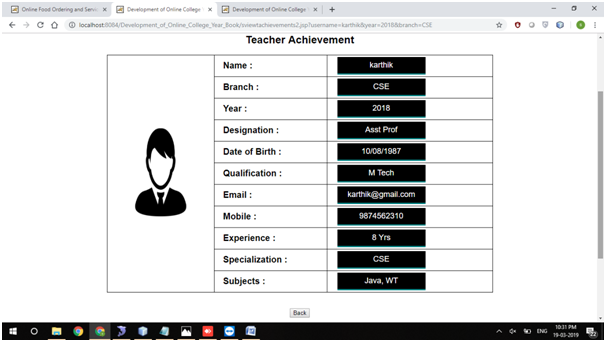
College Yearbook View Teacher Achievements output
View Teacher Achievements

Update Teacher Achievements

Add Student Achievements

View Student Achievements

Update Student Achievements

Teacher Home Page

Teacher Update Profile Page

View Teacher Achievements

View Students Achievements

Student Home

Update Profile

View Students Achievements

View Teacher Achievements

View Teacher Achievements Page
View Teacher Achievements

Download the below attached Project Source Code of College Yearbook system.

Software requirements to run/execute the project:

  • JAVA (Servlets, JSP)
  • NetBeans 8.1
  • JDK 1.7
  • MySQL 5.5
  • SQLYog
  • HTML
  • JavaScript and CSS

Java Web application on Car Store System


The main aim of this car store project is to create a web-based application using Java and MySQL for an online car store system that includes the customers to search for cars and order online and manage their online bookings

Online Car Store System is an website that allows a customer to search for various cars available at the store, segregate according to the price and model, Unique data of cars available, Time it takes for a car to get delivered, book the car online and enter the date they would visit the store and also allows customers to book for a test drive.

Other features such as discounts, EMI Scheme, Insurance and Client Testimonials.

Challenge Description

1. This challenge requires you to build a fully functional website for a car store. The Customer should be able to sign up and login into the application using the ID created. Without a login ID, customer can only search for discounts, cars available, discounts available and book for a test drive.

2. This includes high-level design, UI screens development, data storage, and manipulation and business logic using the concepts of core and advanced Java.

3. A running website hosted locally or remotely (on a cloud), the design document created and the source code used in a zip file.

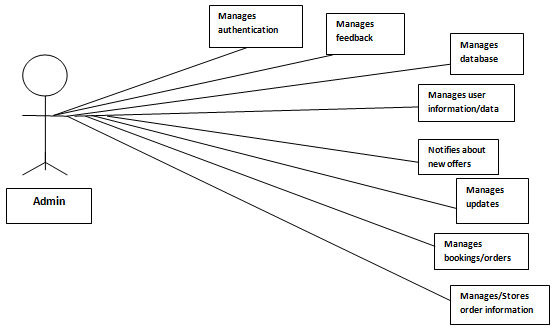
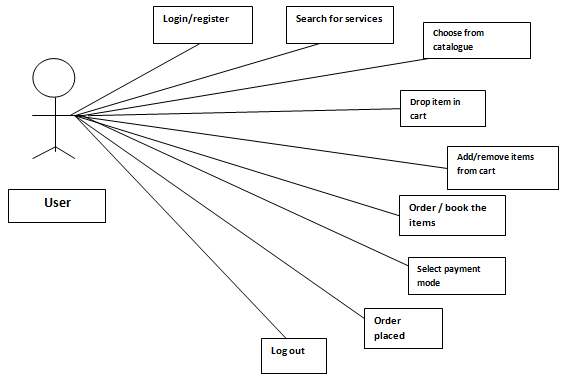
Use case Diagrams for Admin & User:

Use case Diagram for Admin
Use case Diagram for User


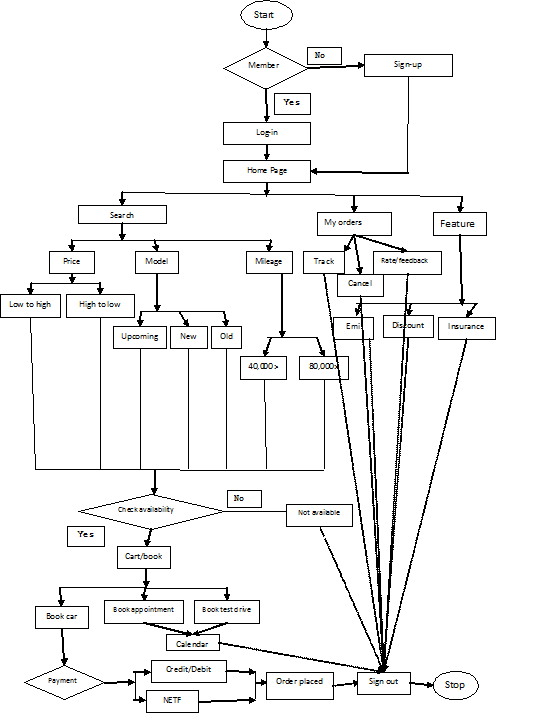
Flow Chart:

Learning:

After completing this challenge, we should have a thorough understanding of:

  1. Creating a real-world web-based application on Car Store
  2. Designing a car store application using Data flow diagrams
  3. Advanced Java concepts: Servlets, JSP’s, etc and web design tools such as HTML, CSS.
  4. Data Management using databases such as MySQL etc.

Output Screens:

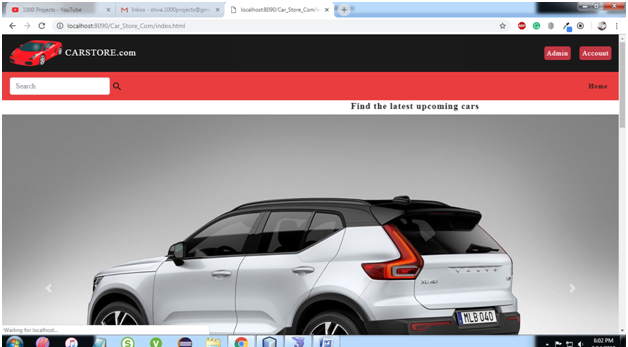
Home Page:

Car Store System Home Page

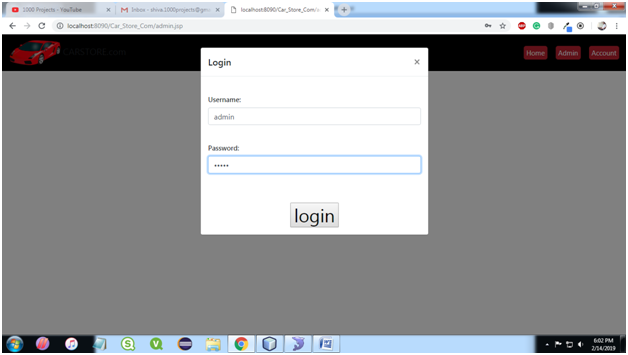
Admin Login Page:

Car Store System Admin Login Page

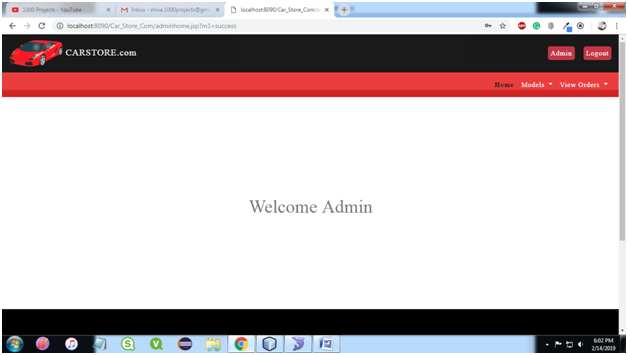
Admin Home Page:

Admin Home Page for Car Store System Java Project
Car Store System Admin Home Page

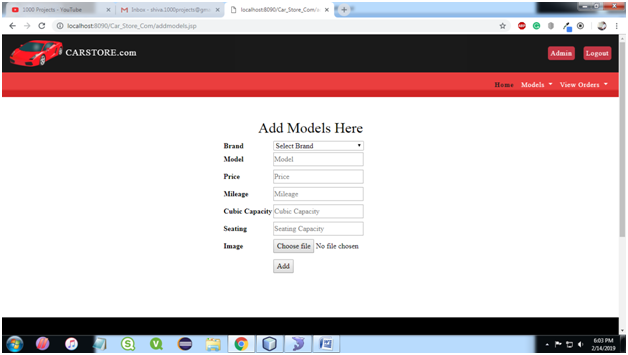
Add Models:

Car Store System Admin Add Models Page

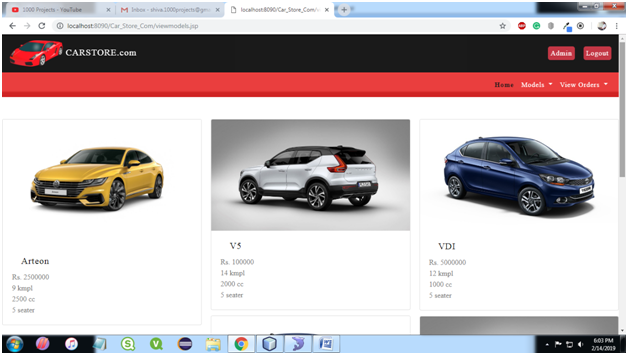
View models:

Car Store System Admin View Models Page

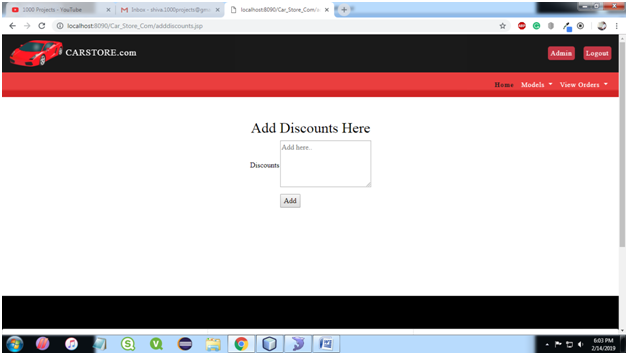
Add discounts:

Car Store System Admin View Models Page

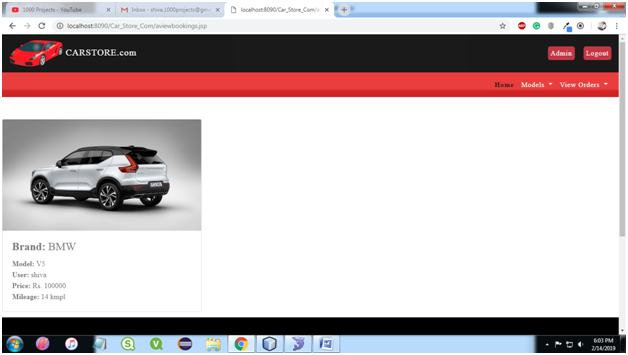
View Bookings:

Car Store System View Bookings Page

View appointments:

View feedback:

View feedback;

User registration:

User login:

User home:

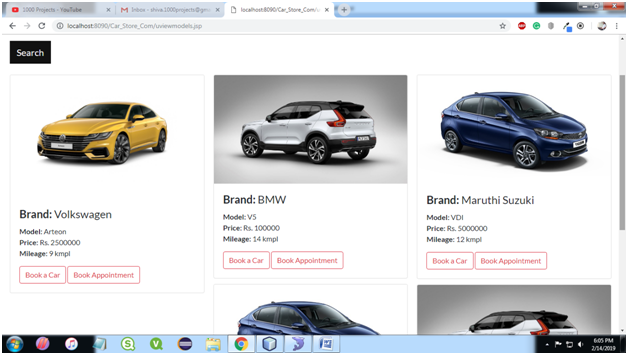
Search Cars Page:

User Search Cars Page

View bookings:

View appointments:

Send feedback:

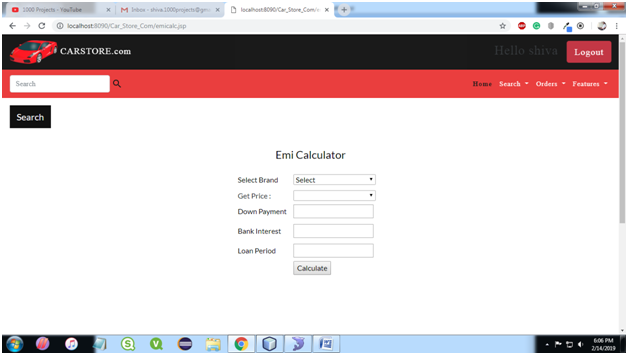
Emi calculator:

Car Booking EMI calculator Page

Insurance:

Discounts:

Find the below Youtube Video Link for the Online Car Store System Java & MySQL Project.

Download the below attached Online Car store System Java Web application Source Code.


Java web application for the healthcare logistics company

The main objective of this project is to create a web application using Java, for a healthcare logistics company to maintain a record of its test’s and technicians.


A logistics and technicians tracking website that allows a customer to search for all the booking date time and location, Technicians assigned for a booking, also allows customers to check the logistics used for bookings and unique data for the logistics required.

Other features such as billing, customer database technicians details.
Challenge Description

  1. This challenge requires you to build a fully functional logistics and technicians tracking website.
  2. The user should be able to sign up and login into the application using the ID created. Without a login ID, the customer can only view a number of bookings and technicians.
  3. This includes high-level design, UI screens development, data storage, and manipulation and business logic using the concepts of core and advanced Java.

A running website hosted locally or remotely (on a cloud), the design document created and the source code used in a zip file.

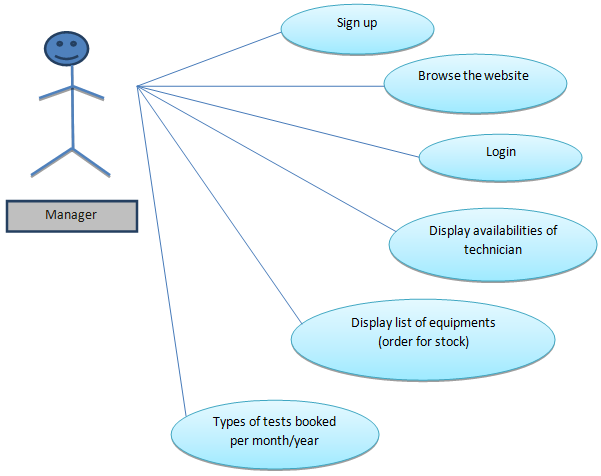
Use Case Diagram:
 Learnings:

After completing this challenge, you should have a thorough understanding of

  1. Creating a real-world web-based application
  2. Designing an application using flow diagrams
  3.   Advanced Java concepts: Servlets, JSP’s, etc and web design tools such as HTML, CSS.
  4.   Data Management using databases such as Oracle, MySQL, etc.

Learning Dashboard

Designing the application

The most important step in building an application is designed. The participant should come up with a plan for the website and the features you intend to provide.

The compulsory elements are a Welcome screen with SignUp and Login buttons and a dashboard.

[To-do 1]  – Creating a flow diagram

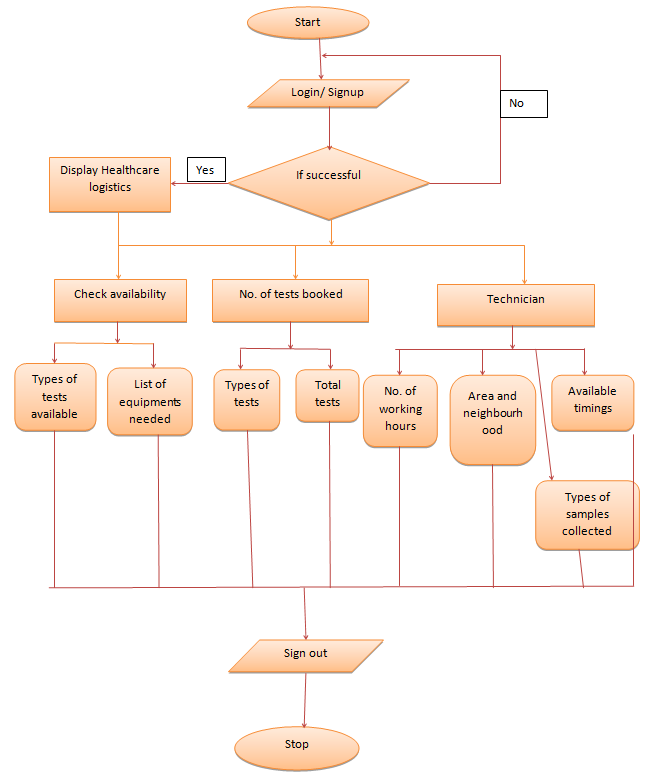
It is helpful to create a flow diagram detailing out the various entry points i.e. Menu items that shall be available in the website and the customer journey through each of these.

[To-do 2]  – Creating sample screens or wireframes

In order to represent the final design of the website, the wireframes should be created.

A wireframe is basically the UI element of the design that indicates the final look and feel of the website including the color scheme, fonts and the navigation scheme.

[To-do 3] – Data Modeling and review

The design should also include the data components i.e. The table schemas that will be part of the application.

The participant must design the tables based on the data that has to be stored in the Database to be dynamically fetched. Some examples include

  1. A logistics table, that stores the details of the logistics such as Logistics number, logistics name, quantity, Technician Appointed ID, technician name its destination area, etc.
  2. A technician table, that stores the login details of the customer when they sign up and allow them to use this data to sign in.

After completing the above steps, review your design and fine tune it to make any improvements necessary. You can approach your mentor for guidance on this.

Flow Chart:
Designing the Welcome Screen

The welcome screen or the home screen of the website should allow the user to search for flights by either Logistics number, logistics name, quantity, Technician Appointed ID, technician name its destination area, etc from the list, he should be prompted with the login or signup screen.

[To-do 1]  Create the User Interface of the welcome screen

In this section, the participant is free to make the welcome screen as simple or complex as per his/her own preference. Use JSP’s integrated with HTML 5 and CSS to create the screen and test it with no data or static data first.

The welcome screen should be able to display a list of flights based on search criteria at the end of this step.

[To-do 2] Create the business logic element or the controller

The logic for data handling and manipulation and database connectivity is written inside the servlets.

The data passed from the forms created in the JSP in step 1 should be passed to the servlets which then perform any validations required or fetch operations on the database using JDBC connectivity

[To-do 3] Create the tables required and connect to a database to fetch data dynamically

Using the schema created in Step 1, populate data in the tables and make sure the welcome screen works with all the components plugged in together.

Designing the Sign-Up Or Login Screen

The Sign up/ Login screen appears when the user tries to book the logistics and appoint technicians. The user will be prompted to sign up or log in. However, if the user is already logged in, he should not be prompted with this screen again on tap of «book» button.

[To-do 1]  Create a simple Sign Up page

When the user clicks to sign up, he should be redirected to a signup screen. The UI of the screen can consist of text fields to enter name, email, password.

Once the customer fills in all the details and submits, a row should be added in the customer table. Basic validations such as email address format, password length should be taken care of.

[To-do 2] Create the login page

The design of the login page is very similar to that of the signup screen.

However, when the customer logins using username and password, the system must check the database for validity and allow/block the user.

[To-do 3]  Integrate the screens and test them thoroughly

Ensure that the customer who has already logged in is not prompted to log in again on tap of book. Fine tune any design or performance concerns up to this point

Designing the other features

The other features will be visible to customers once they have logged in. Apart from the search feature, the website can provide other facilities such as check-in, baggage allowance, etc.

The details are up to the participant. Each feature should be designed using the 3 step approach of designing the UI, writing the business logic, data modeling and wiring all of these together.

[To-do 1]  Create the User Interface

[To-do 2] Create the business logic element or the controller

[To-do 3] Create the tables required and connect to a database to fetch data dynamically

At the end of each element, do integrate and test with existing features to ensure that the built functionality is not broken due to the new code.

This health care logistics java project contains 3 modules

1) Manager Module functionalities

  • login
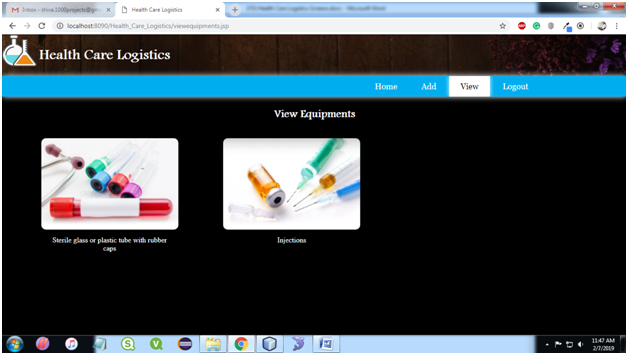
  • Add Equipment
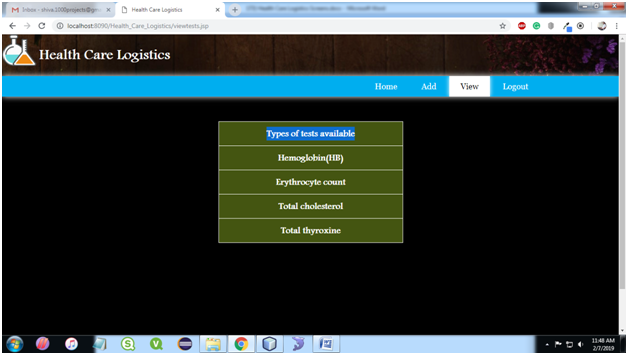
  • Add Tests
  • View Equipment
  • View Tests
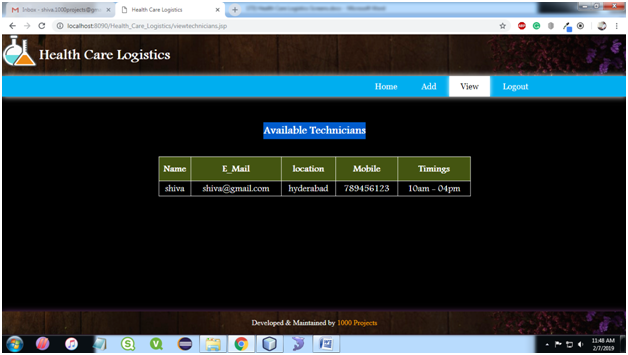
  • View Technician
  • View Customer
  • Total Tests
  • Logout

2) Technicians Module functionalities

  • Register
  • View Customer Details
  • add customer details
  • Logout

3) Customer Module functionalities

  • register
  • Login
  • Book Technicians
  • View Bills
  • Logout

Output Screens of the Project:

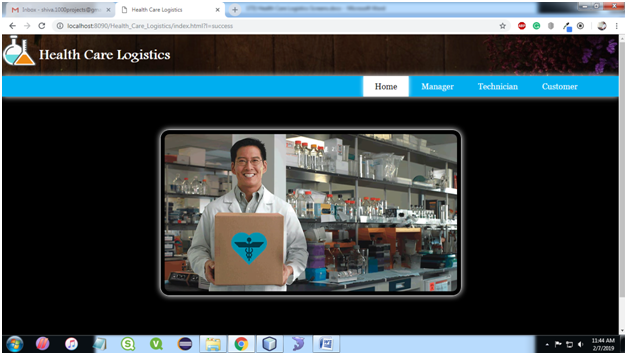
Home Page:
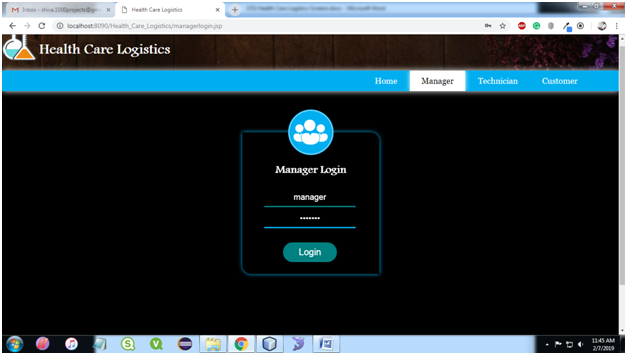
Manager Login Page:

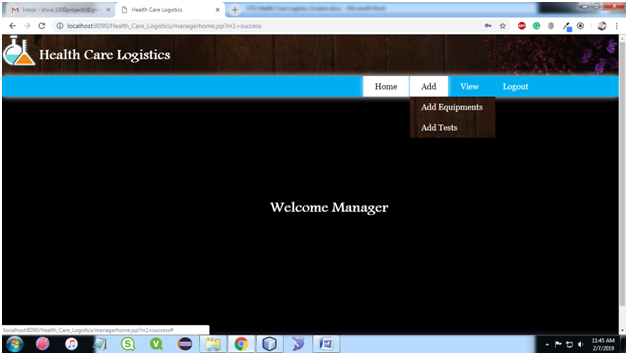
Manager Home Page:
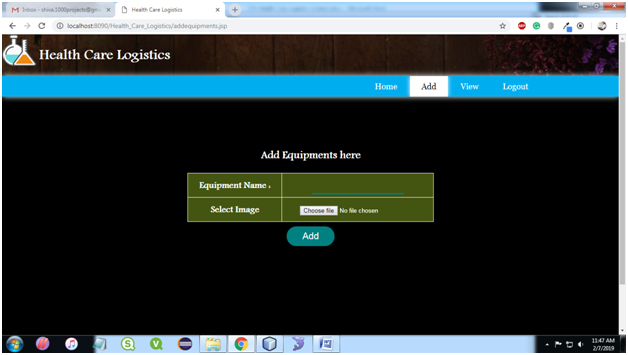
Add Equipment:
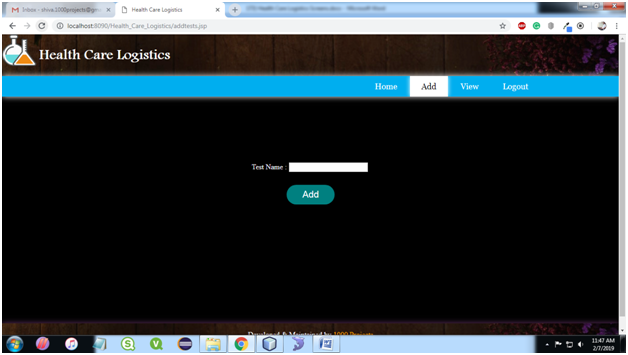
Add Tests:
View Equipment Page:
View Tests Page:
View Technicians:
View Customers:

Total Tests:

Technician Register:

Technician Login:

Technician Home:

View customer Details:

Customer Registration:

Customer Login:

Customer Home:

Book Technicians:

View Bills:

Find the below Healthcare Logistics Java Projects Youtube Video

 

Online Book Store Python Project Synopsis

Using this Online book store application the Customers can buy the books using the internet by sitting at home. 

Usually, the book reader if they want to buy a book they should visit the book stalls, go through the book contents and they wish to purchase the book they do the payment and gets the book to the home. 

To overcome this manual visit to the book stalls we can use this application to visit the bookstalls virtually and make the payment of the purchase.

In this system, an Administrator is going to add a New Book details like ISBN Code, Book Name, Author, Publisher details into the system based on its Category, etc. 

The Administrator will receive the request from the Customer as Purchase of a book.  The Administrator will receive the payment from Customer for the delivery of the book through Credit Card and reserves the book for the Customer. 

Using the Courier delivery system the Administrator dispatches the book to the Customer.

The Customer at another end will register to the site, login into the system and go through the virtual bookstall.  He/she will select a book based on its Author, Category, etc. 

If the Customer would like to purchase the book, he/she will place an order of the book.  The book will delivery status can be captured by this system.  If the book courier found in a bad position, the Customer can also raise a complaint to the Administrator for the action.

Food Maza – Food Ordering System Python Project

Using this application the Customers can buy the Food items using the internet by sitting at home.  Usually, the customer if they want to eat a food item they should visit the restaurants, and they wish to purchase the items they do the payment and gets the food to the home. 

To overcome this manual visit to the restaurants we can use this application virtually and make the payment of the purchase.

In this system, an Administrator is going to add a new food item details.  The Administrator will receive the request from the Customer as Purchase of a product. 

The Administrator will receive the payment from Customer for the delivery of the food item through Credit Card and reserves the item for the Customer.  Using the Courier delivery system the Administrator dispatches the food items to the Customer.

The Customer at another end will register to the site, login into the system and go through the virtual restaurant.  He/she will select a food item based on its quality and quantity, etc. 

If the Customer would like to purchase the food item, he/she will place an order of the item.  The product will delivery status can be captured by this system. 

If the product courier found in a bad position, the Customer can also raise a complaint to the Administrator for the action.

Functional Requirements:

In this system, an Administrator is going to add New food details.  The Administrator will receive the request from the Customer as Purchase of products. 

The Administrator will receive the payment from Customer for the delivery of the products through Credit Card and reserves the products for the Customer. 

Using the Courier delivery system the Administrator dispatches the products to the Customer.

The Customer at another end will register to the site, login into the system and go through the virtual shopping mall.  He/she will select a product. 

If the Customer would like to purchase the products, he/she will place an order of the products.  The products will delivery status can be captured by this system. 

If the products courier found in a bad position, the Customer can also raise a complaint to the Administrator for the action.

Modules:

  • Administrator
  • Customers
  • General Users
  • Web Registration
  • Search
  • Authentication

Users:

    1. Administrator
    2. Customer 

ENVIRONMENT:

Servers:

          Operating System Server: Windows

          Database Server: SQLite

          Client: google chrome

          Tools: Pycharm

          Code Behind: Python

 Hardware Specification:

Processor: Intel Pentium or More

RAM: 2 GB

Hard Disk: 80 GB