Comprehensive Training and Placement Operations Java Project

Comprehensive training and placement operations is an online application for training and placement cell of a college that can be accessed throughout the college and outside the college with a login provided. It is designed using java scripts for client side scripting, java as programming language, oracle as backend. The hardware requirements include a processor Pentium IV with a hard disk of 40GB and RAM of 256MB.

The existing system is a time delaying process. Entire data is maintained in the databases in form of excel sheets. When a person needs a record he has to search all the sheets, it doesn’t provide multi user accessibility and doesn’t have all the user privileges. So the system is not accessible by all the employees of organization.

The proposed system is an online system and it over comes all the difficulties faced in traditional old systems. In this the system allows multidivisional handling that includes various activities, allows administrator to control all the activities hence identifying the roles and accessibility of other users, accurate information can generated in a very little time. It has modules like  

  • Admin users
  • Reports
  • Normal users
  • Members

Admin users: responsible for creating, modifying and deleting a member, training and placement operations, admin can view the training and placement operations list and generate the reports. 

 Reports: all reports can be viewed, printed, exported, faxed or emailed.

Normal users: these have restricted access. They can view placements, search for different trainings, post queries etc.

Members: members can view details about training and placements, can send mails to admin etc.

 Download Comprehensive Training and Placement Operations Java Project .
Mobile Payment Service Java Project Source Code

This Project provides full documentation and source code for all Java students. To execute this project follow the below steps:

Soft wares Needed:

1. J2ME 2.5

2. JDK1.5.0

3. Tomcat 5.0

4. Eclipse 3.2

Running Process:

  • Copy the CartB2B folder (which is in the folder Code->J2ME)and paste it on the workspace.
  • Create a J2ME project using Eclipse named CartB2B
  • Copy the CartB2B  folder (which is in the folder Code->JSP)and paste it on the Tomcat->webapps->ROOT
  • Start the Tomcat.
  • Right click the CartB2B file and click Run as Emulated J2ME
SQL Database tables created to store the information.

Java Projects for MCA on Intra Communication Software Project

This world needs commutation, with communication we are not surviving the places, and commutation is major role of every human life. Communication is developed using the talking and sharing the information using the media like mass media or class media. The telephone caller need to talk with one or more persons using the conference should be possible. Conference is nothing but to involve the discussion two or more person at a time and sharing through and view also.by, this concept Intra-communication is developed.

This is nothing but communication between two or more persons with in organisation. Normally lot of big developed company they have branches.to communicate between one branches to different branch using the intercommunication. The tools is contains the user. What kind employee designation the y do this divide the list. Every user need must Id and password. To fill the forum name, designation, address, age, unique number of the organisational profile is contain the all the personal details, education information, id number is displayed.

The tool is working with under the administrator. Administration is developed the daily wise reports are generated and stored in hard drives. Every profile interact with the admin and the taking care response of the all the users who are in the organisation, chat room contains the list of the users who are online and offline, list of sub room, telling who place their chatting with each other users.

The address book is contain all the users and checking the statue of the users and which the users are not working. The Report panel is all the details of the chat rooms, who are on the conference, Generating the reports like day, week, month and yearly wise developed.

 This tools is display the user of the organisation visible or invisible mode, tools id developed using the script side programming. User need to log in the system the administration maintain he database .The database contain all information on employee.

Download Java Projects for MCA on Intra Communication Software Project

.

Java projects for BCA on Online Banking System

People want to do not waste the time when their using the bank services. Now a days Bank is providing the Internet banking services to the people, these take place to giving the more interaction the customers and customers want to come to bank very frequently. Banking system creating a account to customer and giving the customer conformation provide online service access from their home or their offices, maintain the time system to login for online, don’t waste the time, reducing the traffic and flow of persons.

Using the internet banking is allow to the customer same as normal facility but not transformer a large amount of the data throw the online, only with the help of the back customer transform the transactions. Bank should be providing online services like regular operation.

Each and every time back check the statue of account holder information using the online.by keep tracking account holder account bank will give lot of services to the customers, bank people help to customers using the system or phone.

Using the online backing the customer doing the shopping on-line, transition should be done with short period of time. Booking the train tickets, fight tickets and bus tickets throw this. Online transformer can be done shifting one account to different accounts. Using this system we can Pay bills like phone, rent, power and gas bills. Anywhere of the world we can transform the money anytime and anywhere.

JSP is main technology used for this tool. HTML and XML is providing client side document developed with web.Net beans. And the server is TOMCAT server6.0 for web server.

Download Java projects for BCA on Online Banking System.

Results and Snap Shots of Mobile Shopping cart Management System

Results and Snap Shots

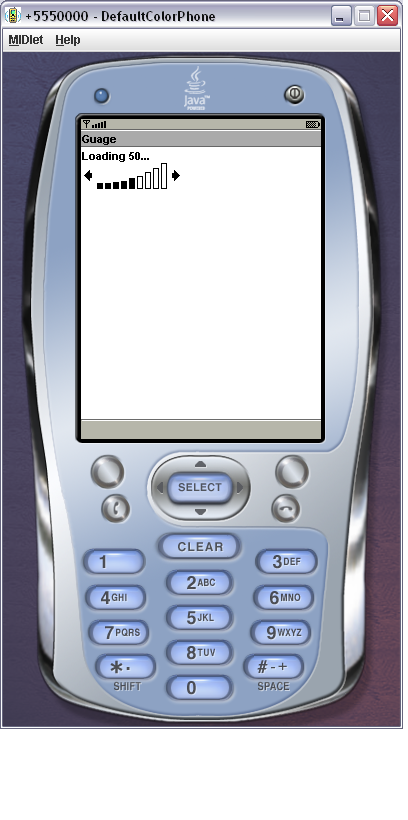
  • Loading status user interface design
    • Then the status of the loading will be displayed to the user.

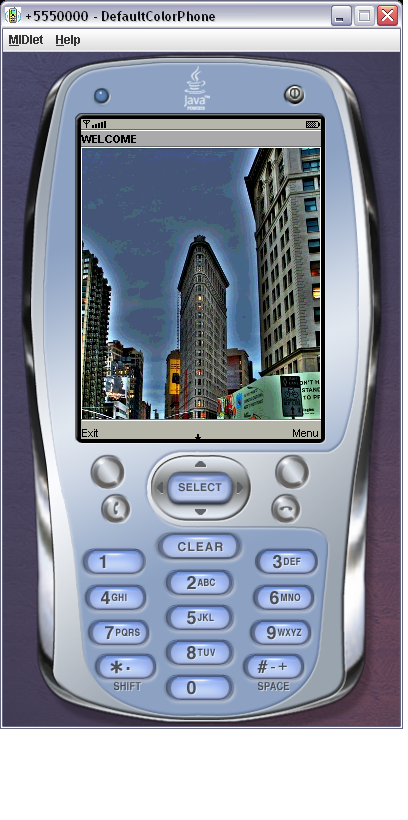
Loading status user interface designWelcome Screen User Interface Design

    • This Welcome Screen User Interface is the part of the Home module.

 Welcome Screen User Interface Design

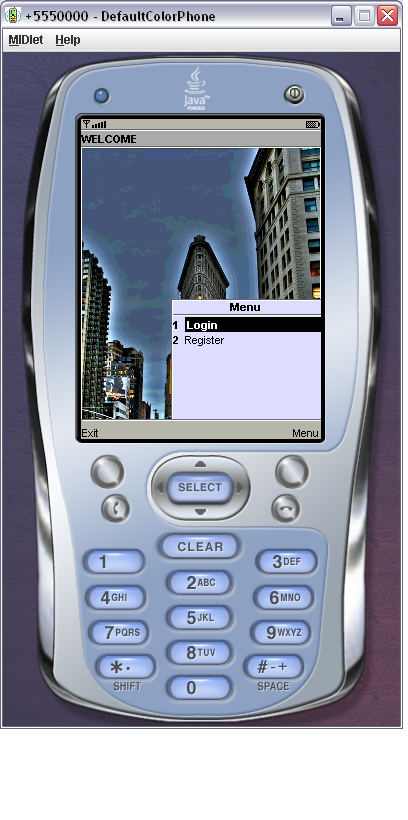
  • Mobile shop User Interface Design
    • This is the main window of the Mobile Payment Service system through this the user can Login or Register.

  Mobishop User Interface Design

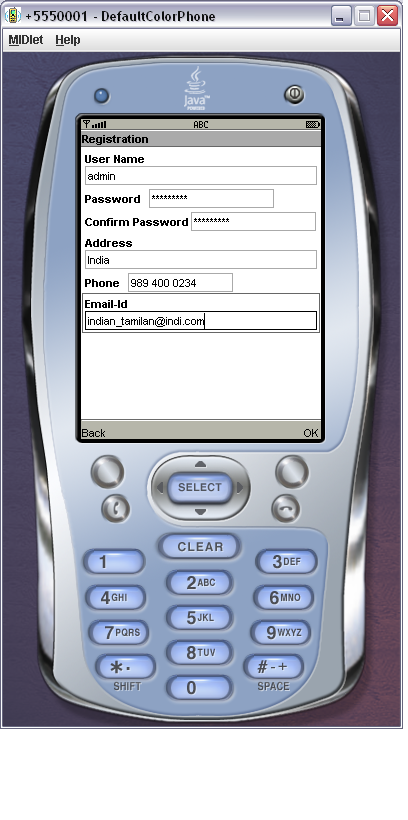
  • Registration User Interface Design
    • This Registration user interface is the part of the Home module. Here the user has to enter the details of username, password, confirm Password, Address, Phone, Email-Id to before login.

 Registration User Interface Design

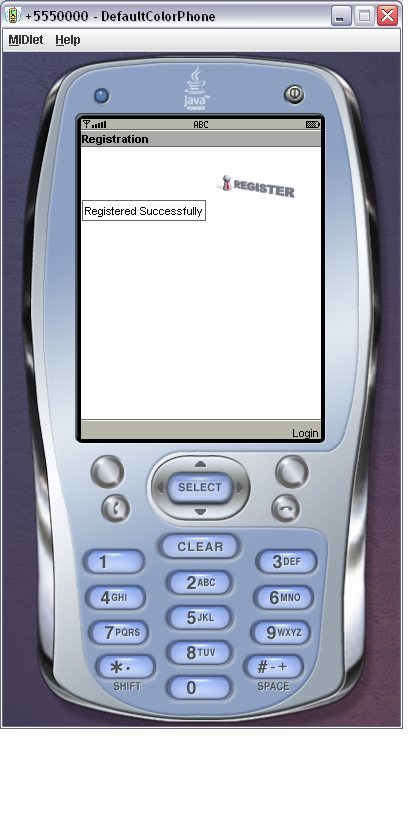
  • Registration Successfully User Interface Design
    • This Registration Successfully user interface is the part of the Home module. After the user has to enter the details of username, password, confirm Password, Address, Phone, Email-Id to press OK button to registration successfully.

 Registration Successfully User Interface Design

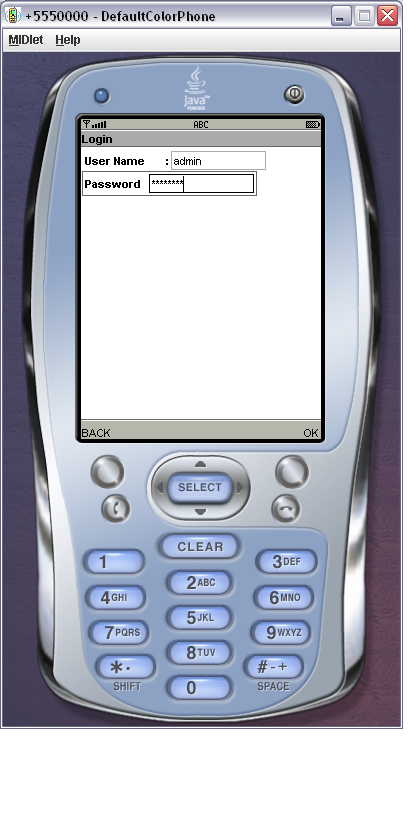
  • Login User Interface Design
    • This login user interface is the part of the Home module. Here the user has to enter the user name and password to perform various transaction of the shop.


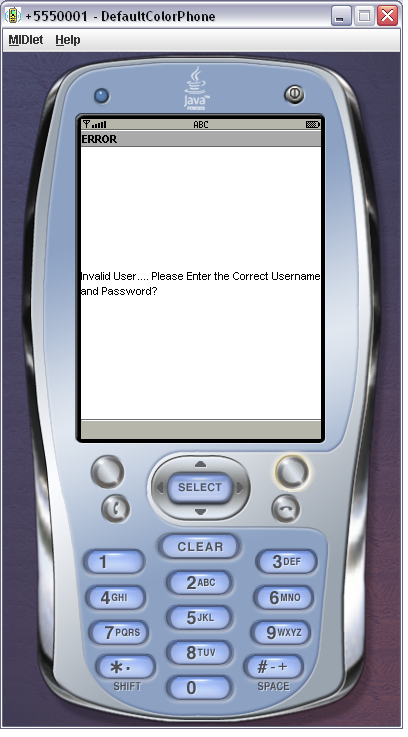
  • Invalid Login User Interface Design
    • This Invalid login user interface is the part of the Home module. If unauthorized users access the system, it will be display the error message.

 Invalid Login User Interface Design

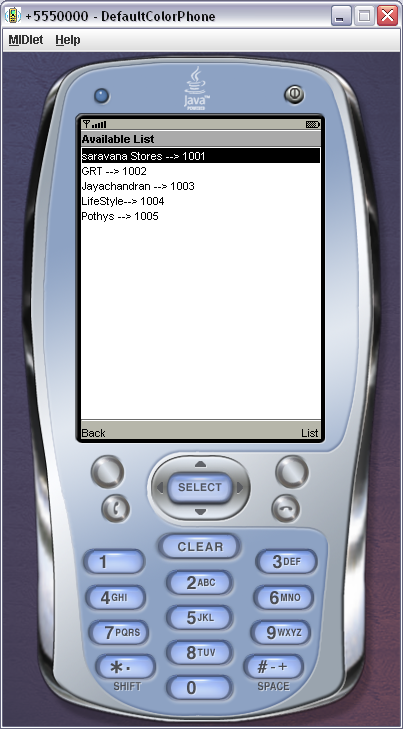
  • Offer User Interface Design
    • This offer user interface is the part of the Place order module which displays various offers of the shop. Then the user has various option.

 Offer User Interface Design

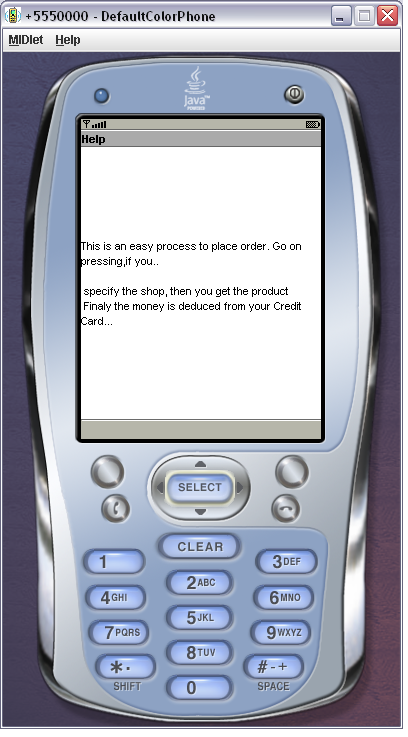
  • Help User Interface Design
    • This Help user interface is the part of the Place order module which provide help facility for the user to clarify their doubts and the system to be more interactive.

 Help User Interface Design

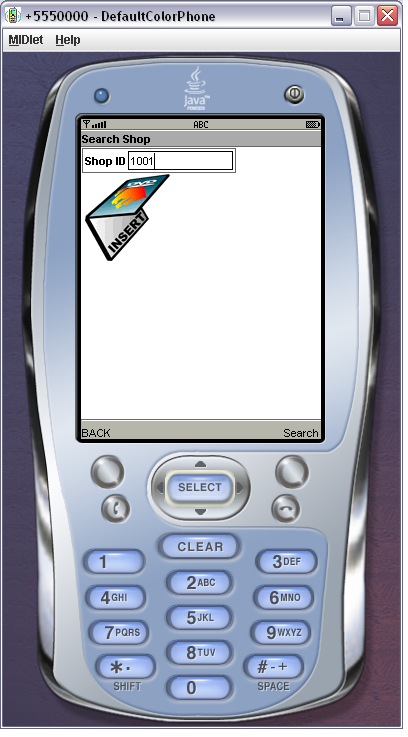
  • Search Shop User Interface Design
    • This Search Shop user interface is the part of the Place order module which provides SearchID facility for the user to displays the particular shop. Then the user has various options.
    • Search Shop User Interface Design
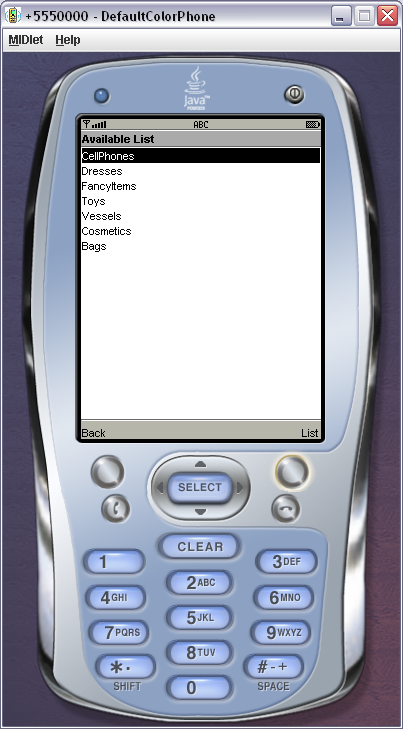
  • Department Selection User Interface Design
    • This Department Selection user interface is the part of the Place order module. The user has to select the department of the shop to perform the place order transaction.

 Department Selection User Interface Design

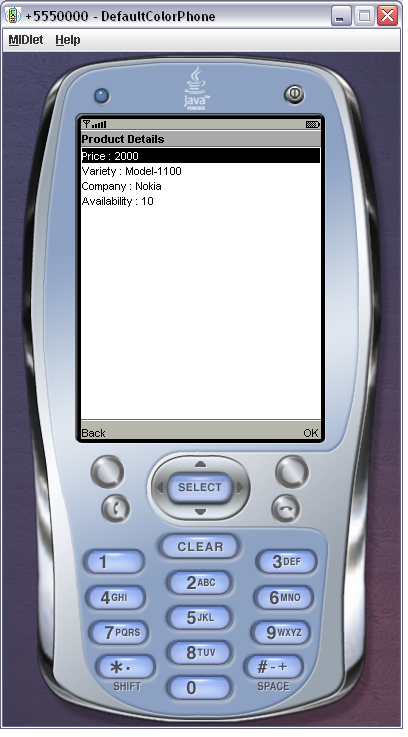
  • Product Details User Interface Design
    • If the user selects the product, the system will provide the product details such as price for the corresponding product, company model and availability.

 Product Details User Interface Design

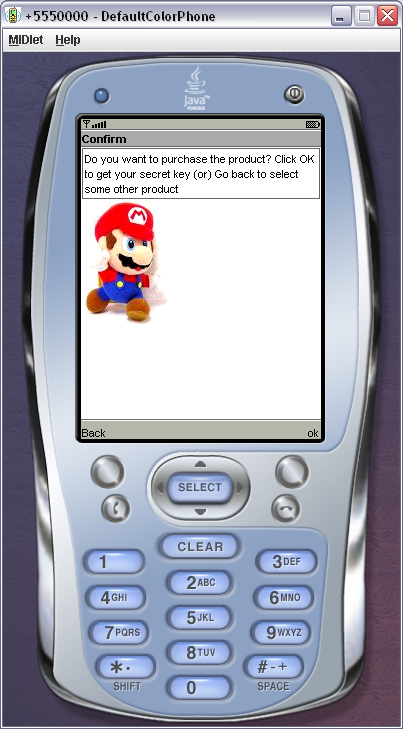
  • Confirmation User Interface Design
    • In case of confirmation the user has to press the Back button, otherwise press the OK button to continue the process.

 Confirmation User Interface Design

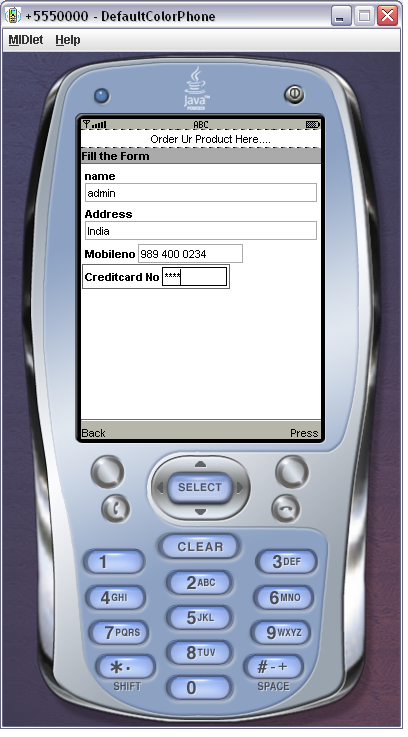
  • User details User Interface Design
    • The user has to provide various details like Name, Address, Mobile Number, and Credit Card Number to place / cancel order.

 User details User Interface Design

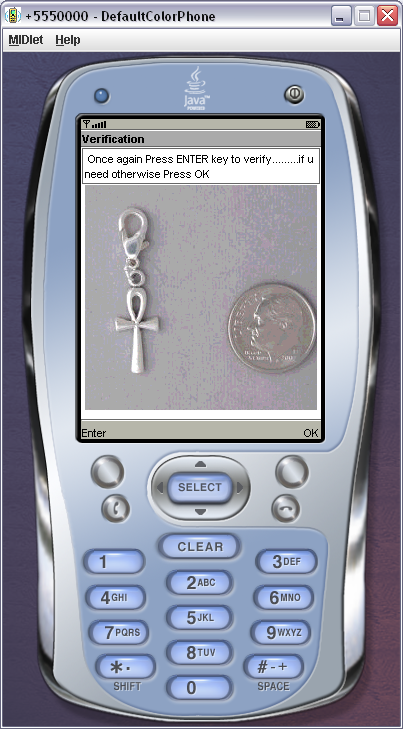
  • Verification User Interface Design
    • In case of Verification the user has to press the Enter button, otherwise press the OK button to continue the process.

 Verification User Interface Design


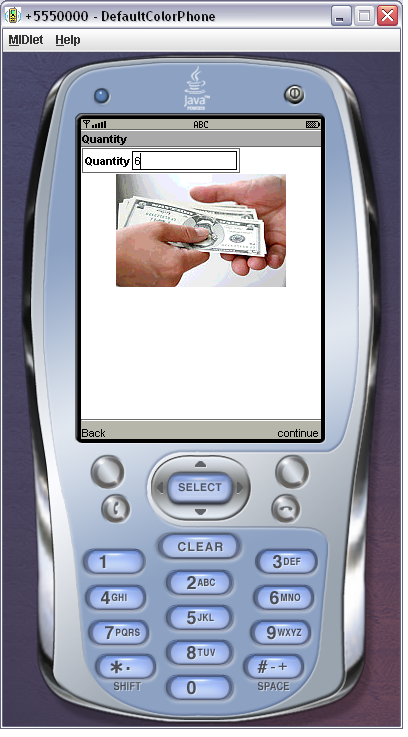
    • The user can specify the quantity.


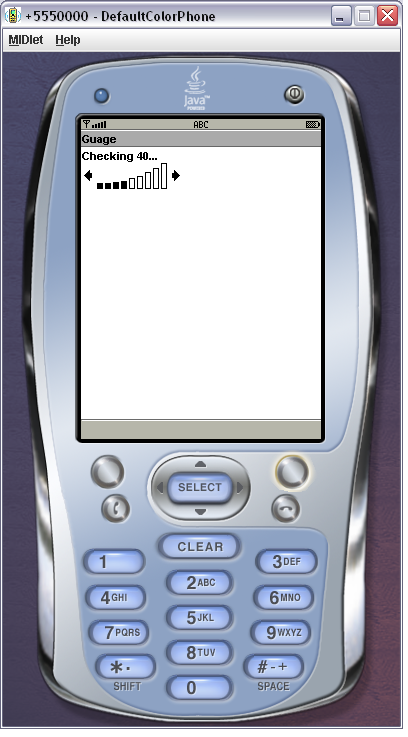
  • Process User Interface Design

 Quantity User Interface Design

  • Then the status of the process will be display to the user.


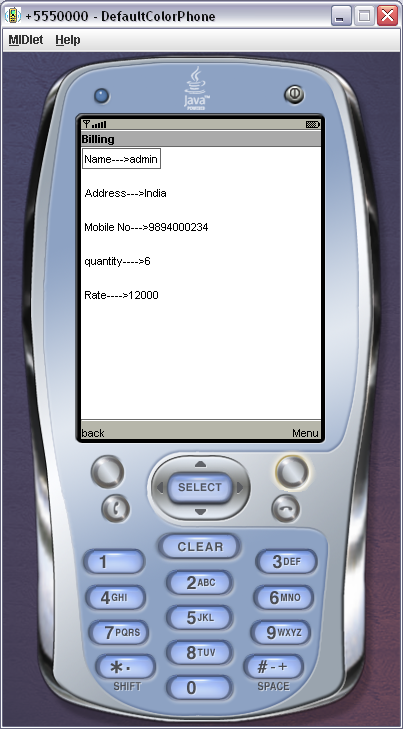
  • Billing User Interface Design
    • Then the Billing will be displayed to the user using the Name, Address, Mobile Number, Quantity and Rate.


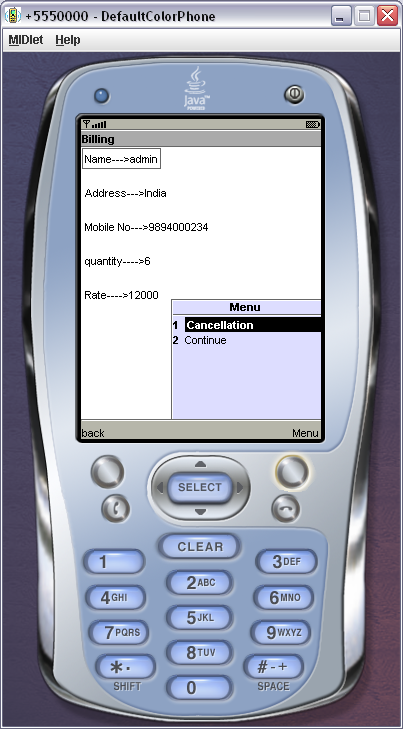
  • Display Confirmation User Interface Design
    • Then the Display Confirmation will be displayed to the user using the cancellation and Continue.

 Display Confirmation User Interface Design


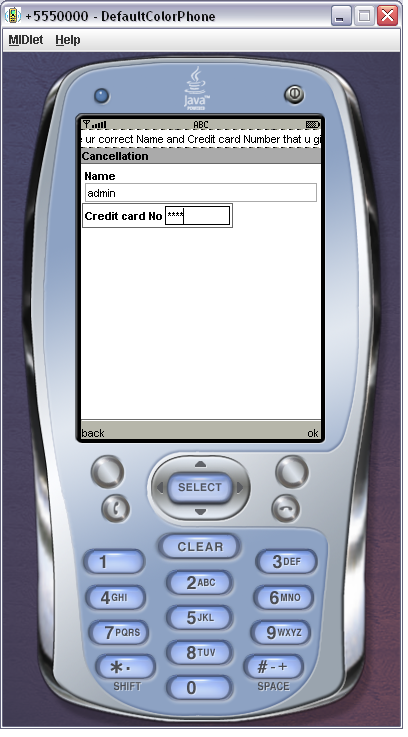
  • Cancel order User Interface Design
    • This cancellation user interface is designed, in case if the user wants to cancel the order. The user has specified his Name and Credit Card Number. Then the Name and Credit Card Number will be verified by the system and the process status will be displayed to the user.

 Cancel order User Interface Design

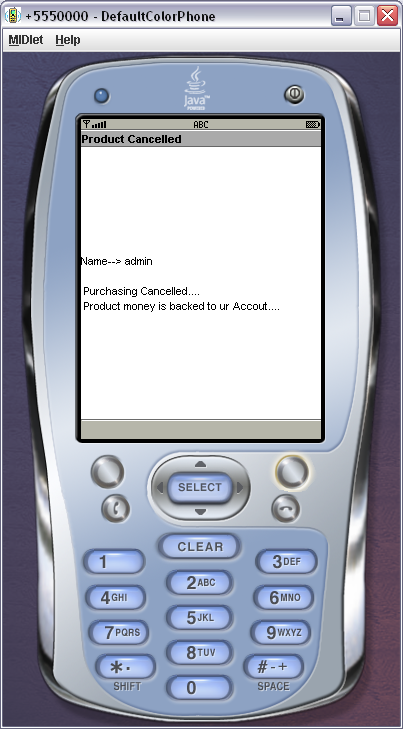
  • Display Cancel Confirmation User Interface Design
    • Then cancel confirmation will be displayed to the user by verifying the username and Credit Card Number.

 Display Cancel Confirmation User Interface Design

  • Display Successfully User Interface Design
    • Then the displayed to the user has to purchase the product successfully. Finally the money is deduced from your Credit Card Number.
Display Successfully User Interface Design

Shopping Cart Project in Java with Module Description

Detailed Description of the Shopping Cart Project

The following are the major components, Home, Place order / Cancel order, User details, Shopping cart, and Display confirmation.

 Home:          

This module providing the information about the shop. It gives following details:

  1. Welcome screen
  2. Offers
  3. 3.     Login

Place order/ Cancel:

              This module prompts the user to enter in to place order / cancellation of shop or else exit from the environment through mobile devices.

User Details:     

              This module prompts the user to give his various information for the product selection through mobile devices. It requires the following:

               1. Name

               2. Address

               3. Mobile Number

               4. Credit Card Number

Shopping Cart:

              This module provides the information about various categories of products and displays their corresponding price. It also includes the various fields like Quantity of a product. 

Display Confirmation: 

               This module gives the confirmation about the product selection / Cancellation.

Place Order: 

             This process is an easy process to order a product. When specifying the product, the display provides the information about the price for that

Corresponding product. Finally the money is deduced from your credit card.

Cancel Order:

             This process is an easy process to cancel a product. Finally the money is backed up to your credit card. 

Java Projects for MCA on Banking System

Banking system is most powerful system in today’s world. This final year cse project deals with banking system. Most of the financial sectors are depends on the banking system. Banking sector is Major role in pay role in users. Because of this a person can save money are use money like shopping. The bank is providing for an account for user by using this he can do the transaction. The bank is mainly to do the transitions in financial sectors from one organisation to different organisation. These things can provides for the users also, like creating accounts, maintain the balances, giving the ATM cards, Debit cards, credit cards and cheque.

While giving this time consuming is less process. The banking system is totally providing the high secured data. They cannot tell the all the information to other they tell only the account holder which is belong to them. The banking system can change in every time when the increasing of the customers, to maintain the good quality of the market they using new technology, new thoughts and new plans .they are provide more comfort ability of the customer requirements like instant cash, door to door delivery, any like of loans like home, student and personal loans. Any bank account numbers are unique and the bank account number doesn’t contain the null values.

While using the banking account customer at most least some amount on account holder. Depending the upon the time period money should be changed. The account holder should maintain the minimum amount on account then with money for account how much want money. A person is maintaining a large amount of money on account then bank can pay the interest for the account holder. Depending upon the transition bank should sanction the loans also. They are lot of time period for changing the banking system. Banks gives the ATM cards and pin number should be unique.

Download Java Projects for MCA on Banking System .

Mobile Payment Service System Java J2EE and J2ME Final Year Project

At the starting point of this Mobile Payment Service System project I would like to state that the work done in this Java based project is only a small percentage of what can actually done. The existing Final Year Project system involves a huge amount of the time wastage which has been reduced from this effort. This J2EE and J2ME project includes the reuse of the coding which means that the user can use the coding in any where which is needed. Now we are living in a world of reduced computing where the customers are mostly interested in products, which are compatible and user friendly. So we go for a systemized one and therefore it leads to the idea of designing a system, which is fully of user friendly and therefore reducing the strains of user.

Future Enhancements of Mobile Payment Service System

                 We can enhance this Java Student project through GPRS connection. When one shop in more number of departments. If new changes come, it should flexible to new user. At future, we can provide service to product sales by our concern. Our computer science and engineering project, In future it can be enhanced to provide to more effective feature to provide complete management feature. As environments are becoming more mobile, are not just dealing with Distributed Processes any-more, Process Landscaping methodology is developed. Finally, the use of Hypertext-Based User Interface (UIs) mobile application, the simple information elements and interaction techniques of hyper-based UIs can be rendered on various presentation channels, ranging from desktop to mobile.

Advantages and Applications of the Project:

  • All the business activities are mobilized.
  • It provides security to the data.
  • It also provides data hiding.
  • Almost all action is provided by GUI interface that will provide the easy to use environment for the user.
  • The access to the Server information is more secured by using
  • the Authentication process of manager.
  • This will greatly reduced the cost by saving the cost and time.

Java Project Abstract on Global Counseling System

Introduction to Global Counseling System :

According to the international Round table conference for the Advancement of counselling (IRTAC) everywhere in world to increase the internal connection. This can deal the challenging the counselling the programs and training for psychological fields for do well. The Global counselling system deals those things. This can provide the direction of the guide line for the counsellors.

The tool is provide to decreasing the errors when enter into the information on the data fields. While entering invalid data it is also display the information when doing the process. This tool is totally user-friendly that why a little bit knowledge is required for the user

GBS is a user interface tool for world and world information. User can Easley interact act with this tool and provide user which kind exact data user wants. This also maintains the user’s data information. This can Generate the report like which information wants also gives and depending upon the contagious also divide module. Depending upon the type it is categorised and also department. GCS is doing creating, removing and any changes to modifying. These are available in everywhere of the world screen

Hardware requirement for this project is Pentium 3, temparory memory is 256 that is ram and hard drive is 20GB.software requirements are basic OS like win95 to NT 4.0, Server is Tomcat5.0, HTML and Java are Languages, my SQL is for database, JSP and JDBC

The Main disadvantage of existing system is totally entered in manual. This should be occurred lot of errors and mistakes then loss the data very easy. The Existing one is not possible to search in global one. The new system will takes more effect and efficacy improved; this is taking care of the employee’s details like Query operation, administration, registration posting a query and answer, forum and Guide lines. The main future is highly security.

Download Java Project Abstract on Global Counseling System.

Freelancer Job Project Abstract

Introduction to Freelancer Job Project:

Today every company want to work long period and more responsibility to employee. The company need to employee for full time and long term responsible in risks then more attachments. This is application taking care of the any unknown data when we inserting data into data fields and also provides the error message while entered any kind of unknown data in data filed and  not required for any knowledge the user when using the system. This tool provide user interface. The freelancer is provide the when job holoder is taking the long time period to work in organisation.

The total existing system is based on one single user, this depends upon the Sanchez application and this is used for to find the freelance data. While using this tool any error is corrected then the system is failure happened then the organisation information is also totally loosed and this is manually used only.

The total information is stored in Ms-excel sheets by using the excel sheet not valid for long table and probably not possible to search any information in freelance

The proposed system taking care of what are the draw backs in existing system. This is major role taking care of data and maintaining information. It is totally online based tool, then the data or information is available any time we want or user wants. More speed and changing the duplication of the information, more security and user friendly, increase sing the system speed also and solve the mistakes

This tool contains 4 types’ different modules those are admin, freelancer login, user and blog.  Admin block is main module of the tool. This is containing all the controls of the modules. This module is maintaining the edit option like add, delete and views related to the organisation. Where the freelancer maintains the new project details and maintains data   for the organisation. User module wants to login into tools with valid details and discuss should be done using blogs.

Download Freelancer Job Project Abstract.