Online Survey System Java Project

Abstract:

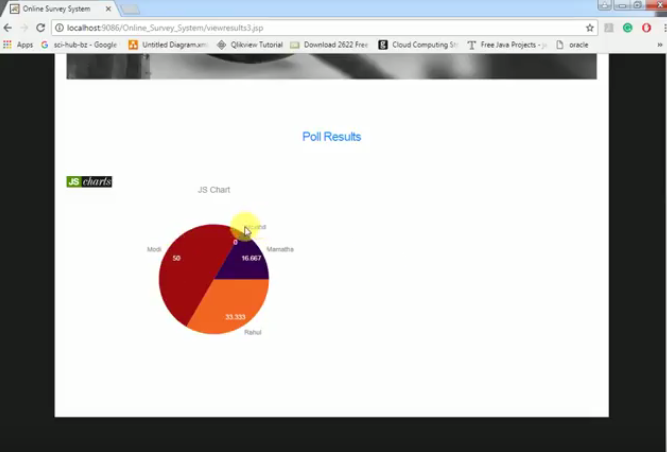
The main aim of developing this online survey system is to conduct an online survey on different topics to the users. In this Java Application, the user can take part in various online polls. Admin in this application will add the polls regarding different questions and different topics and he can see the results of each poll in the pie chart.

Existing System:

In Existing System user can poll the votes more than once. Then We cannot get the results of the exact poll that results in manipulation of results.

Proposed System:

In the Proposed system user can vote only once and after that, he tries to vote it says you are already voted.

UML Diagrams:

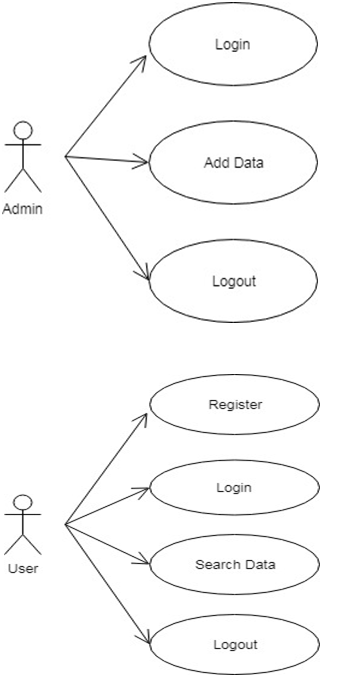
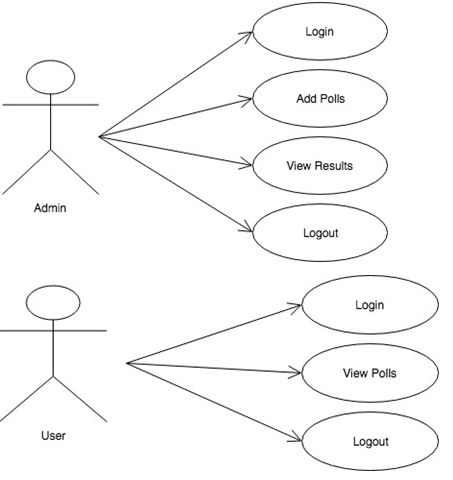
Online Survey System Use Case Diagram:
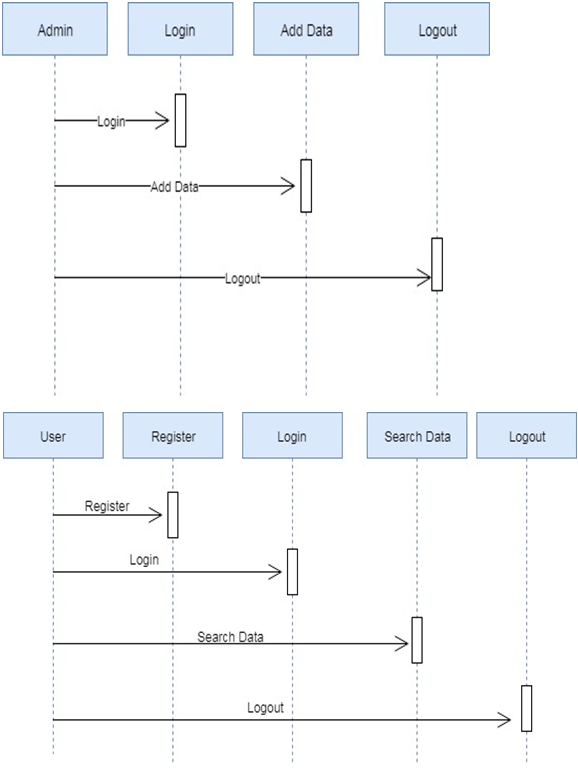
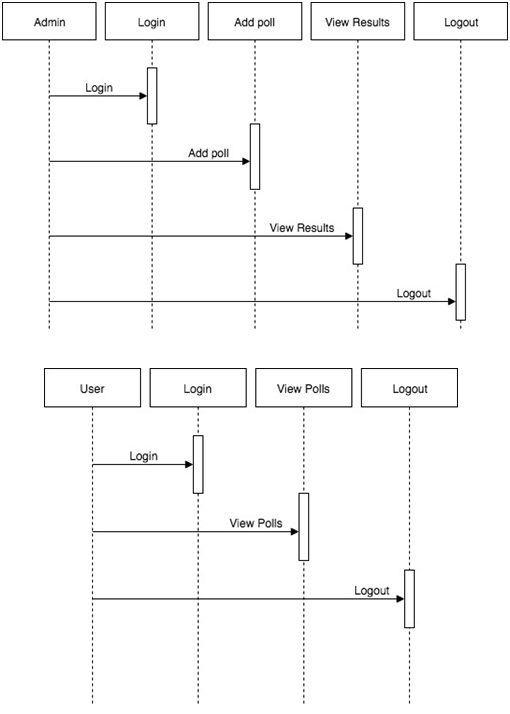
Online Survey System Sequence Diagram:
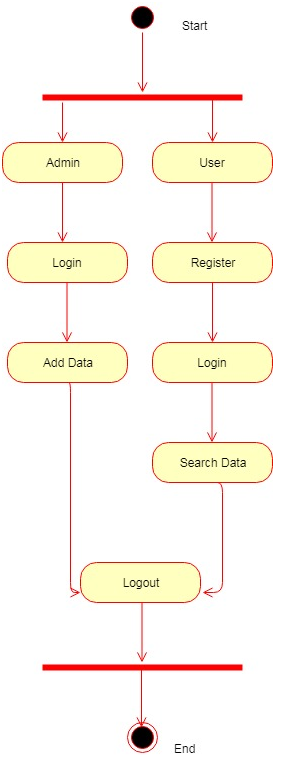
Online Survey System Activity Diagram:

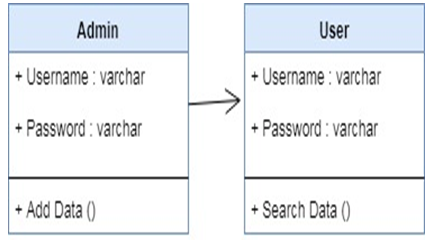
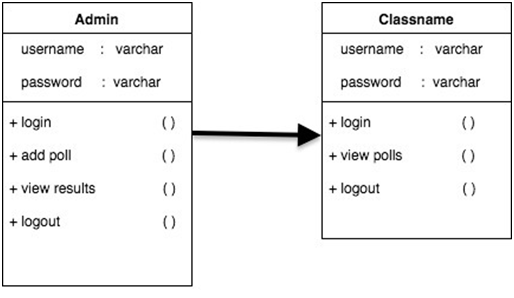
Online Survey System Class Diagram:
Software Requirements:

 NetBeans 8.0.1, JDK 1.8, MySQL 5.5, SQLYog, HTML, JavaScript and CSS

Output Screens:

Fig: Home Page

This is basic View of how the application looks and shows the list of modules used

Fig: Admin Login
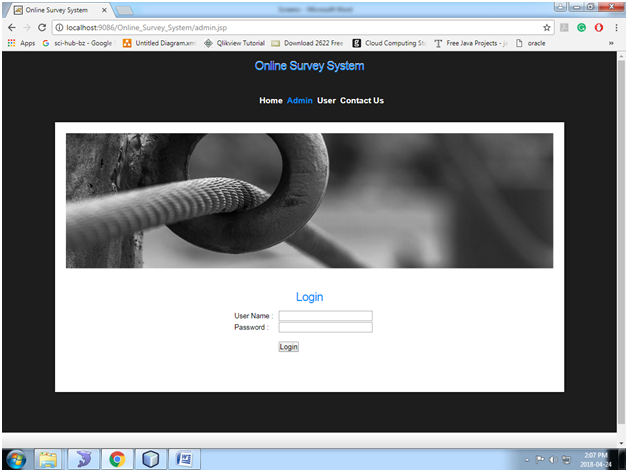
In This Page, Admin can log in with the username and password

Fig: Admin Home
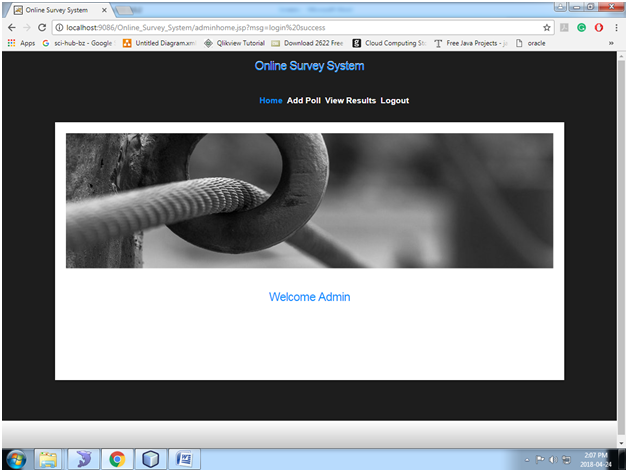
After Successful Login, it welcomes with admin home page and shows the basic Functionalities of admin.

Fig: Add Poll
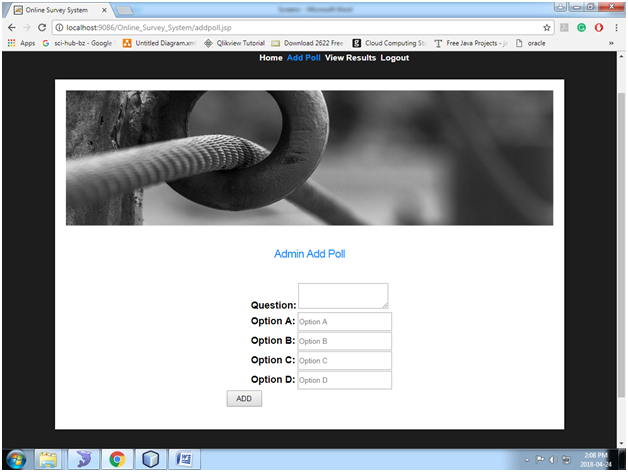
In this page, the admin will add the polls by posting questions and multiple answers.

Fig: Select Question Id
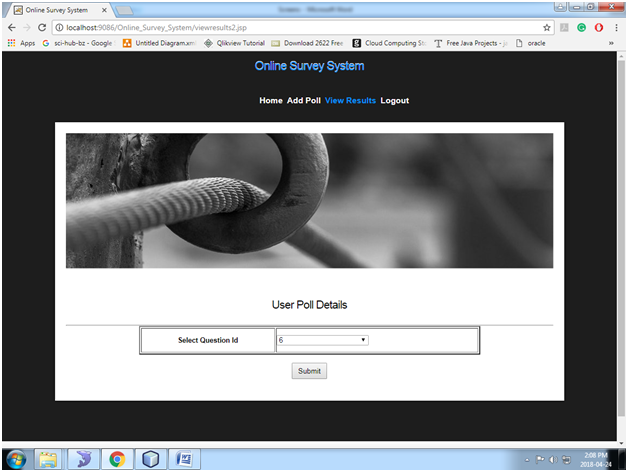
In this admin will see the poll details by giving the question number.

Fig: View Results
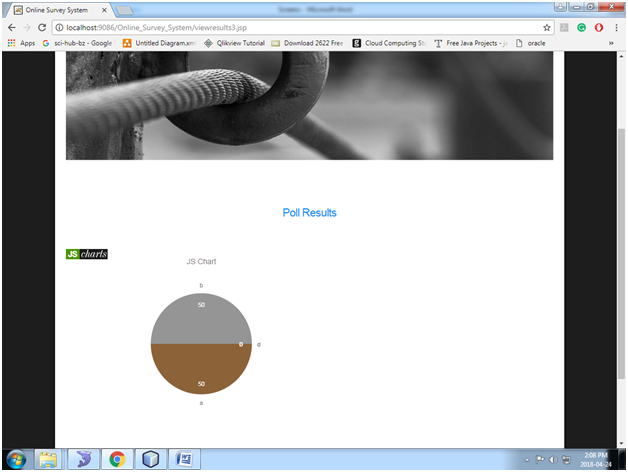
After Giving the question number the poll results are showed in Pie Chart Representation.

Fig: User Login

In Thi Page User will login with the username and password.

Fig: User Home
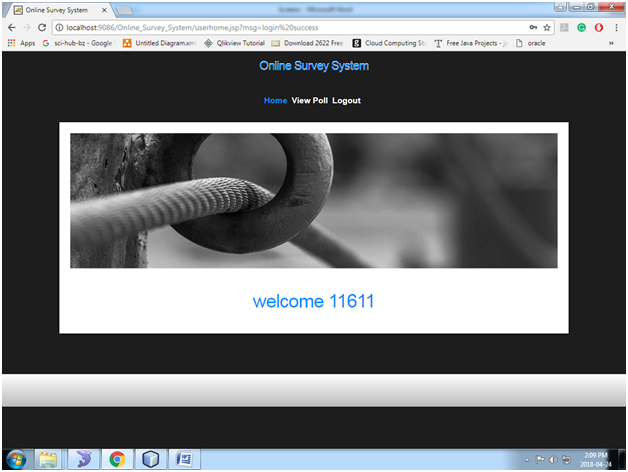
After Successful Login it show the user home page with the basic Functionalities of admin

Fig: View Poll
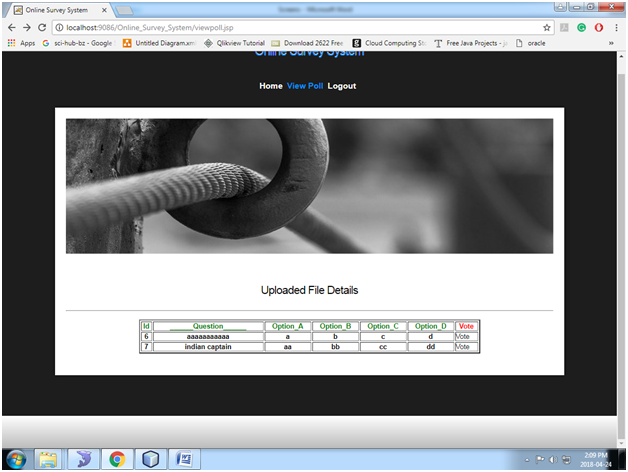
In this Page user can see the polls Posted By admin and can participated by voting to that question.

Fig: Submit Answer
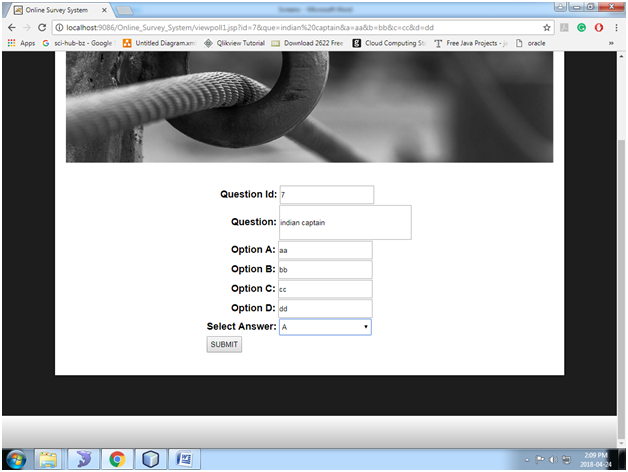
In this Page User need Select the answer for any particular type question.

Fig: Poll Results via Chart
UNI Watch (University Watch) Java Project

Abstract: 

This UNI WatchApplication allows the users or students to find their right university for their Master’s Degree, Based On the Various Aspects Like GRE, TOEFL Score and Aggregate Graduation Percentage the University Criteria Will depend. So User Must Choose according to his Requirement. In This Application, The registered students or users can search the university by giving the various details like GRE Maximum and Minimum Score and TOEFL Max and minimum Score.

If The Criteria of the student matches with the Universities the list of the Universities will be shown, The Universities and their criteria will be added by the admin.

UML Diagrams:

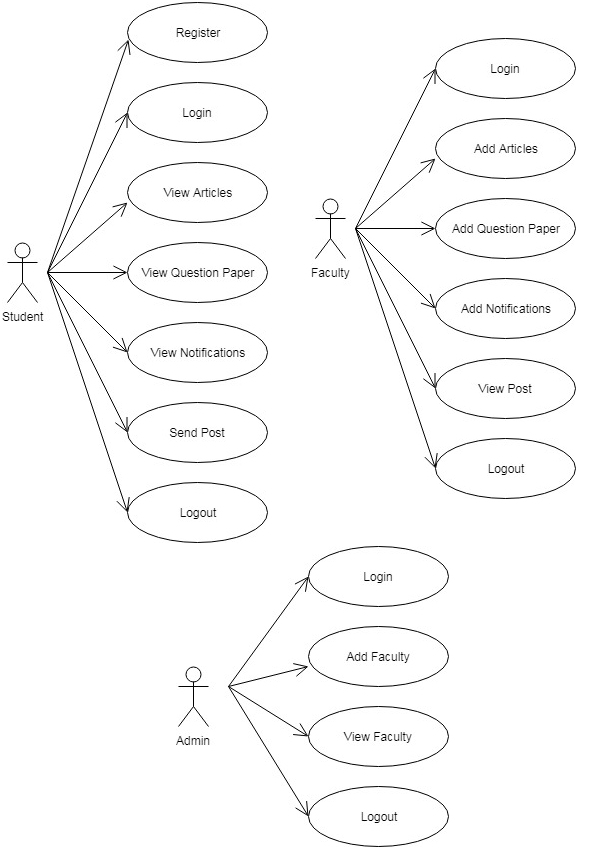
Use Case Diagram:

Sequence diagram:

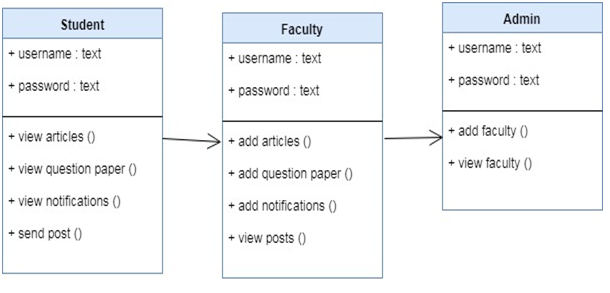
Class Diagram:

Activity Diagram:

The Modules in The Project Are

Admin

User

 Existing System:

In Existing System The Student or the user needs to search for the consultancies to know the criteria of each and every University and there we cannot find the accurate university according to the requirements, It is a very time-consuming process with inaccurate results.

Proposed System:

In The Proposed System the User or Student need to visit any consultancies or any other place, with this application the student is just One-Click away from the required Universities List. The Time Consuming Is very less And the Results are Accurate.

Software Requirements:

NetBeans 8.0.1, JDK 1.7, MySQL 5.5, SQLYog, HTML, JavaScript and CSS. 

Screens:


Fig: Home Page

This Home Page Of The Application Shows The Basic View Of The Application And The Modules In It.

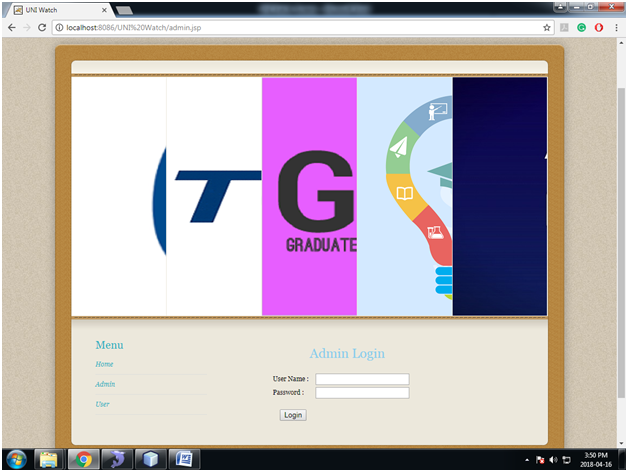
Fig: Admin Login

This Is Admin Login Page Where the admin of this application can login with specific username and password.

Fig: Admin Home

After The Successful Login the Admin Home Page Shows The Basic Functionalities Of the Admin.

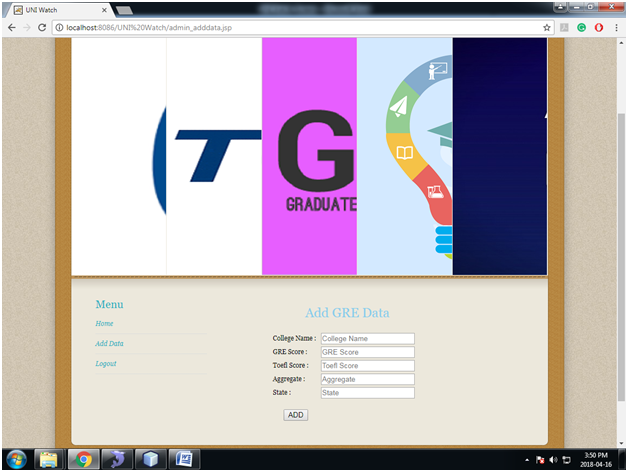
Fig: Add Data

In This Page the Admin Need to the Data for the Universities with the basic fields like GRE Score, TOEFL Score, etc.

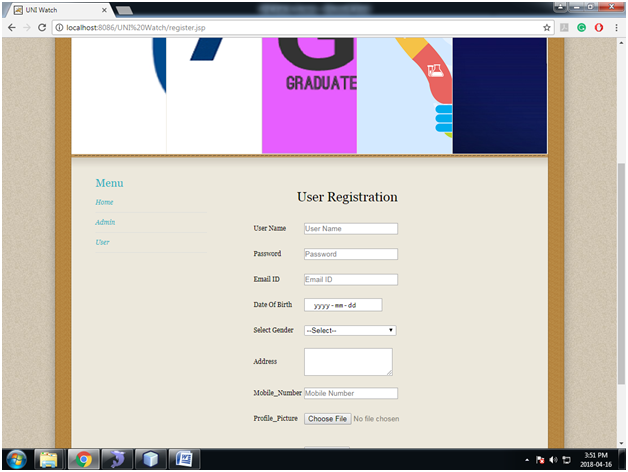
Fig: User Registration

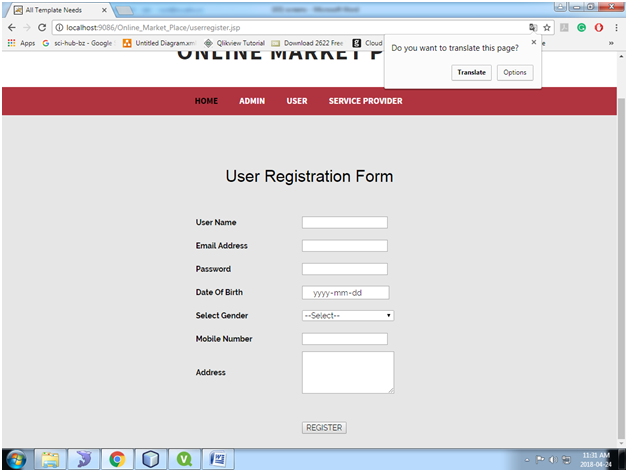
This is the User Registration Page where the User need to Specify or mention all his details for successful registration.

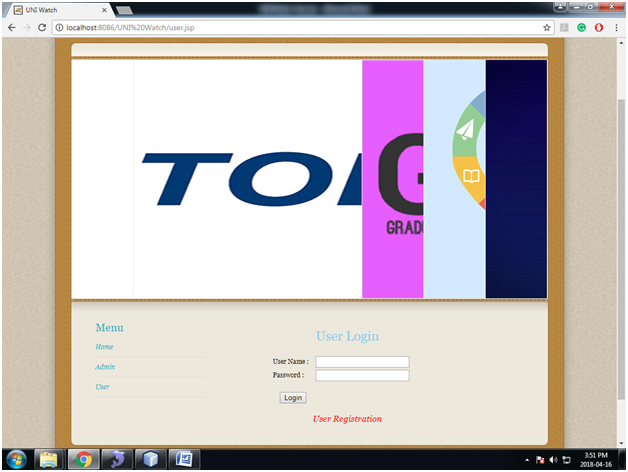
Fig: User Login

After Registration Or the Registered users will login here with the user name and password.

Fig: User Home

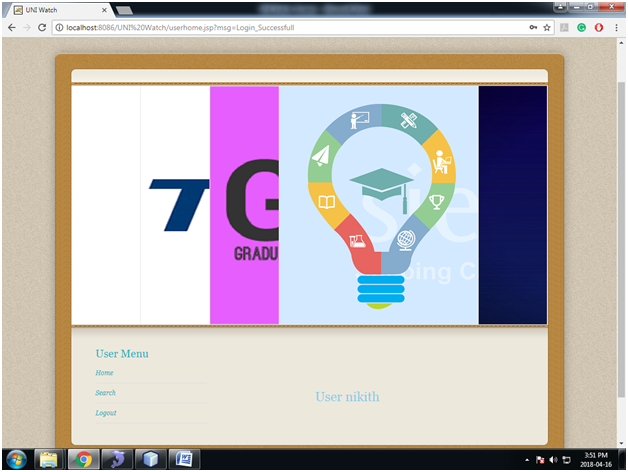
After Successful Login the User Home page welcomes the user and shows the basic Functionalities of user.

Fig: Search Data

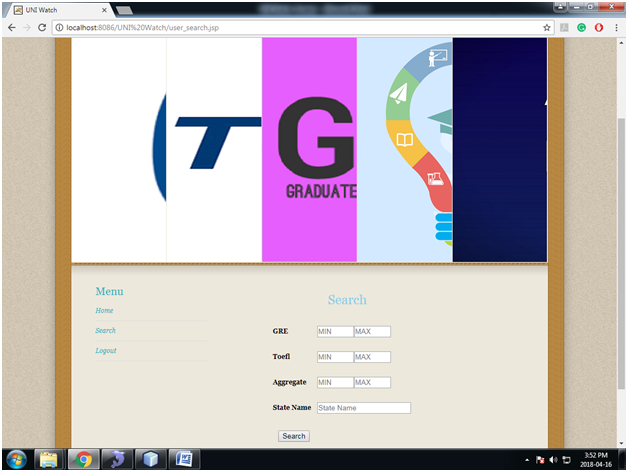
User Will search for universities based on the data like GRE Score, TOEFL Score and etc.

Alumni Event Management Portal Android App

Abstract:

The Main Objective of the Event Management Portal is to maintain communication between passed-out students and students of university or college to know about each other’s current activities. The students can also post and read various articles, thus promoting literary insight. Articles can be seen by anybody who is registered. Based on the requests from the students, passed-out students can conduct webinars on trending topics.

Introduction:

Nowadays, it is very difficult to communicate with our seniors without knowing any details about them, and the only way is to contact the college for their activities, to avoid this we are creating an app where the current students and passed-out students have to register and update their details, through which we can establish a connection between them. They can have a friendly environment by posting their thoughts and ideas which helps in developing their future plans.

Existing System:

The Existing system provides less memory usage for the users. It also has less security for storing data and some data may be lost due to mismanagement. Every time students need to take help from the college in case they want to communicate with the passed-out students. The system does not provide users to post the articles. The system does not provide a facility to track all the activities of the students.

UML & DFD Diagrams:

Use case Diagram:

Sequence Diagram:

Class Diagram:

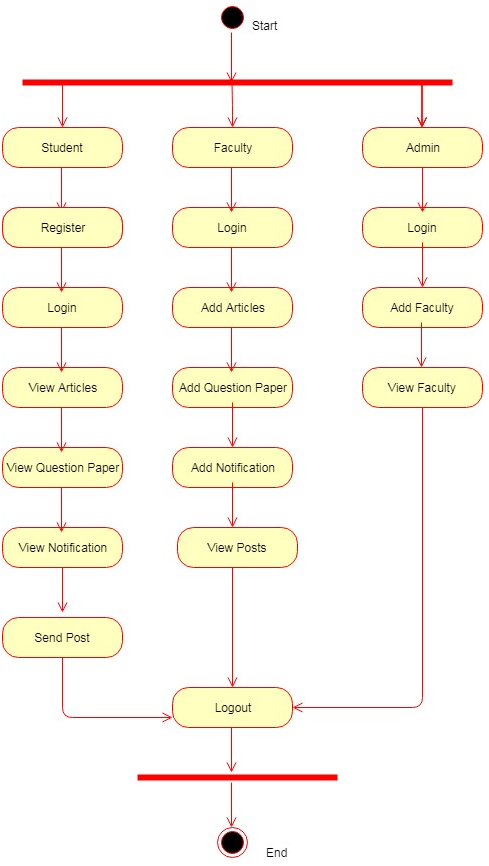
Activity Diagram:

Data Flow Diagrams:

Modules:

Administrator: The admin is responsible for maintaining information about students When the user submits the registration form administrator will complete the verification process and if successful, the student details are added to the database. The admin maintains the passwords of the event manager and of himself

Student: The student has to register and then log in, Students can view the notification, post a query, and give a reply to the given post, They can stay connected with college alumni

Faculty: The administrator can register the faculty, Then they can log in, add articles, and question papers from the previous year, and they can also answer the query posted by students.

Download Online Event Management System Academic Project, which is developed in PHP, And MySQL database with HMTL, CSS, PHP, and Javascript.

Output Screens:

App Home Page:

Admin Login Page:


Secure Web Application for Online Marketplace

ONLINE MARKETPLACE

Abstract:

This Application allows the customers or users to find an easy way for service providers around their locality. Admin will add the categories and features of particular product or service. He will add service providers too based on the prominent locations around the city. Users will register and send the queries or service requests according to the services provided by the admin. the queries will be forwarded to the service provider and the service provider will try to solve by online. If the user is not satisfied with the service provider solution, he can send the feedback to admin and admin can block the service provider.

This Online Marketplace application has enhanced matching of user location and registered serviced provider location.

Existing System:

In the Existing Online Marketplace System, the user or customer has to visit service centers provided by the companies and he has to search his nearby Location and the response from the service provider may not be satisfactory to the user so in that user cannot complain or they cannot give their opinions and feedback.

Proposed System:

In The Propose System, user or customer need not visit the service center they simply can register into the application by giving their location. It is as simple as that the added service providers in that location will receive the user queries whenever the user sends it. Thereafter he can respond over to the user and if the response is not satisfactory he can give the feedback to the admin


Softwares used to develop this wedding Event application below:

Netbeans 8.0.1, JDK 1.7, MySQL 5.5, SQLYog, HTML, JavaScript and CSS.

UML Diagrams:

Sequence Diagrams

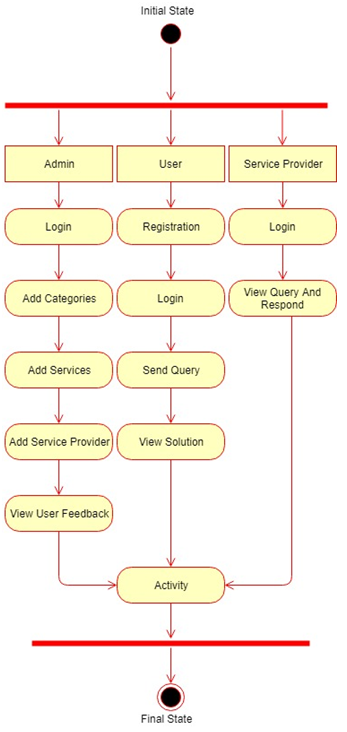
Activity Diagram:

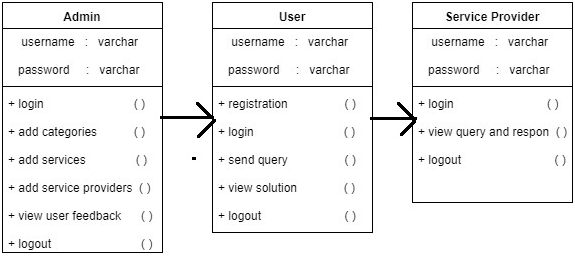
Class Diagram:

The Modules Embedded in the application is

  • USER
  • ADMIN
  • SERVICE PROVIDER

Modules

Admin

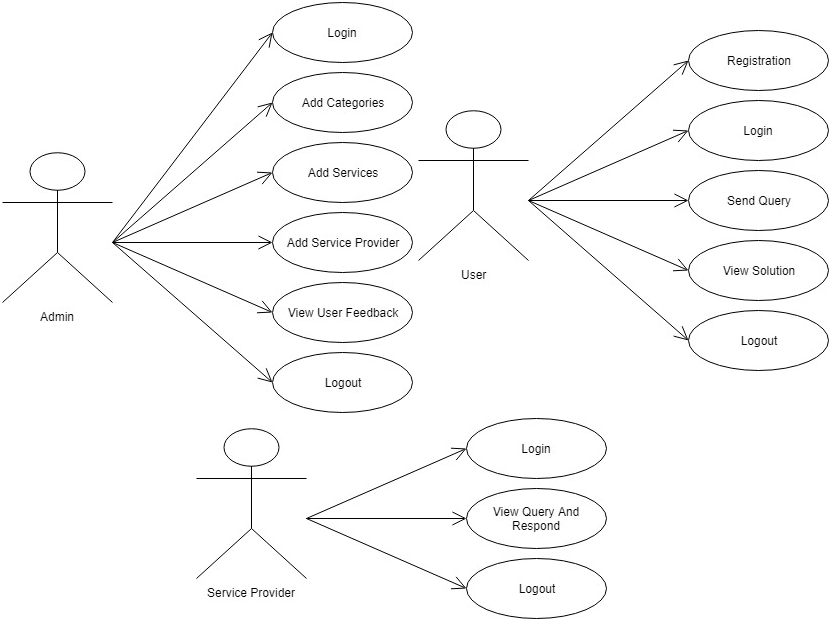
Admin login with the valid username and password and after that he can add Categories, Products, Service providers. While Adding service providers the admin must give the location of the service providers and admin can also have the access to view the feedback from the user about service provider and he can also block him.

 User

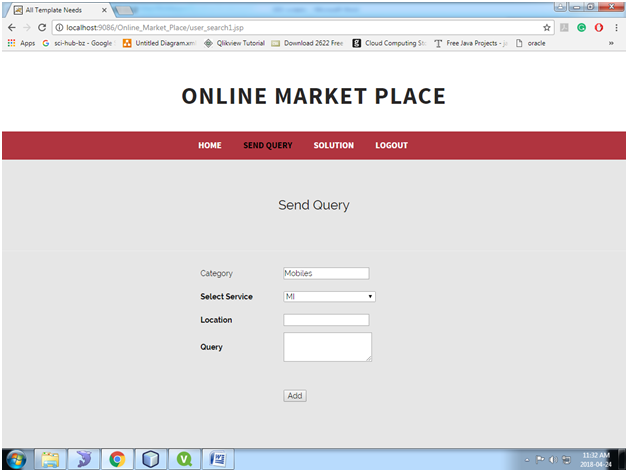
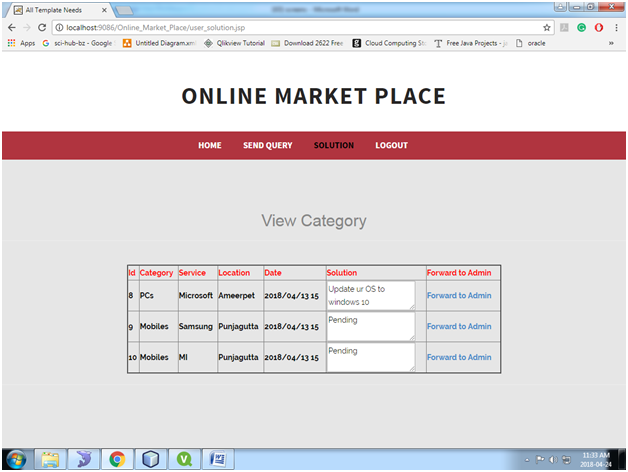
The user must be registered and log in, after logging in the user will select the category and the service required while sending the query the user needs to provide the location, Based on the location the service provider can the user query. After the query is sent the user will wait for the service provider solution and if he satisfies that is okay if not he can give feedback to admin.

 Service Provider

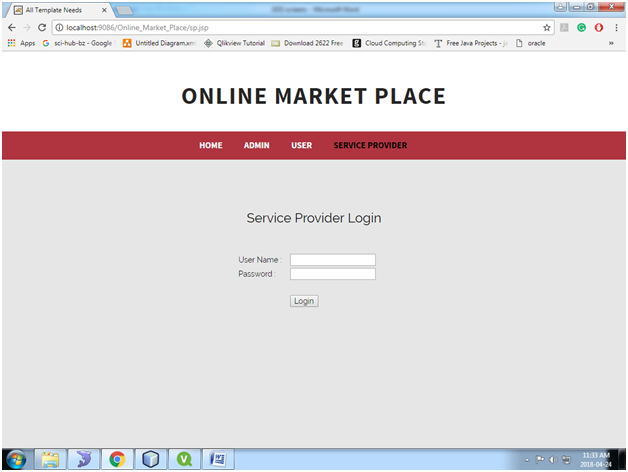
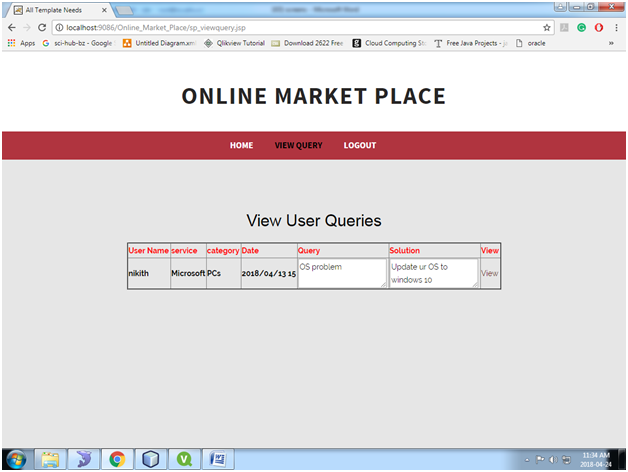
The service provider will log in and the view the user queries or requests based on his location and he responds and provide a solution user.

Output Screens:

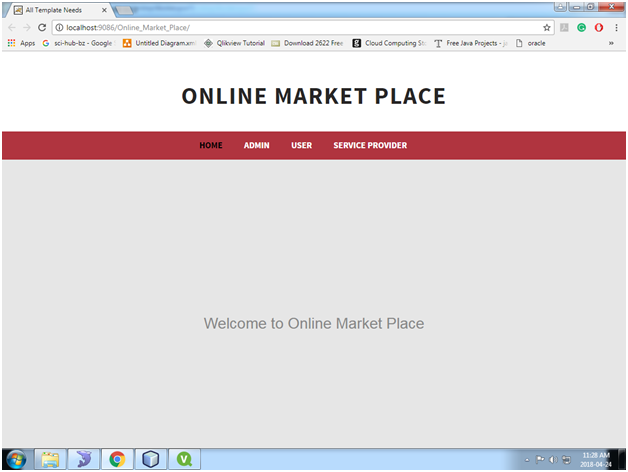
Home Page of the Project:

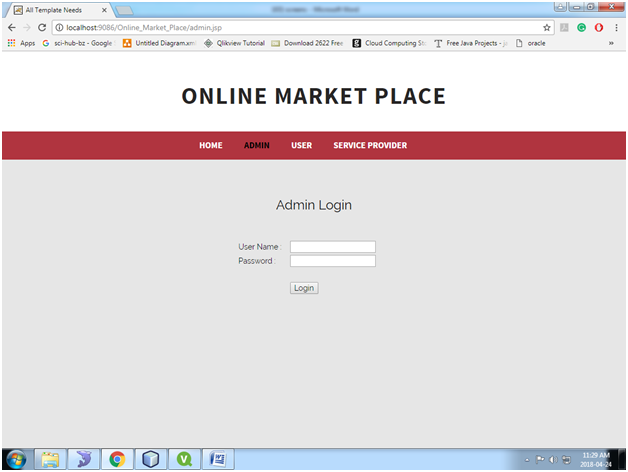
Admin Login Page:

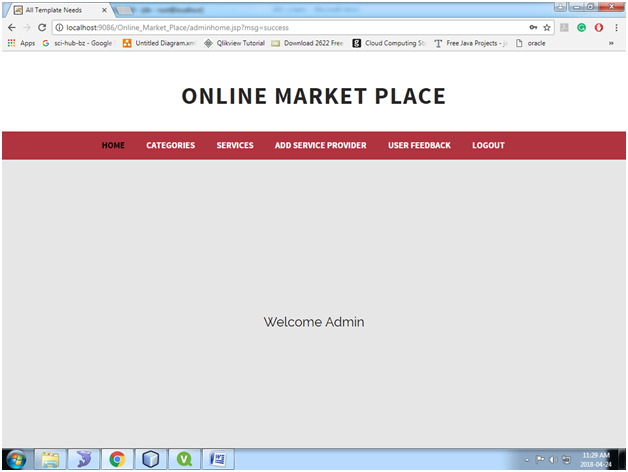
Admin Home Page:

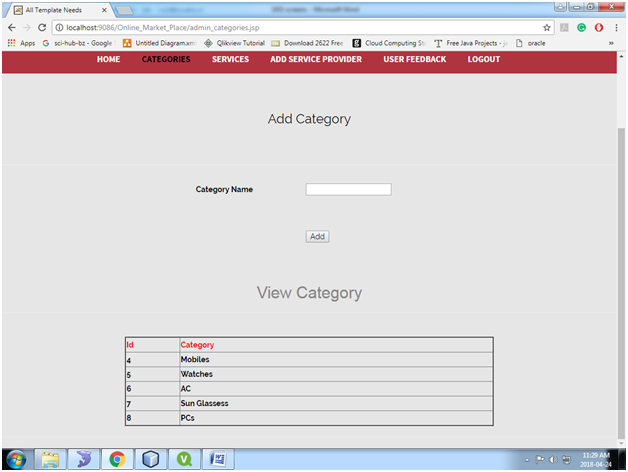
Admin Add Category page:

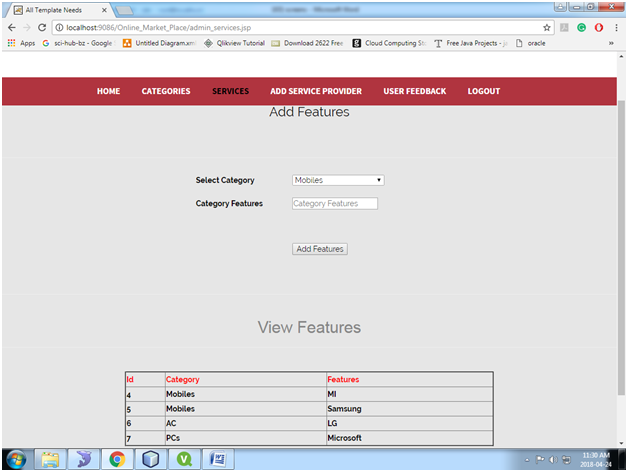
Add Services Page:

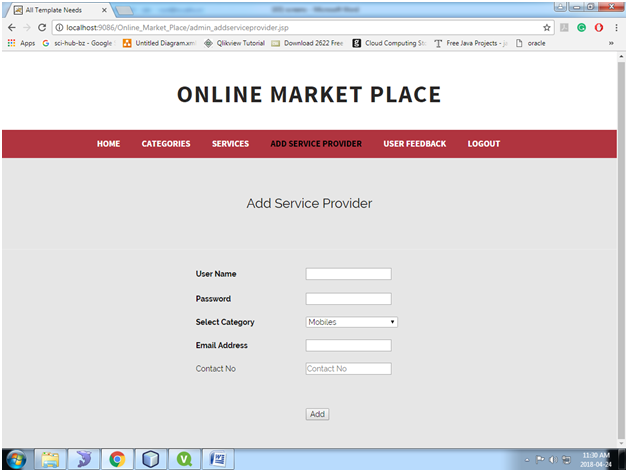
Add service Provider Page:

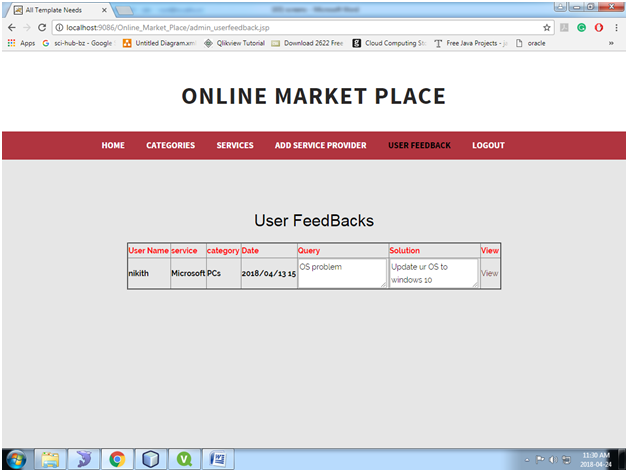
View User Feed Back Page:

Block Service Provider:

User Registration Page:

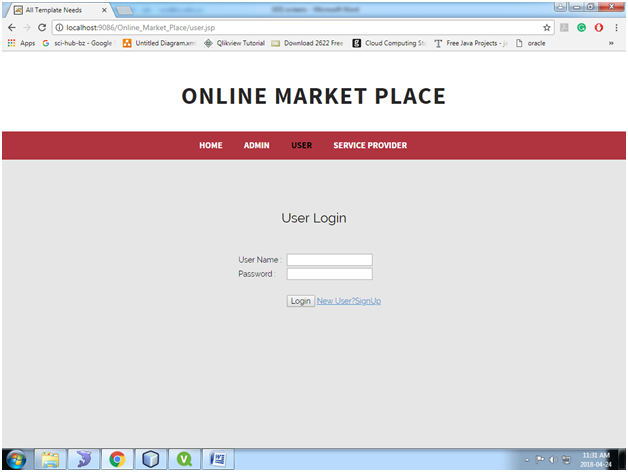
User Login Page:

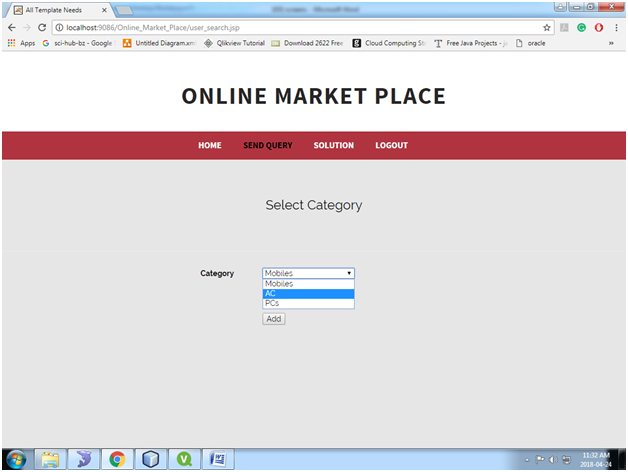
Select Category Page:

Send Query Page:

View Answers and Forward to Admin:

Service Provider Login Page:

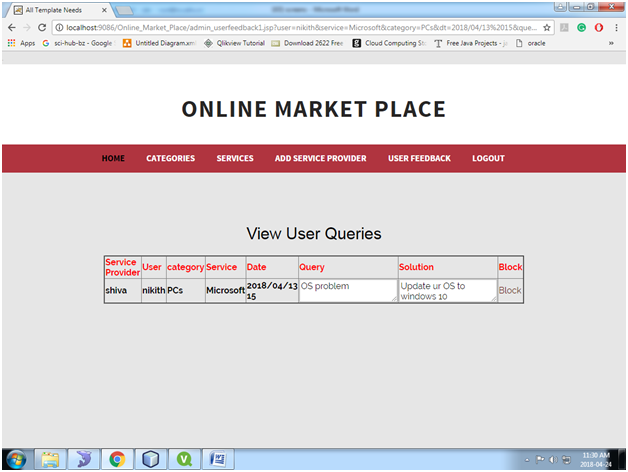
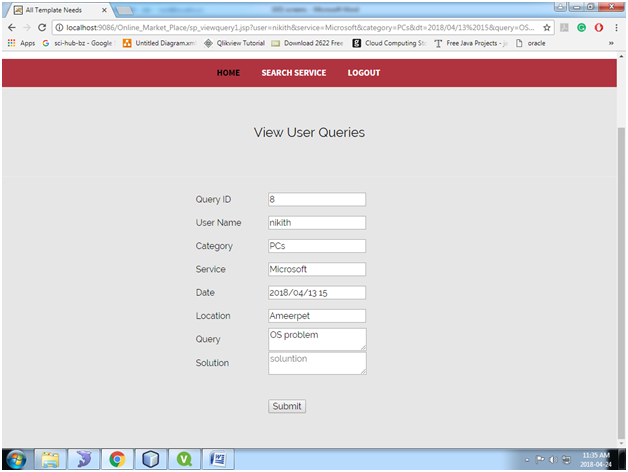
View User Queries:

Send Answer Page:

Smart Home Automation System ECE Project
The main aim of developing this Project is to automate our Home easily. In this project, we control 2 AC Load Devices, 2 Bulbs, Small exhaust Fan. Here we have temperature monitoring device and Methane gas detector device.

With the help of the Kit, we can control all the appliances in the home through the android app and moreover LPG gas detector in the house where sensor senses the gas and it will automatically on the exhaust fan, and when Temperature in the house increases it automatically switches on the exhaust fan.

The temperature can be displayed on the LCD Screen in the Project. In this project we are using Aurdino board, 4 channel relay Module, Bluetooth for controlling the devices and LM 35 for the Temparature sensor, Smoke sensor, 16by2 LCD Display and samll plug box for connecting the 2 ac loads.

We have an android app to control the lights, fans, the temperature in the home.

Working Video of the Project:

Secure Web Application on Travel Rating and Exploring Java Project

Abstract:

Travel Rating is a web application developed in java. This Travel Rating and Exploring application enable users to view the information of various places. Admin will add all the information about the various places. The user can search the place details with a category like international and national. Users can view all the details of the places and they can give the description and rating to the place. All the details of places which include the description and ratings can be viewed by guest users.

Existing System:

In the existing Travel Rating system, no proper information is provided. All the information of the location is stored in records which is very difficult to search or make any modification .if the data is once lost can be retrieved. Users need to spend much time in getting the information about places and its details. A lot of time and physical effort is required to get the details of the place.
Proposed System:

The proposed Travel Rating system provides details information about places and enables users to give ration and description. Users can get information about places just in one click by selecting the category which saves a lot of time and physical effort. All the data will be stored in the database without any data loss and can be easily viewed and modified.

UML Diagrams:

Use Case Diagram:

Sequence Diagrams:

Activity Diagram:

Class Diagram:

Modules:

Admin:

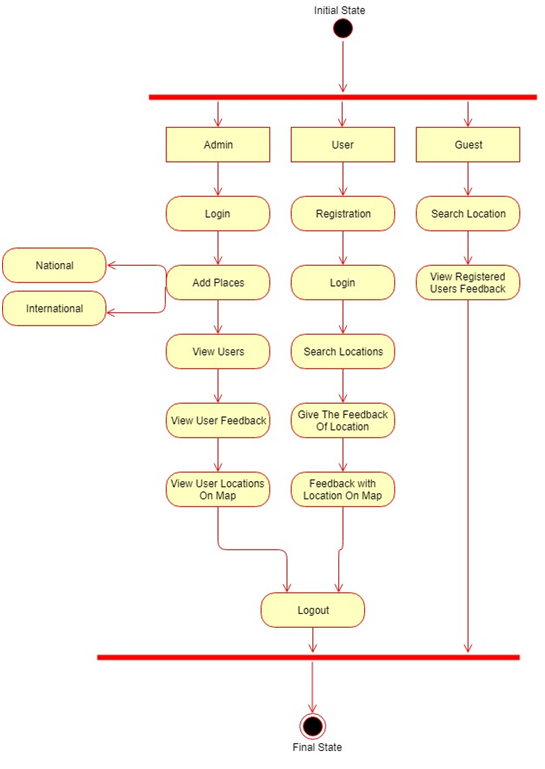
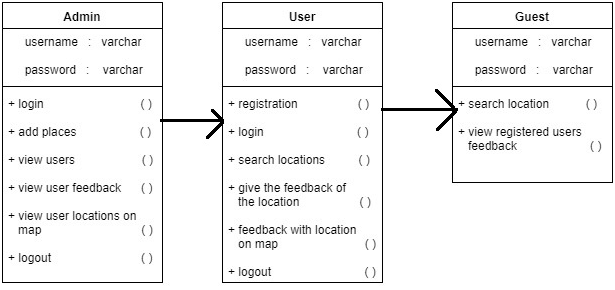
Admin needs to enter valid credentials to get a login. Admin can view all the details of registered users and need to activate every user. Admin can add all the details of the places.

User:

The user needs to get registered with the application and need to be authorized by admin. The user can get login by entering unique username and password. The user can view all the details of the places by selecting the category. The user can give description and rating to the selected place.

Guest User:

Guest users can search the details of the places by selecting the category. The guest user can view all the details of the place including description and rating has given by registered users.

Softwares used to develop this wedding Event application below:

Netbeans 8.0.1, JDK 1.7, MySQL 5.5, SQLYog, HTML, JavaScript and CSS.

Project Output Screens Description:

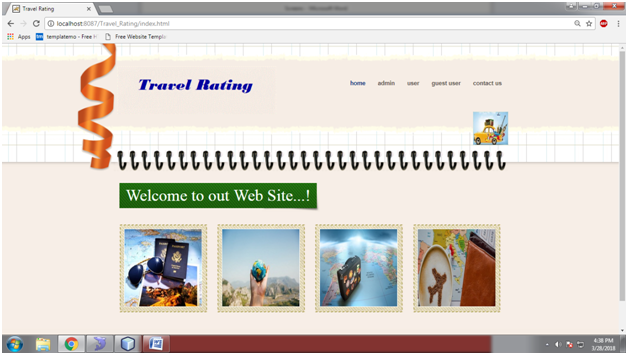
  • Home Page

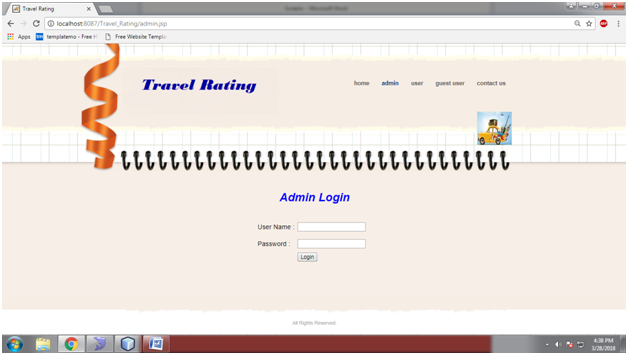
  • Admin Login Page

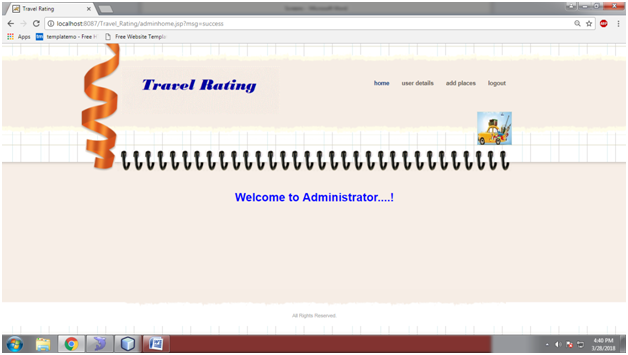
  • Admin Home Page

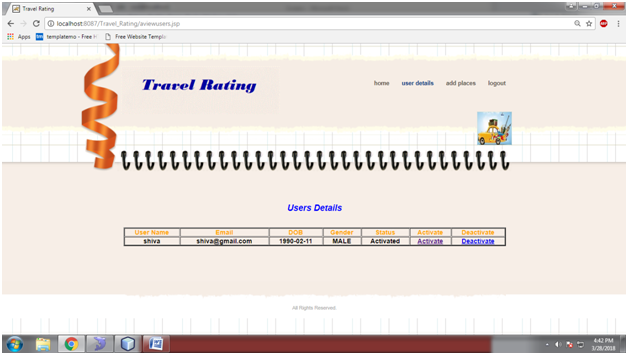
  • User Details Page

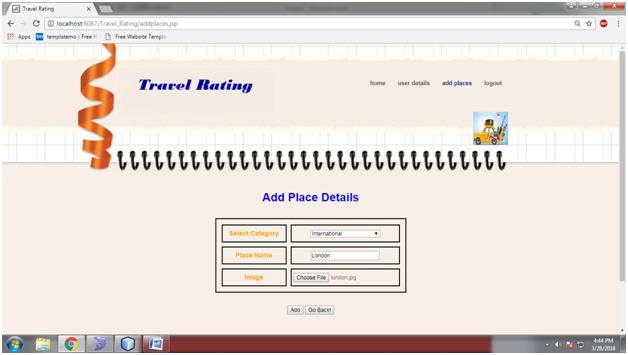
  • Add Places Page

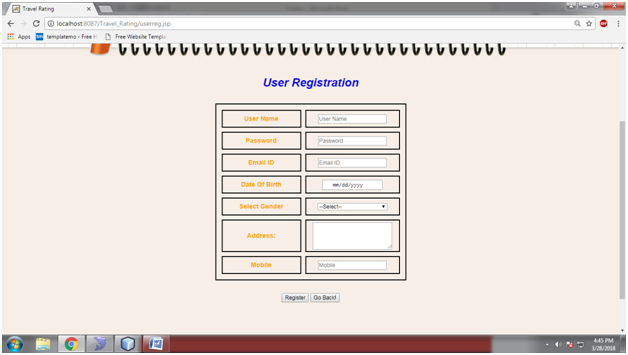
  • User Registration Page

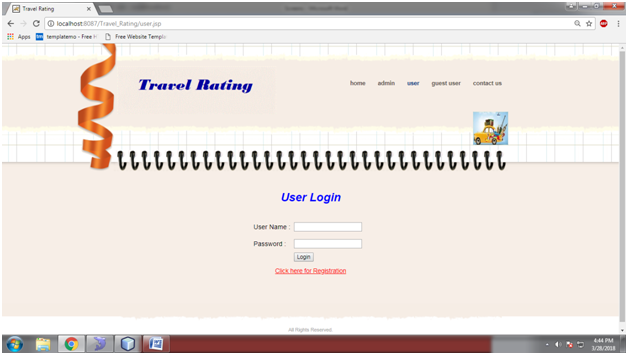
  • User Login Page

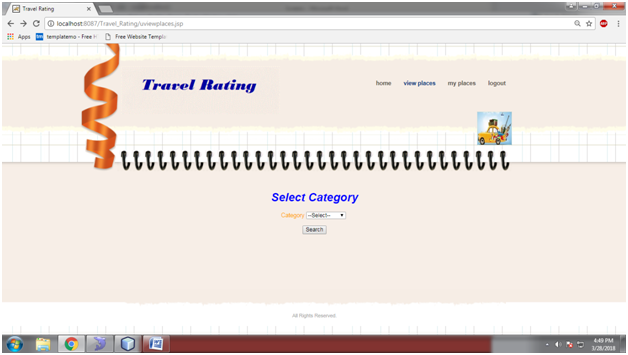
  • Select Category page

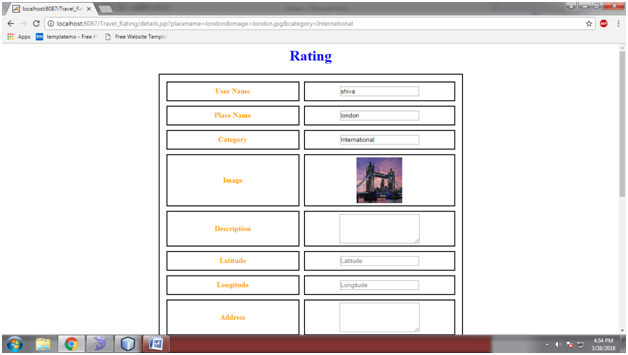
  • Travel Rating Page

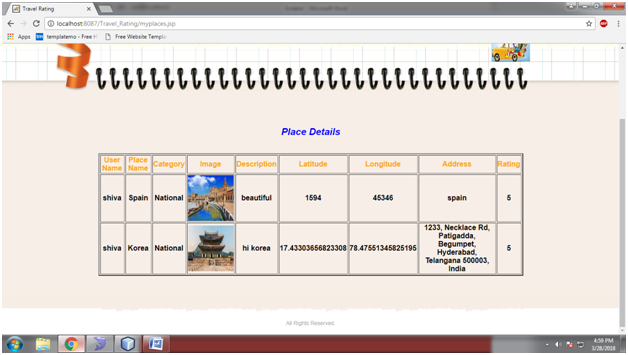
  • My Places Page

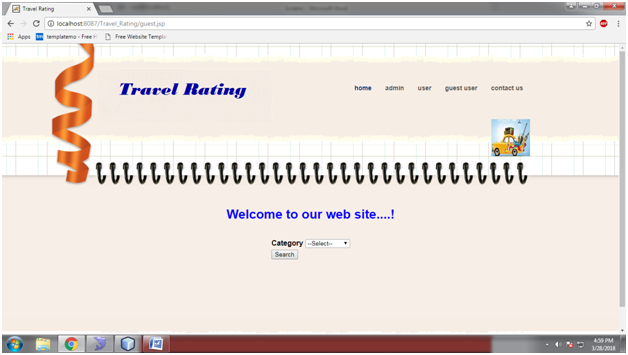
  • Guest user page

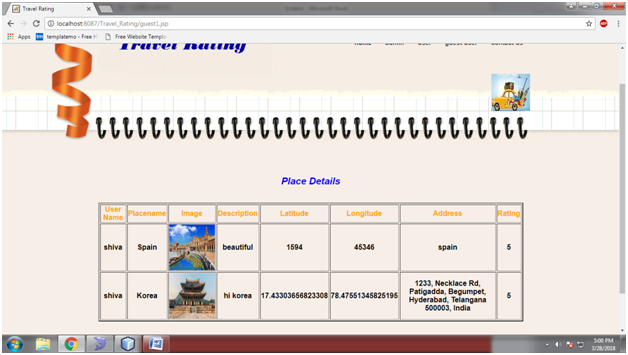
  • Place Details Page

Wedding Event Planner Java Project

Abstract:

The wedding planner is a java web application which helps to organize successful wedding events for users. This application provides an easy way to plan their special events. The user can add all the details of the event and can get the service. The user can select the type of event, type of food to be served, type of decoration and estimated budget. All the details given by users will be verified by admin. Admin will add all the details of the planner based on the requirement of the user and send the user’s event details to the planner. The planner will verify and send his response with a confirmation mail. The user needs to complete the payment process to confirm the order

Existing System:

In the existing Wedding Event Planner system, users need to waste a lot of time and physical effort in finding the place for the event and no proper information is provided to the user regarding the event details like food, decoration, and budget. All the information is maintained in records which are difficult to view or modify.
Proposed System:

UML Diagrams:
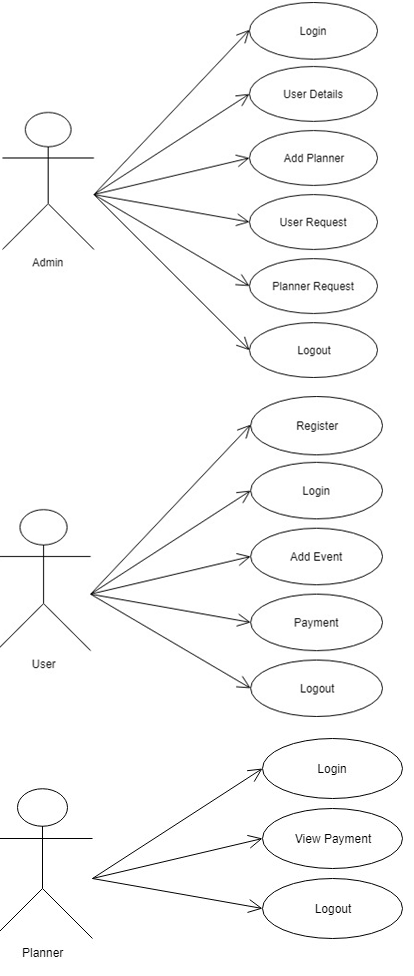
Use Case Diagram:
Sequence Diagram:
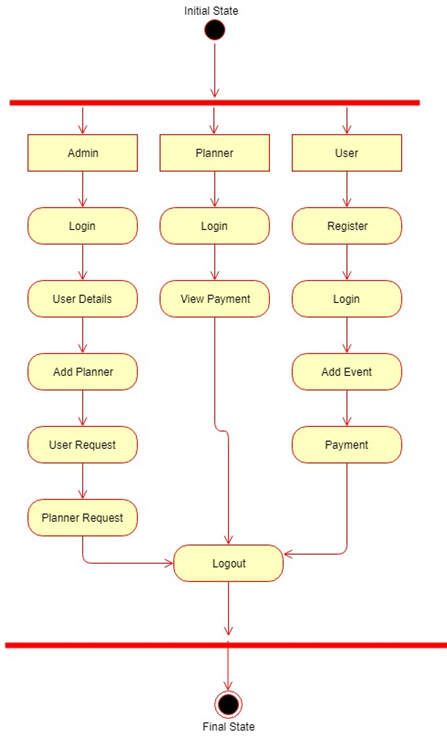
Activity Diagram:
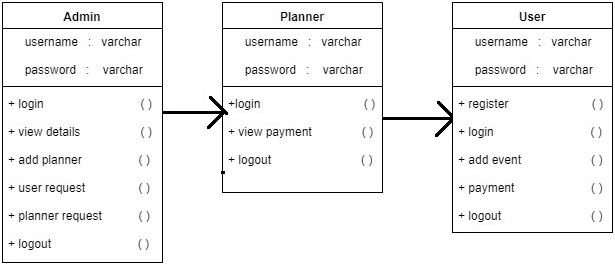
Class Diagram:

Modules:

Admin:

Admin needs to get logged in by entering valid credentials. Admin can view all the details of the registered users and can authorize them. Admin can add planners. Admin can view users request and will send to the planner. Admin can view planner response and will confirm users request for a venue with a confirmation mail to users.

Planner:

The planner will be added by admin and will get his/her credentials to their mail id. The planner needs to give valid username and password. The planner can view request sent by admin and can give a response to admin.

User:

The user needs to get registered with the applicant by entering all the details in the registration form. Every registered user should be activated by the admin. The user can get login by entering unique username and password. The user can add all the details in the application regarding the event like the type of event, decoration, and budget. Users will get a confirmation mail to his mail id. Users order will be booked after completing the payment process.

Softwares used to develop this wedding Event application below:

Netbeans 8.0.1, JDK 1.7, MySQL 5.5, SQLYog, HTML, JavaScript and CSS.

Project Output Screens Description:

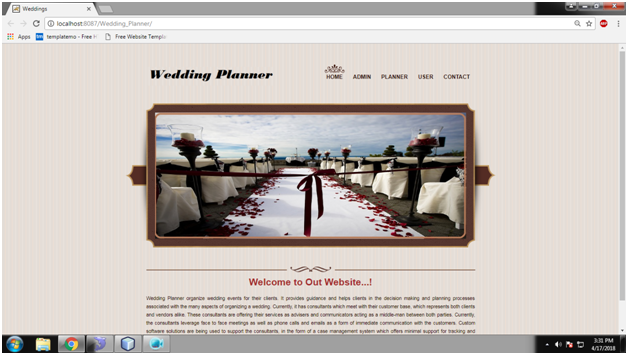
  • Wedding Planner Home Page

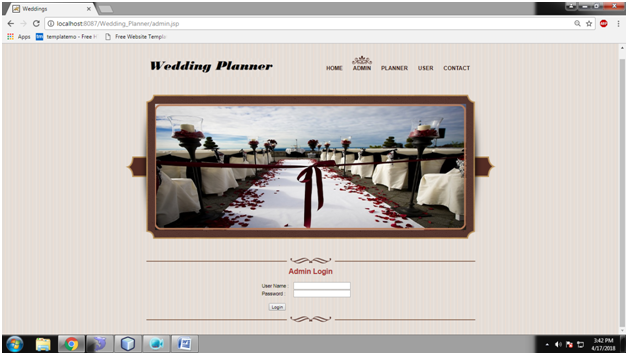
  • Admin Login Page

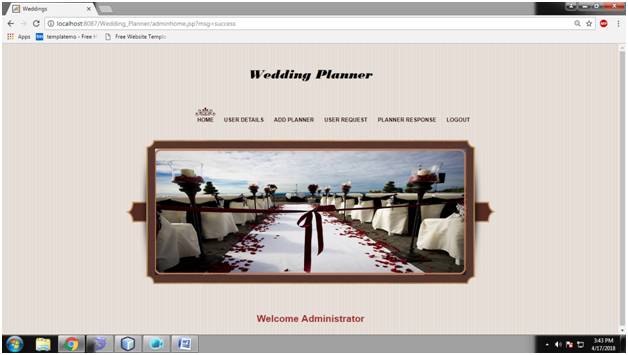
  • Admin Home Page

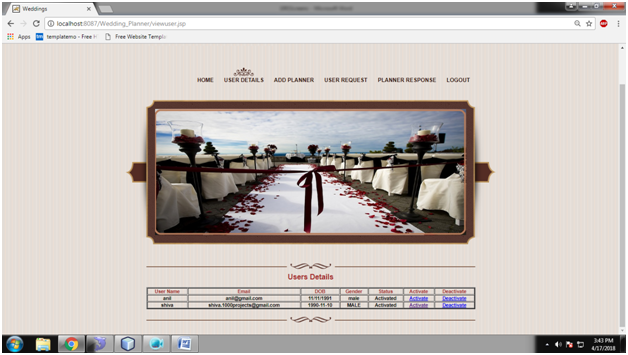
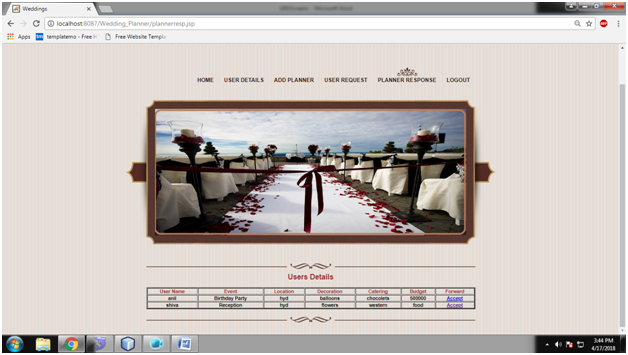
  • Admin View User Details

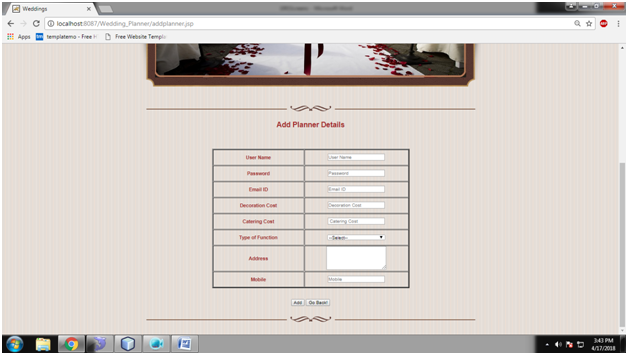
  • Admin Add Planner

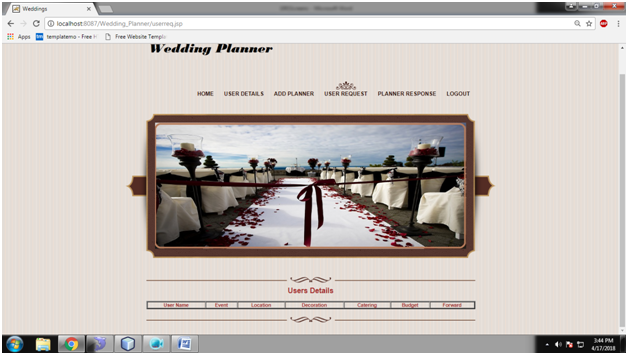
  • Admin View User Request

  • Admin View Planner Response Page

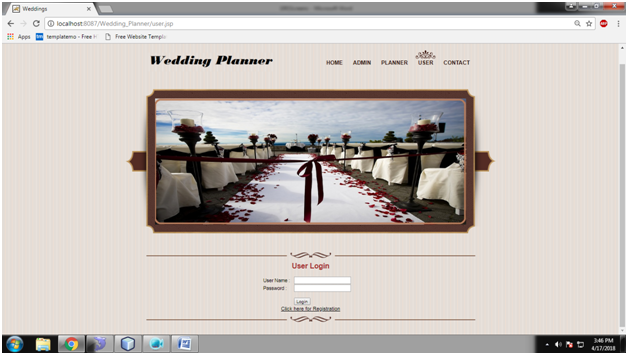
  • User Login Page

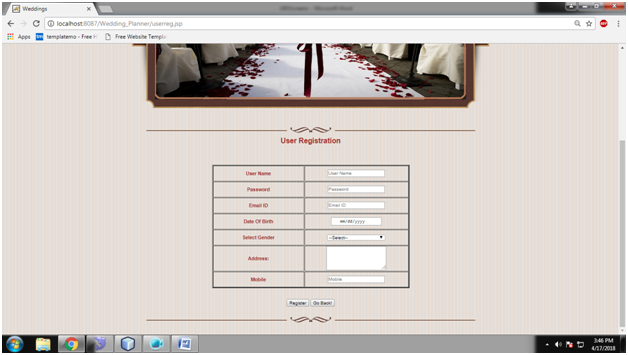
  • User Registration Page

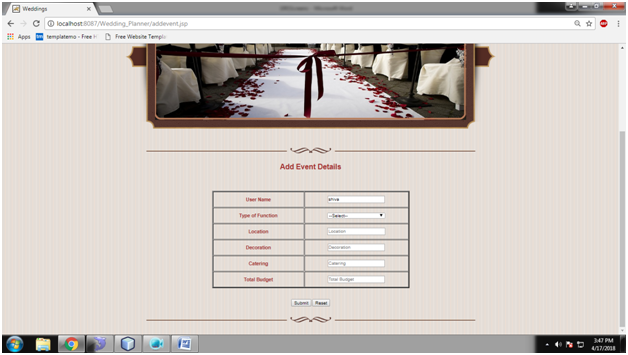
  • User Add Event Page

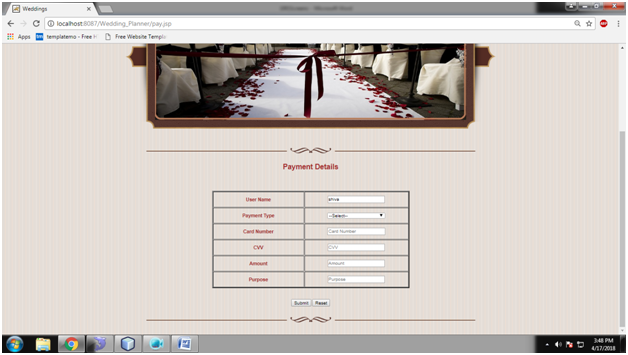
  • User payment Page

Student Performance with Graph & Academic Project Work Reporting System

Abstract:

Student Performance with Graph & Academic Project Work Reporting System is a web-based application developed using Java, HTML, and MySQL Database. This application provides an easy waa y to student in searching the details of projects and details of their academic attendance and marks percentage details the with graph. Students can search the projects with project title or with guide name or with the year. All the details of the projects and details of student’s attendance and marks percentages are added by admin.

Existing System:

In the existing system, all the student information is added manually and the data is stored in the records. Takes a lot of time and physical effort in searching and adding the information. In the existing system, there is a possibility of losing data and no proper maintenance of data.

Proposed System:

The proposed system provides the student an easy and accurate data about projects and academic percentages. Students can view all the information in just one click which saves a lot of time and effort. The proposed system maintains a database to store all the information. In this system, there is no chance of losing data. Adding and searching the information is very easy which does not take much time and physical effort.

Modules:

Admin:

Admin can get login by entering valid username and password. Admin can view all the details of the users and need to authorize them. Admin can upload projects by giving all the details of the project. Admin can add all the details of student’s attendance and marks. Admin can view added students and the progress in a graph.

Student:

The student needs to enter all the details in the registration form. The student should be authorized by admin to get login into the application. A student can search projects based on the title, year and Guide name. Students can view all the details of his/her attendance and marks. Students can view graph for his attendance and marks.

Conclusion:

“Student Performance with Graph & Academic Project Work Reporting System” Java project satisfies all the requirements of students in searching the projects and finding details about his\her attendance and marks. This project also satisfies the requirement of admin in adding all the details of the project and he can easily find the progress of student’s attendance and marks.

Softwares used to develop this project below:

Netbeans 8.0.1, JDK 1.7, MySQL 5.5, SQLYog, HTML, JavaScript and CSS.

Project Outputs Description:

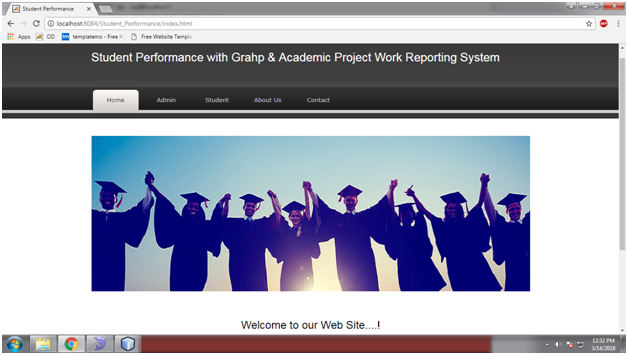
  • Home Page

  • Student Login Page

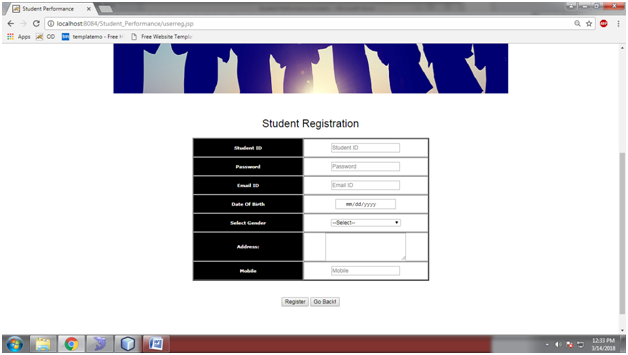
  • Student Registration Page

  • Student Home Page

  • Search Projects Page

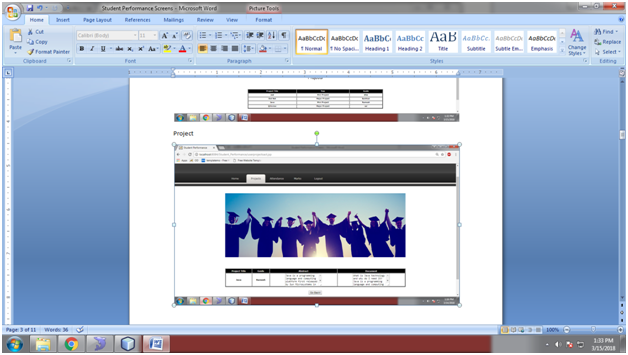
  • Project Details Page

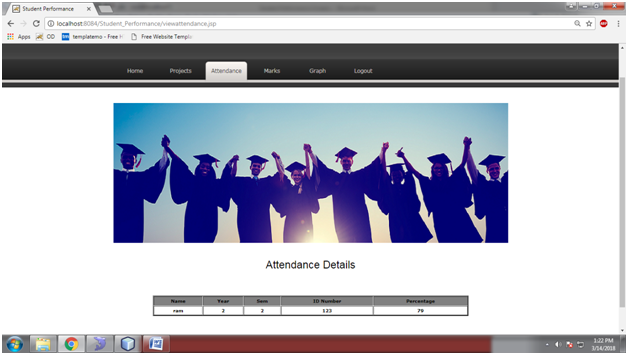
  • Attendance Page

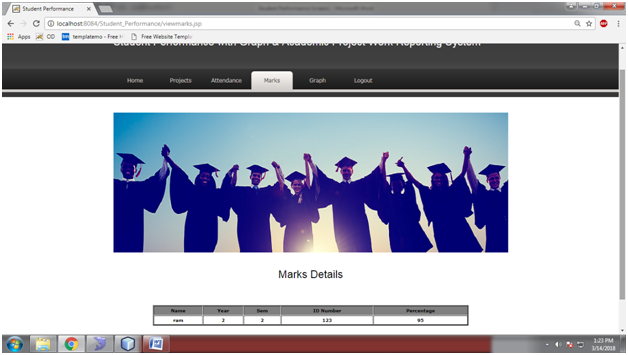
  • Marks Page

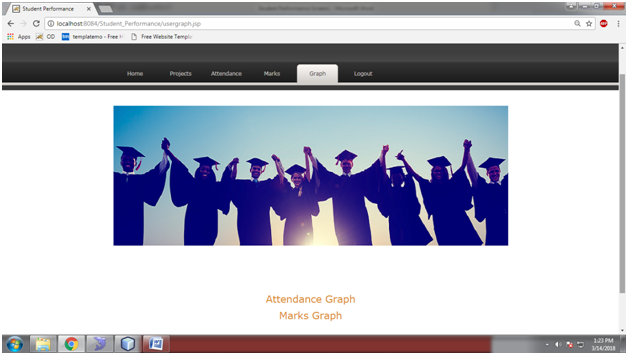
  • Graph Page

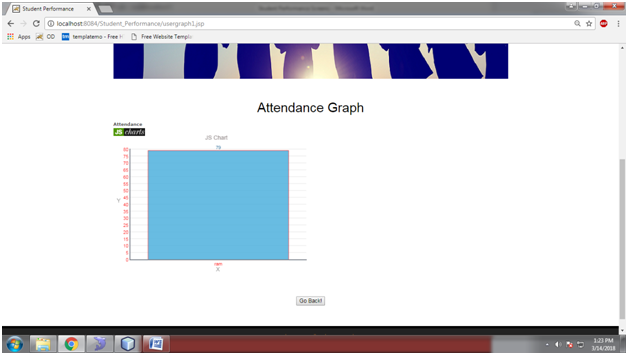
  • Attendance Graph Page

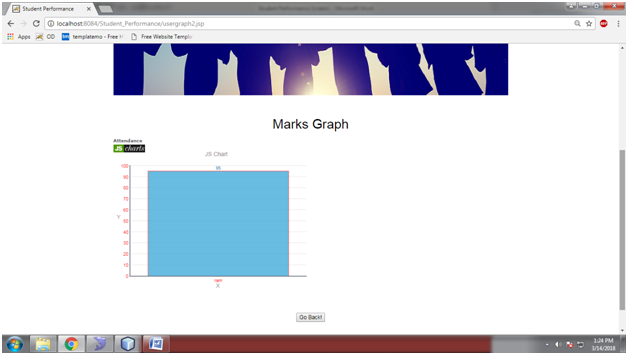
  • Marks Graph Page

  • Admin Login Page

  • Admin Home

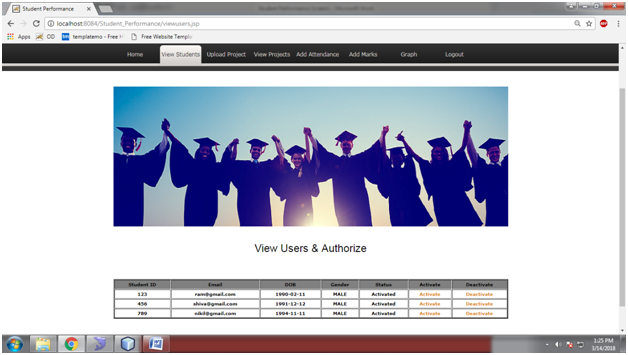
  • View Users Page

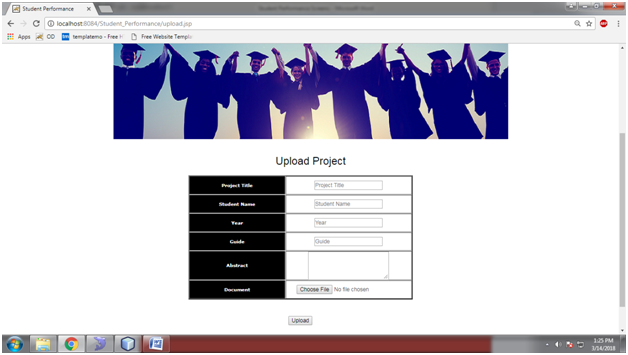
  • Upload Project Page

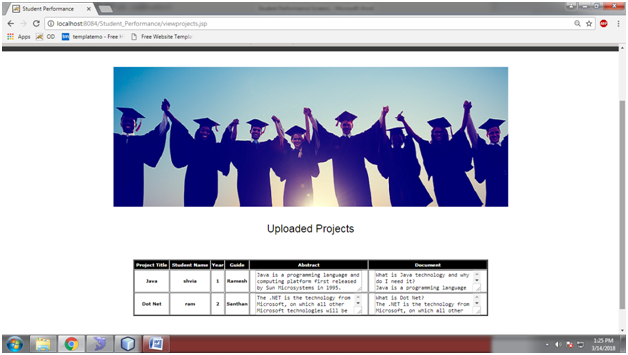
  • View Projects Page

  • Add Attendance Page

  • Add Marks page

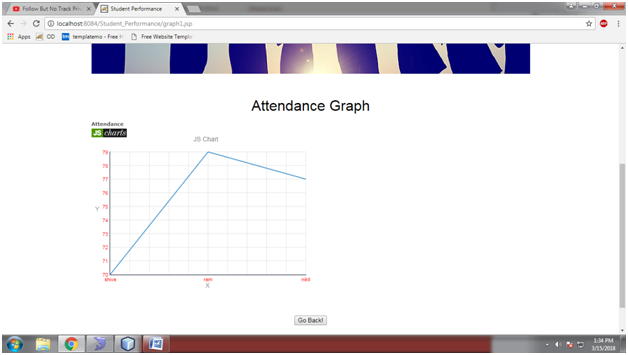
  • Attendance Graph

Career Analysis Java Project

Abstract:

“Career Analysis” is a web application developed in java & MySQL Database. This project enables users to search information about colleges and college location. The user can get all the detailed information about colleges and course details. Users can select their interested category and branch. Users can get the information of colleges just in one click. Users need to give their rank to know the suitable college for their rank. This application provides required information of the engineering and medicine colleges and the location of the college.

Existing System:

In the existing Career Analysis system, physical effort is needed and proper information is not provided within time. The user needs to go physically to the college and give his rank to know the suitable and available college’s. Complete information of the colleges and course is not provided to users. This system takes a lot of physical effort and time.

Proposed System:

The proposed Career Analysis system provides an easy and accurate way to search colleges. The User can get all the details of colleges and course details in just one click. The user needs to give their rank and find the details which do not require any physical effort and time loss.

Modules:

Admin:

Admin needs to get logged in by entering valid credentials. Admin can view all the details of users. Admin can activate and deactivate users. Admin can add engineering and medicine college details.

User:

The user needs to give all the required information in the registration form to get a unique username and password. The user can select the category branch and need to enter their rank. The user can get the result with the suitable college and its information after entering rank.

Software Requirements to develop this application below:

Netbeans 8.0.1, JDK 1.7, MySQL 5.5, SQLYog, HTML, JavaScript and CSS.

Project Outputs Description:

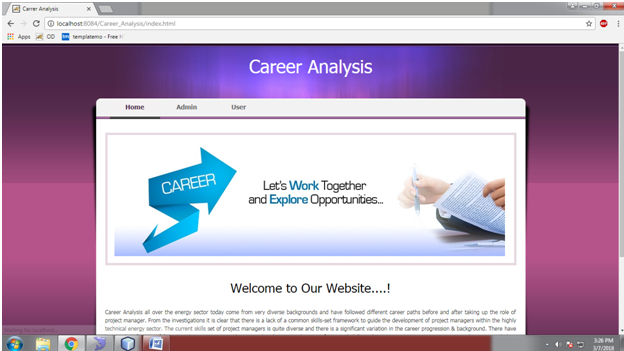
  • Home Page of Career Analysis Project

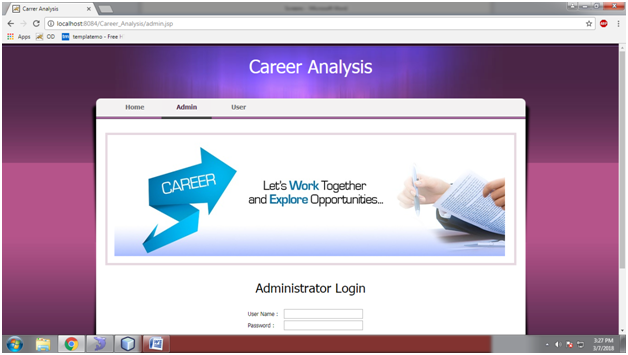
  • Admin Login Page

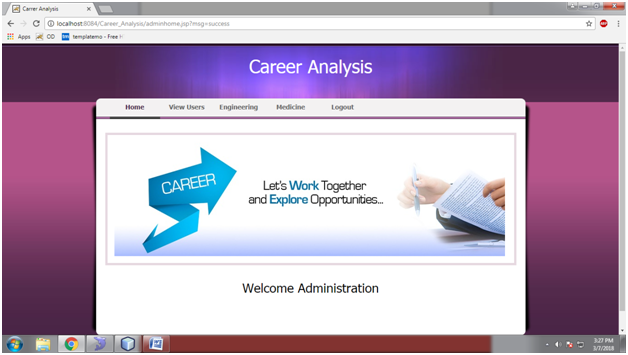
  • Admin Home Page

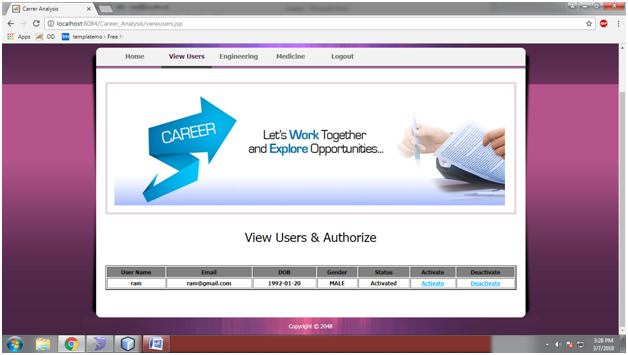
  • View Users Page

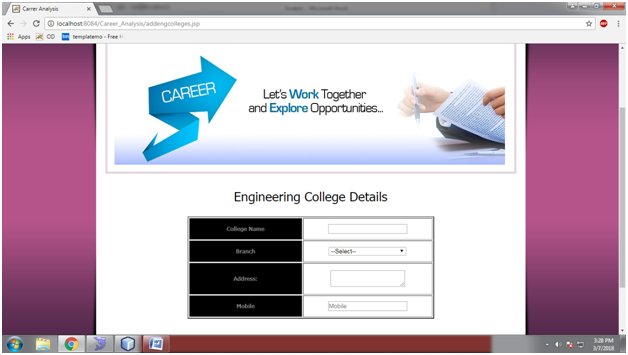
  • Add Engineering Details Page

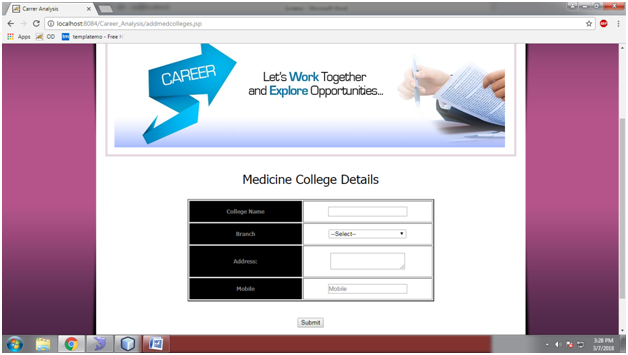
  • Add Medicine Details Page

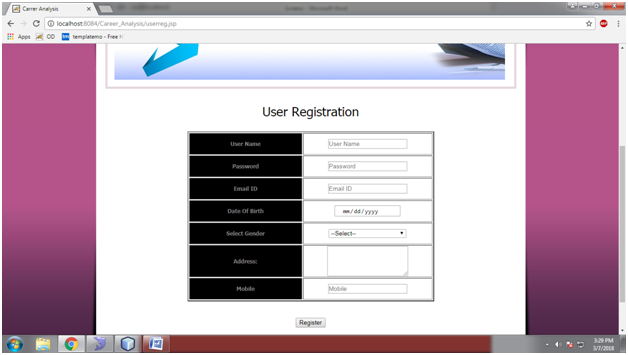
  • User Registration Page

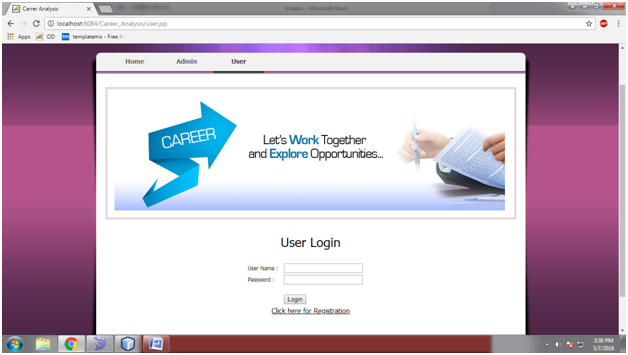
  • User Login Page

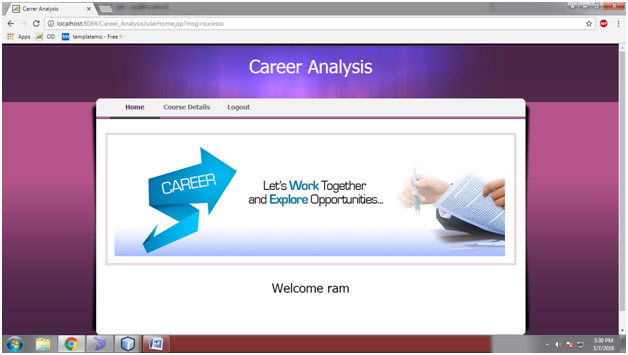
  • User Home

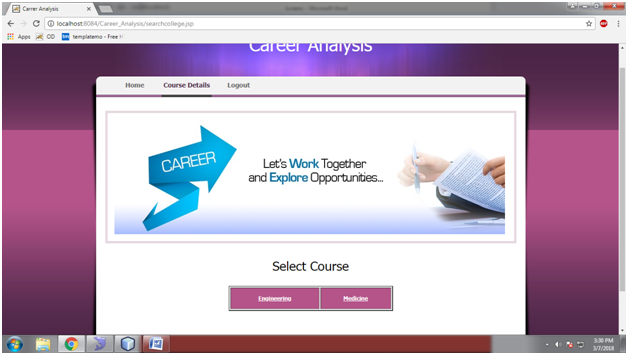
  • Course Details Page

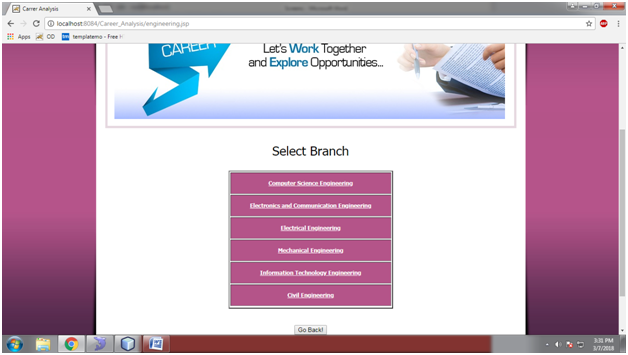
  • Branch Details Page

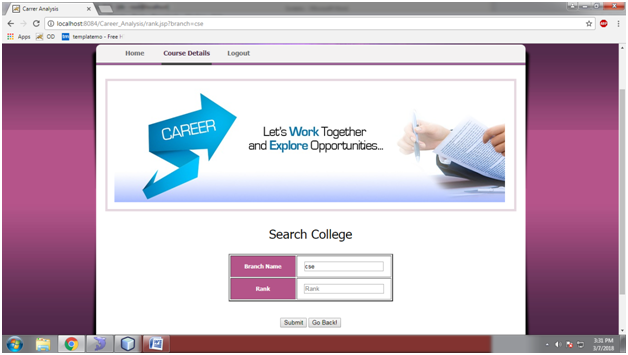
  • Search College Page

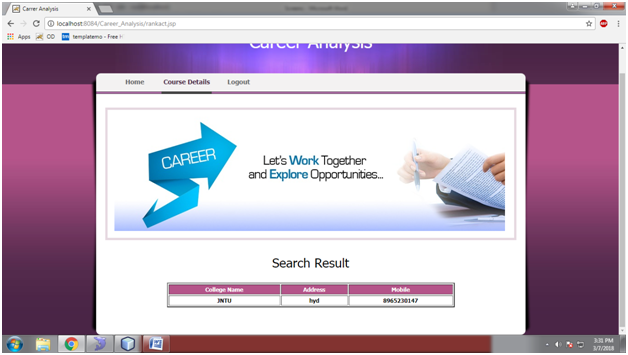
  • Search Result Page

Basic MySQL Command-line Operations Project

Abstract:

“Basic MySQL Command line Operations” is an application developed in using MYSQL.This application has the only module which plays a key role which is an admin

Admin can get logged into the application by entering valid credentials.ADmin can add all the details of the employee like employee name, id, salary, email,

address, mobile no.Admin can update and delete all employee details.

In MYSQL command prompt we need to enter MySQL password to get access.Create a database by entering the database name.

After creating the database we can execute the query.We need to create employee table.After creating Employee table all the details of the table can be

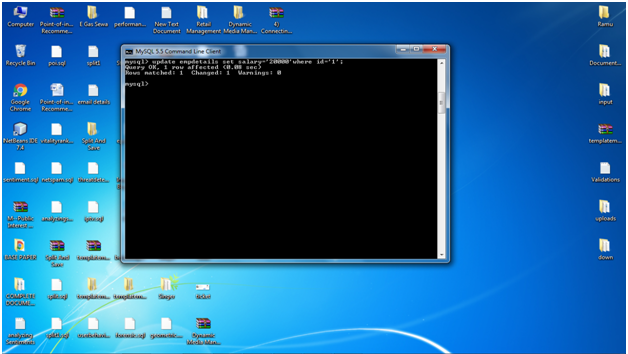
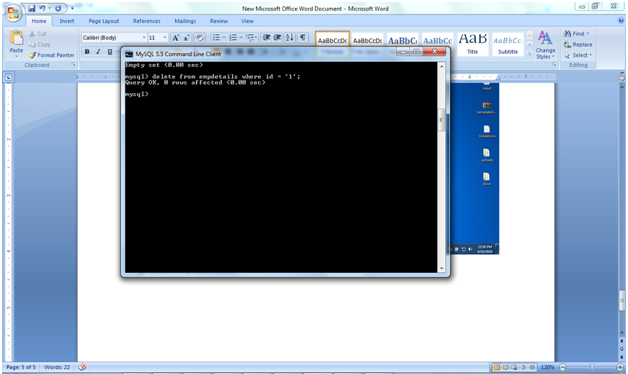
inserted into the table.We can update all the details in the employee table by using an update query.: We can delete the details in the employee table by using delete query.

Modules:

admin:

* Admin login with valid username and password

* Admin can add employee details like employee name, id, salary, email, address, mobile no.

* Admin can update and delete all employee details.

Output Screens with Explanation:

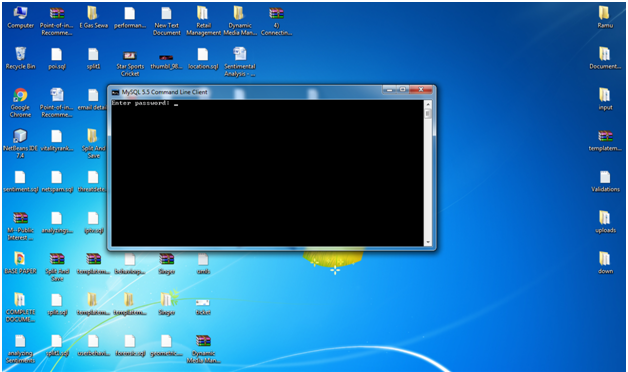
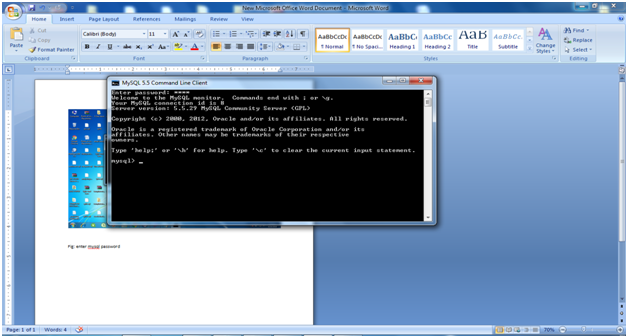
Fig: enter mysql password: To Connect Mysql(Database) here user need to enter password, which we enter at the time of installation.

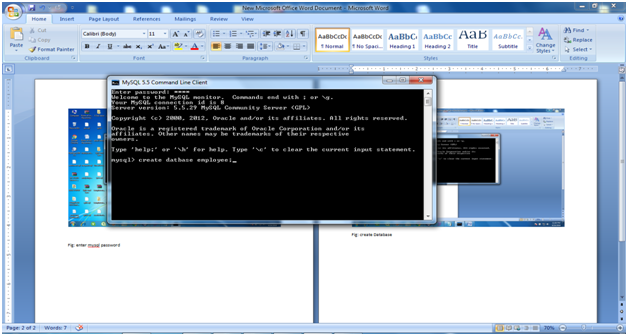
Fig: create Database : Here we need to create database using SQL Query

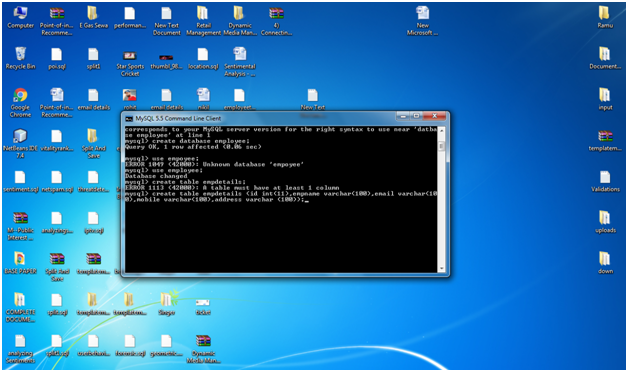
Fig: execute query: After executing the given query database will be created

Fig: create employee table: Here we will create a table by giving all the required column names using data types and length with a specific table name.

Fig: insert Employee Details: After creating Employee table all the details of the table can be inserted into the table

Fig: Update employee details: We can update all the details in the employee table by using update query.

Fig: Delete Employee Details: We can delete the details in the employee table by using delete query.