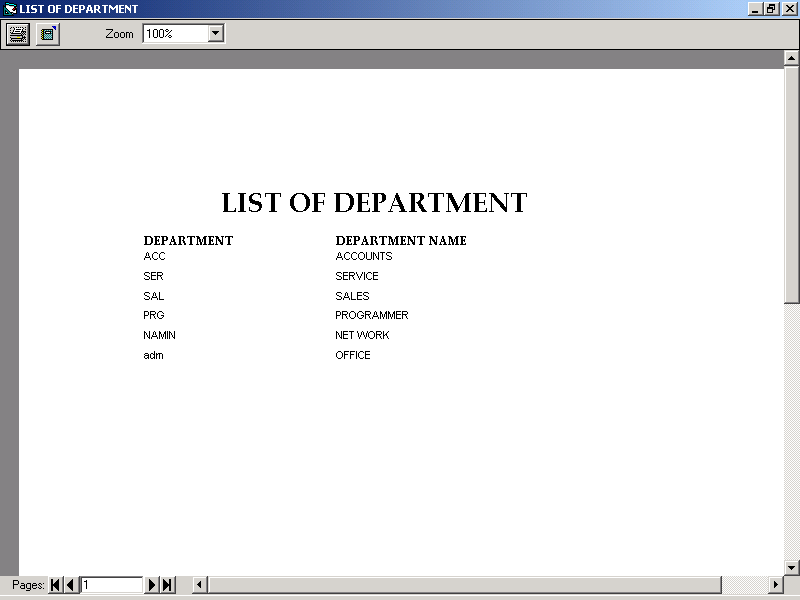
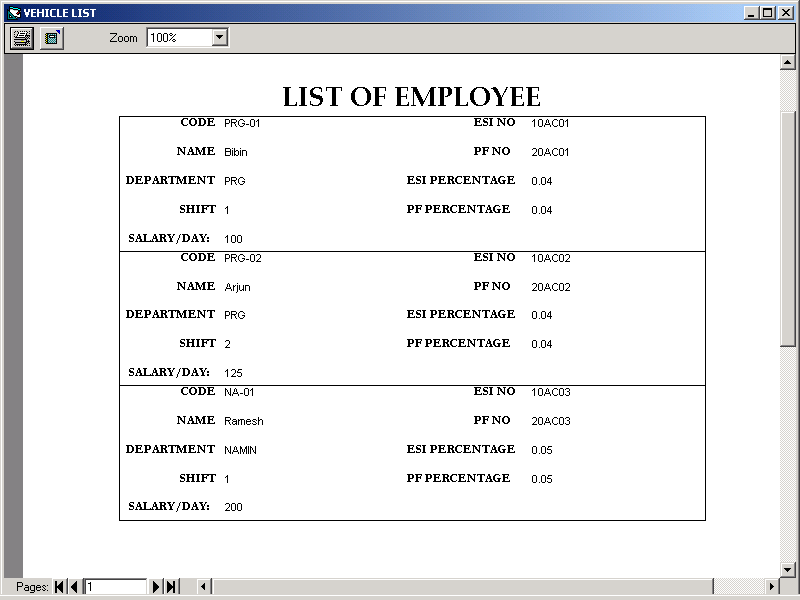
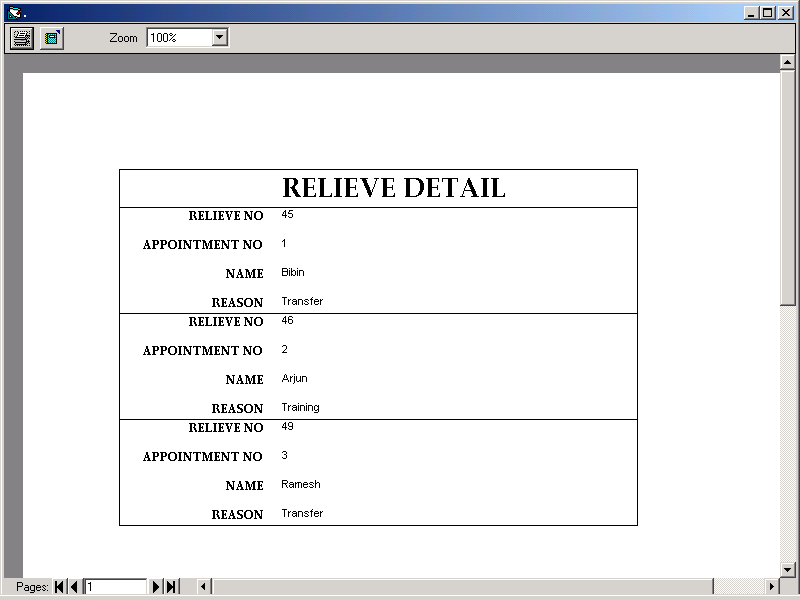
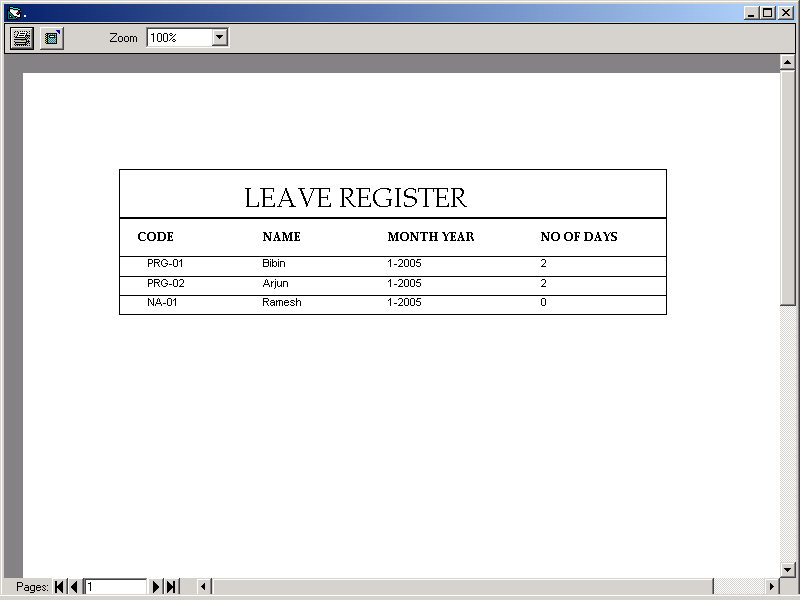
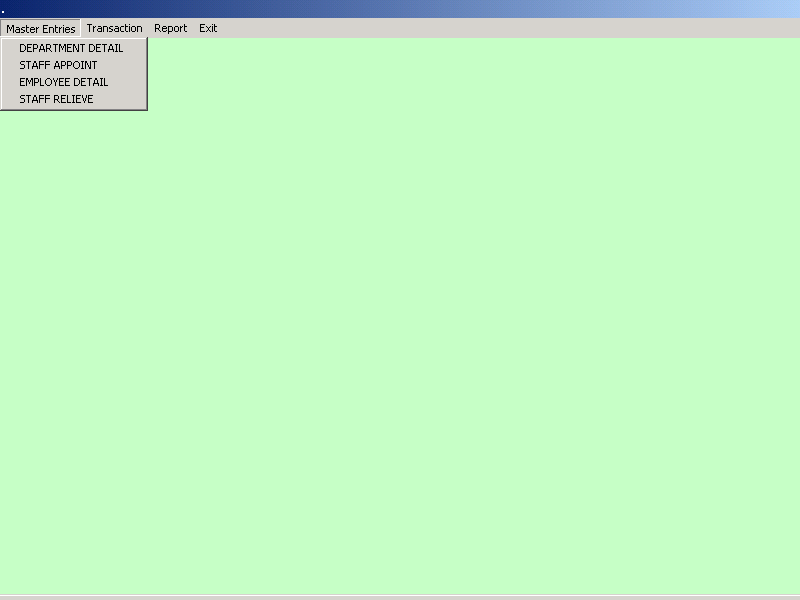
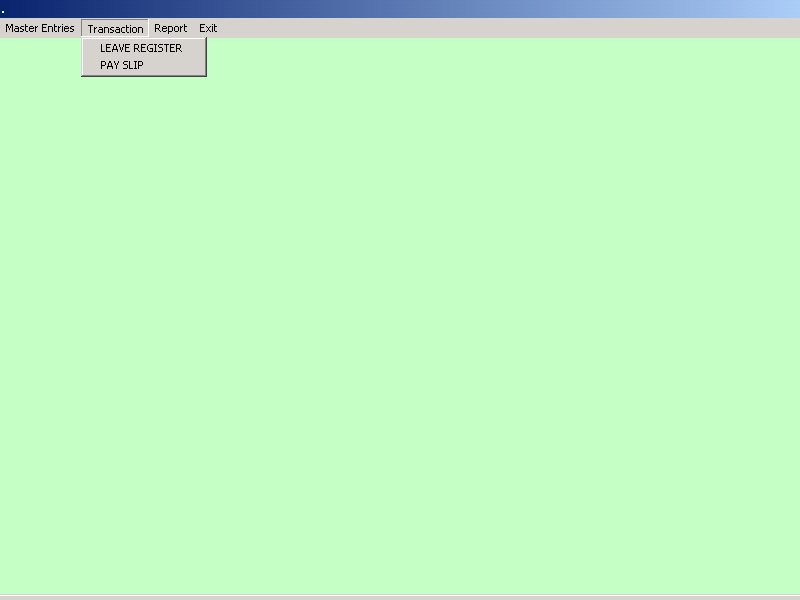
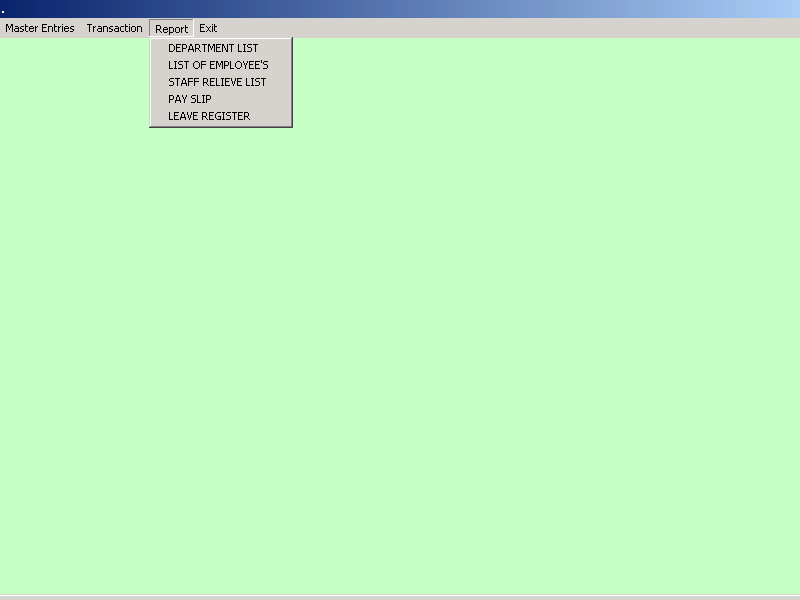
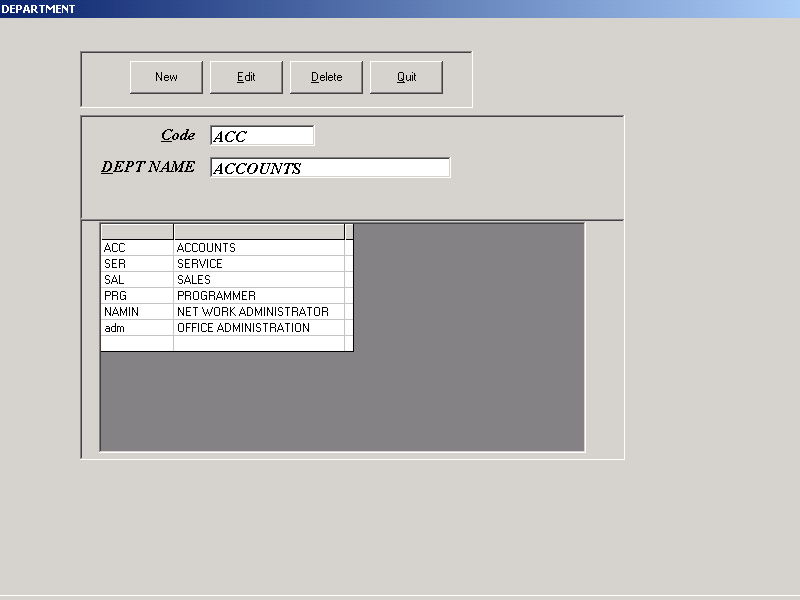
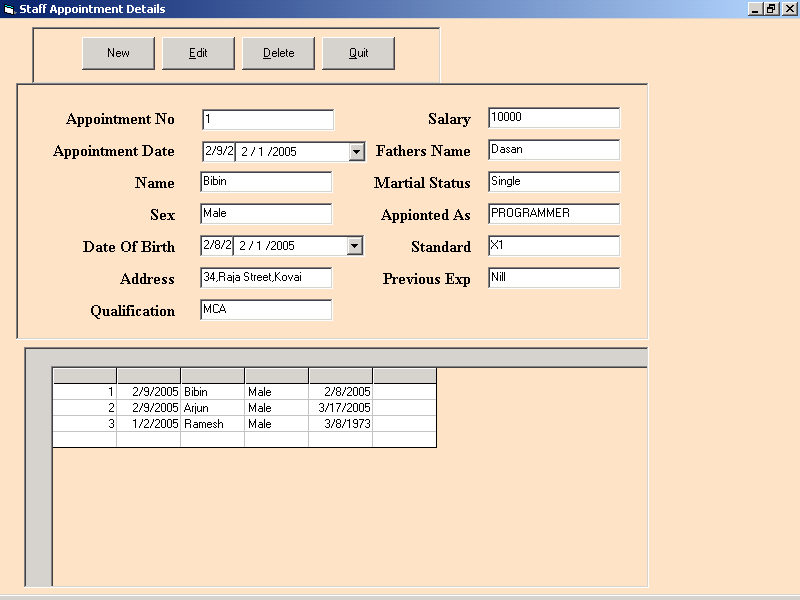
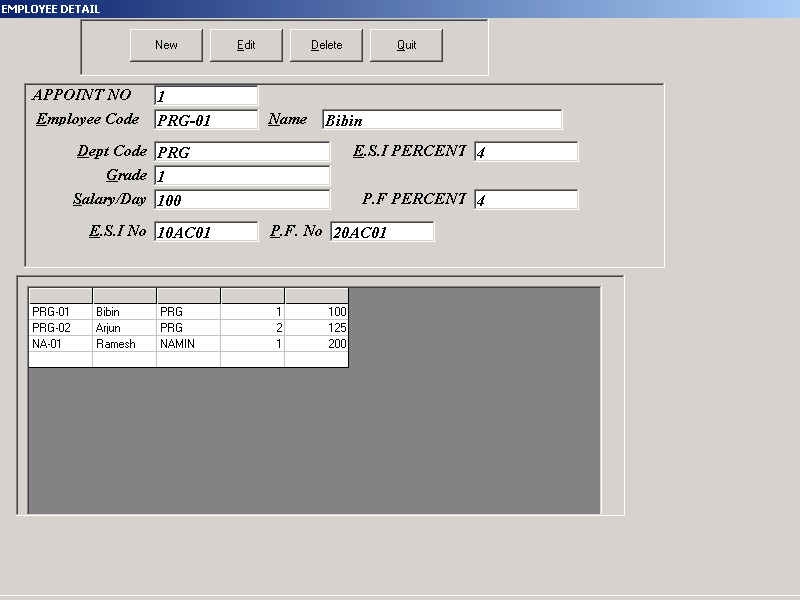
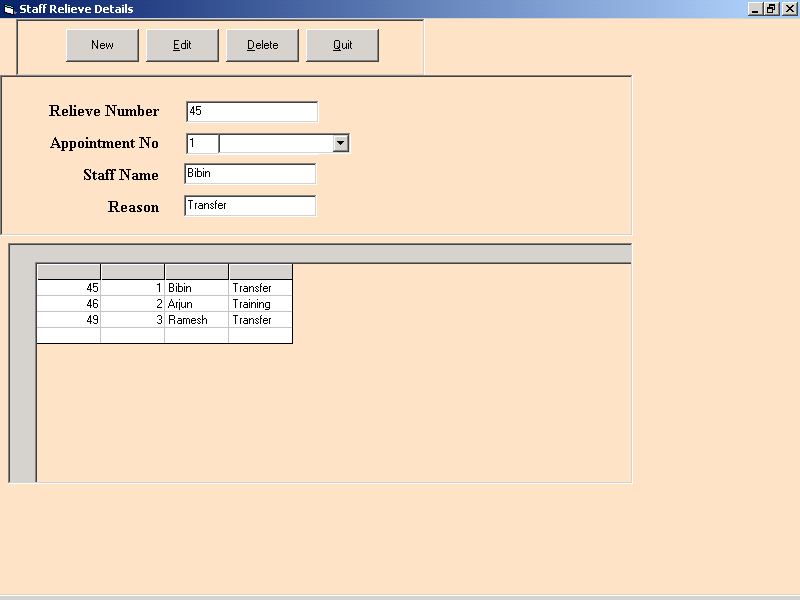
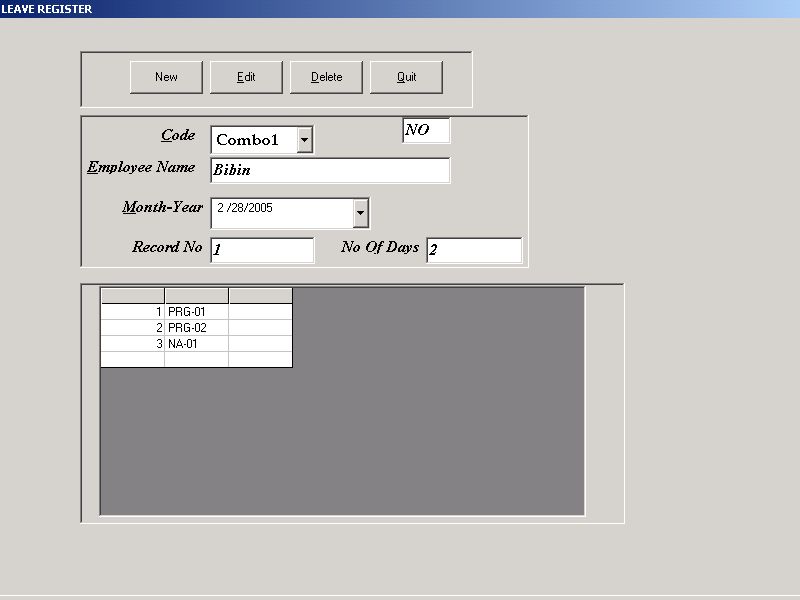
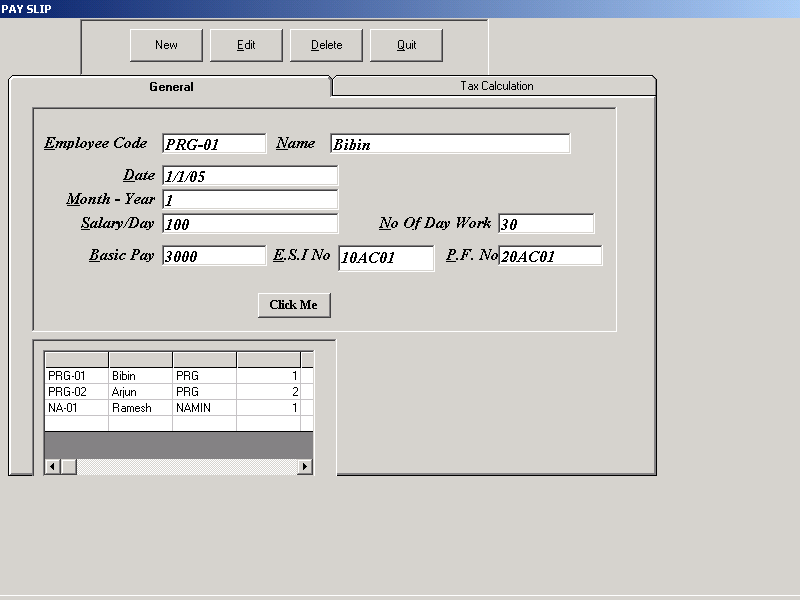
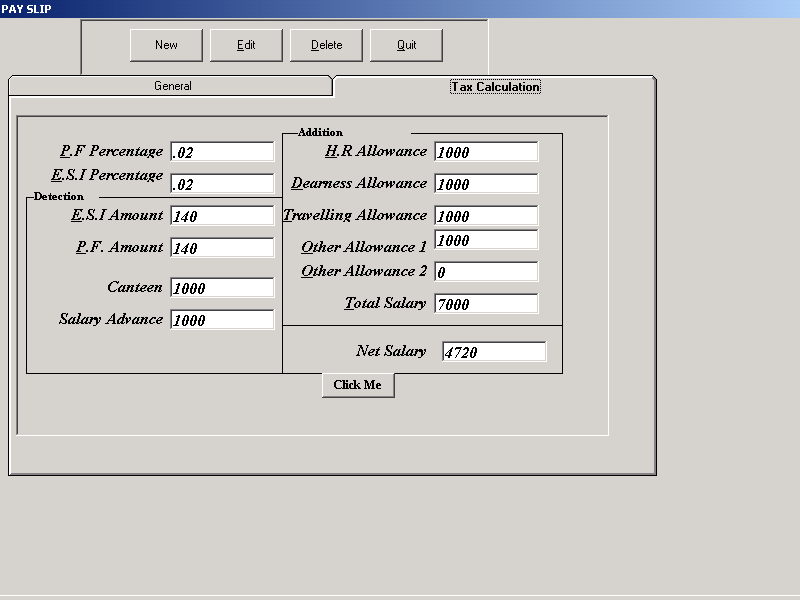
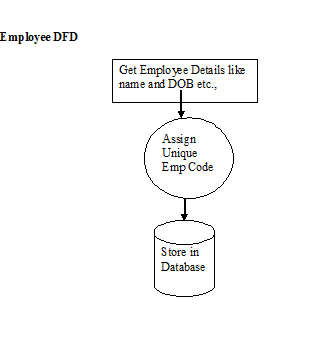
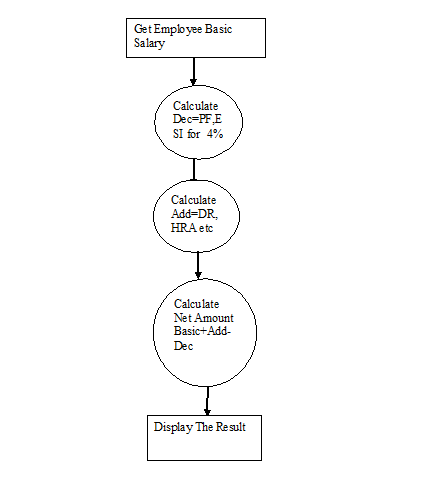
This article explains about data flow diagrams of the Payroll Management System and output screen shots provides step by step process for execution of this application. find the below images to know the details about this Engineering Project.
Network Monitoring System with Simple IP Subnet Calculator Database Design
TABLE AND DATABASE DESIGN
TABLE DESIGN
Admin Login Table
Database Design:
The database design is a must for any application developed especially more for the data store projects. Since the chatting method involves storing the message in the table and produced to the sender and receiver, proper handling of the table is a must.
In the project, login table is designed to be unique in accepting the username and the length of the username and password should be greater than zero
Network Monitoring System with Simple IP Subnet Calculator System Design
Design is multi-step process that focuses on data structure software architecture, procedural details, (algorithms etc.) and interface between modules. The design process also translates the requirements into the presentation of software that can be accessed for quality before coding begins.
Computer software design changes continuously as new methods; better analysis and broader understanding evolved. Software Design is at relatively early stage in its revolution.
Therefore, Software Design methodology lacks the depth, flexibility and quantitative nature that are normally associated with more classical engineering disciplines. However techniques for software designs do exist, criteria for design qualities are available and design notation can be applied.
OUTPUT DESIGN
In the project, if the employee has to communicate with other employees they can communicate through send and receive message.
INTERFACE DESIGN
The ODBC (Open Database Connectivity) interface is a pure .NET to execute SQL statement. The ODBC provides a set classes and interfaces that can be used by developers to write database applications. Basic ODBC interactions in its simplest form, can be broken down into four steps:
1. Open a connection to the database.
2. Execute a SQL statement
3. Process the result
4. Close the connection to the database
Network Monitoring System with Simple IP Subnet Calculator Requirement Determination
Existing system
The existing system has been maintained manually. The system, which has been maintained manually, had been complex and complicated. There were many chances to loss the data and the work wouldn’t be an effective and efficient one. Manual operation is always been complicated to the organizations for maintaining the records. In the existing system
- In this system we can’t monitor who all are accessing the files at the same time.
- It’s difficult to find which are the files are updated and renamed.
Drawbacks of the existing system
- Maintenance of the system is very difficult.
- Employee’s attentions are needed for maintaining the system.
- There is a possibility for getting inaccurate results.
- User friendliness is very less.
- It consumes more time for processing the activities.
Proposed system
- Considering the anomalies in the existing system computerization of the whole activity is being suggested after initial analysis by the organization.
- In this system we can monitor who all are accessing the files in the network at the same time.
- When monitoring the connected systems, we can easily found what are the files updated and renamed.
ADVANTAGES OF THE PROPOSED SYSTEM
- Fully Secured
- Role based access
- Ease in maintenance
- Notification about the modification
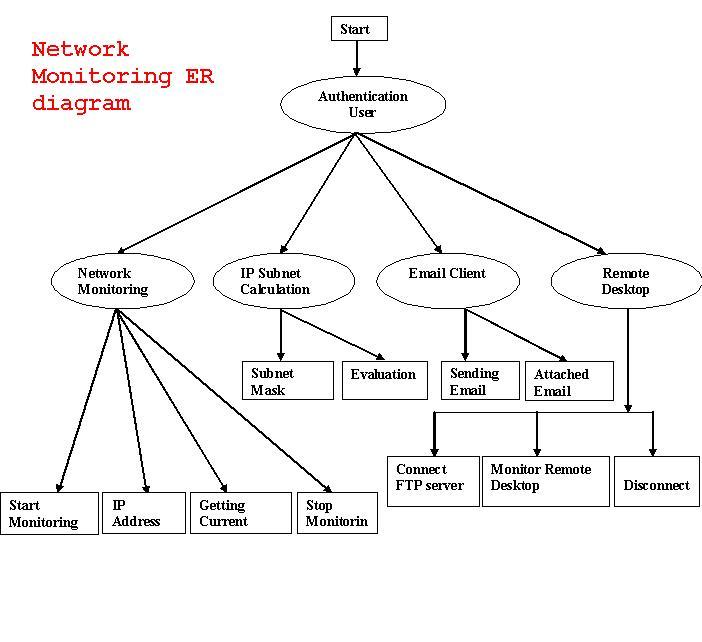
Network Monitoring System with Simple IP Subnet Calculator Tool ER Diagrams
External Entities
External entities are outside the system but they either supply input data into the system or use the system output, they are entities which the designer has no control. Square or rectangle may represent external entities that supply data into a system or some times called sources. External entities that use the system data are sometimes called sinks.
Network Monitoring System with Simple IP Subnet Calculator Tool Modules
Admin
The Login module consists of username and password. This process is for authenisation.The user name and password is correct it is link into next page. This process is done in login.
Network Monitoring System:
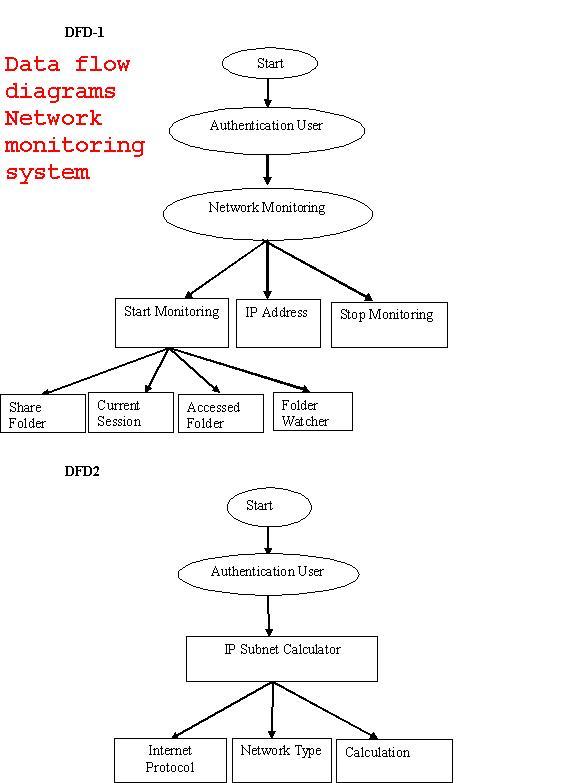
The most of the organization they connect more numbers of systems to form a network to make their work easier to share their files and folders. While connecting we want to monitor the network system activities for secure purpose. This Project deals with monitoring the Network Screen Activities. It has two methodologies one for Client and another for Server. In the proposed system we introduce current session option to monitor the network systems at the same time and in the accesses folder option shows the username and user accessed folders. While client logins to the server, the Client IP Address and System names are added to the server. Server will display all the user names, from server we can monitor the particular Client Screen Activities like that currently opened screens, what are all the files created, modified and deleted.
IP CALCULATOR SUBNET
The calculator module certain process
- Internet protocol
- Network type
- Calculate
The calculate is used to calculate the network type and it class. The other process are prefix,net.mas,maximum number of host,network,broadcast,iprange,maximum number of subnets, wanted number of hosts.
Internet protocol:
The Internet protocol is used to know about the network type. The protocol is enter in the textbox and calculates. It will show the network type. If wrong protocol is entering in the textbox. It will show the error message.
Network type:
The Network used to describes the class.
- Class A:0: 127 255
- Class B:128:191 255
- ClassC:192:223 255
- ClassD:224:239 255
- ClassE:239:254 255
Calculate:
The Calculate is used to calculate the internet protocol and network type.In this system Maximum number of subnet is display.

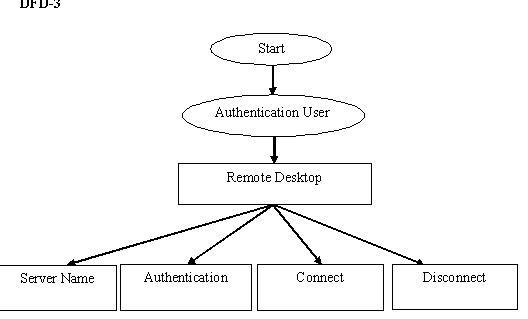
Network Monitoring System with Simple IP Subnet Calculator Tool DFD Diagrams
In this section discussed about data flow diagram, Entity relationship diagram. these things are represented as diagrams with proper notation.
Data Flow Diagram
The data flow diagram is one of the most improvement tools used by the system analyst DeMacro (1978) Nad Gand Sarson (1979) popularized the use if the data flow diagram as modeling tools through their structured system analysis methodologies.
There are four kinds of system components
Process
Process show what system does. Each process has one or more data inputs and produce one or more data output, Circles in a data flow diagram represent process. Each process has unique name and number. This name and number appear inside the circle that represents the processes in a data flow diagram.
This process is represented as circle
Data Stores
File or data store is depositary of data. They contain data that is retained in the system. Processes can enter the data into a data store or retrieve data from the data store. Each data store is represented by thin line in the data flow diagram and each data store has a unique name.
The data store is represented in form of a line
Data Flows
Dataflow model the passage of data in the system and are represented lines joining system components. An arrow indicates the direction of the flow and the line labeled by the name of the data flow.
Network Monitoring System with Simple IP Subnet Calculator Tool Software Requirements
Little importance was given to this phases in the early days of software development. Hence need for the requirements analysis phase arose. The requirement analyst has to identify the requirements by tacking to these people and understanding their needs. In situations where the software is to automated a currently manuals process, most of the needs can be understood by observing the current practice.
Performance Requirements
The project must the end user requirements. Accuracy and fast must be imposed in the Project.
The project is development as easy as possible for the sake of end user. The project has to be developed with view of satisfying the future requirements and future enhancement.
The tool has been finally implemented satisfying the needs specified by the company. As per the performance is concerned this system said is performing
This processing as well as tine taken to generate well reports where also even when large amount of data was used. The system is designed in such a way that even when large amount of data used for processing there would less performance degradation.
Interface requirements
Hardware Interface
The stranded input device like keyboard and mouse are to get input. The output will be generated and display in the monitor. The reports can also be exported to a SQL-server document are text file. The stranded printer in used to take outputs.
Software Interface
The design part and interface id done the front end ASP.Net and SQL server as a backend of the project.
Operational requirements
The database or databases that are being failed over to the stand by server cannot be used for anything else. But databases on the standby server not being used for failover can still be used normally.
When it comes time for actual failover, you much one of two things to make your application work either rename the standby server the same name as the failed production server(and the IP address),
Payroll Management System Project in Visual Basic VB
The entire Payroll Management System Project in Visual Basic system is menu driven and highly interactive. The system provides maximum flexibility to the user. All validity checks are taken care by the system during data entry. The timely and well-designed reports helped the management to make critical decisions in time. The actual user of the system is very much pleased by its efficient performance and the user of the package have extremely reduces duplication of words.
Since the requirements may increase in future, the system can be easily modified accordingly, as the system has been modularized. The future expansion can be done in a concise manner in order to improve the efficiency of the system.
SUGGESTIONS FOR FUTURE WORK
This system is very flexible so that the maintenance and further amendments based on the changing environment and requirements can be made easily. Any changes that may lead to the system failures are prevented with security measures. The project will support for multi user environment, that is more than one user can access simultaneously.
It can be further developed to include more operations and analysis, as changes are required in the system to adapt to the external developments. Further enhancements can be made to the system at any later point of time.
Coding procedures can be modified according to the needs of the user. The system code is also well designed that it will form the basis for further enhancement and also new operations can be included in the system. The reports can be represented in all necessary propection. Added options can be design in reports.
Network Monitoring System with Simple IP Subnet Calculator Tool Project Source Code
Most of the organization they connect more numbers of systems to form a network to make their work easier to share their files and folders. While connecting we want to monitor the network system activities for secure purpose. This Project deals with monitoring the Network Screen Activities.
It has two methodologies one for Client and another for Server. In the proposed system we introduce current session option to monitor the network systems at the same time and in the accesses folder option shows the username and user accessed folders.
While client logins to the server, the Client IP Address and System names are added to the server. Server will display all the user names, from server we can monitor the particular Client Screen Activities like that currently opened screens, what are all the files created, modified and deleted.